 Aloke
AlokeOffers and discounts
Before and after price, the offer window, and what the customer sees.
- Aloke Owners
- Web, iPhone and iPad, Android
An offer is a discount on a dish you already have. It does not create a new one. You enter the price after the discount and the price before it; your page prints the new price with the old one struck through beside it, and we work out the saving from the two.
- In the Aloke Owners app, open «Your menu» from the home screen, then «Deals». (iPhone and iPad, Android)
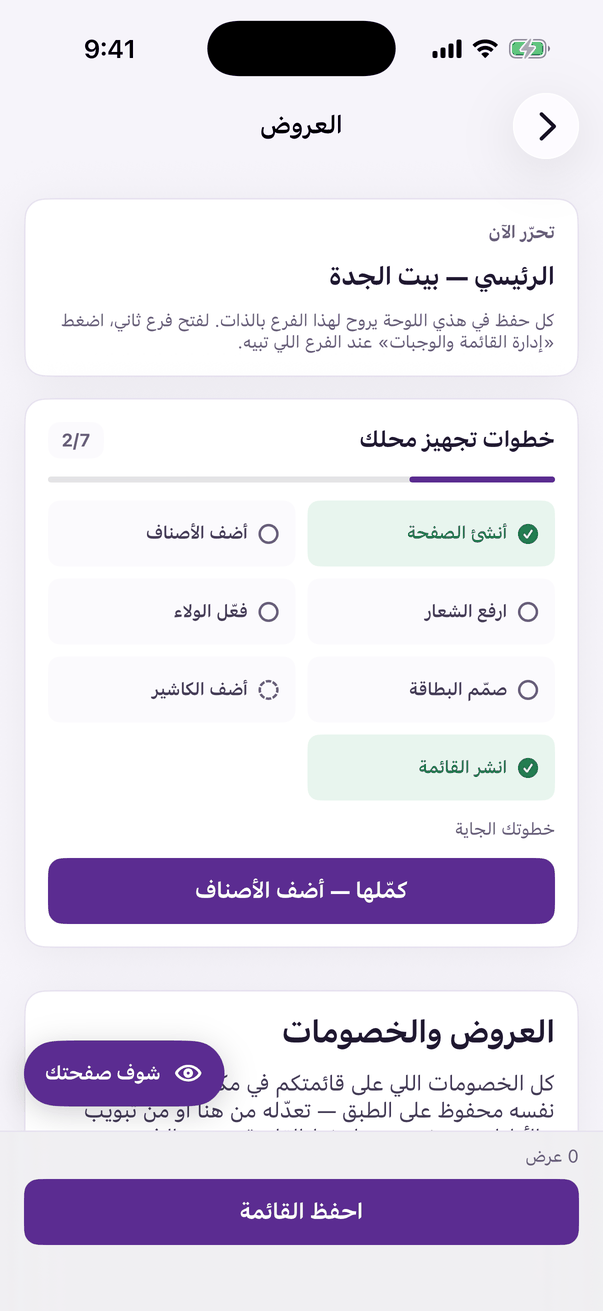
«Deals»: discounts and limited offers on the menu. - Open the «Offers» tab and press «Add an offer». (Web)
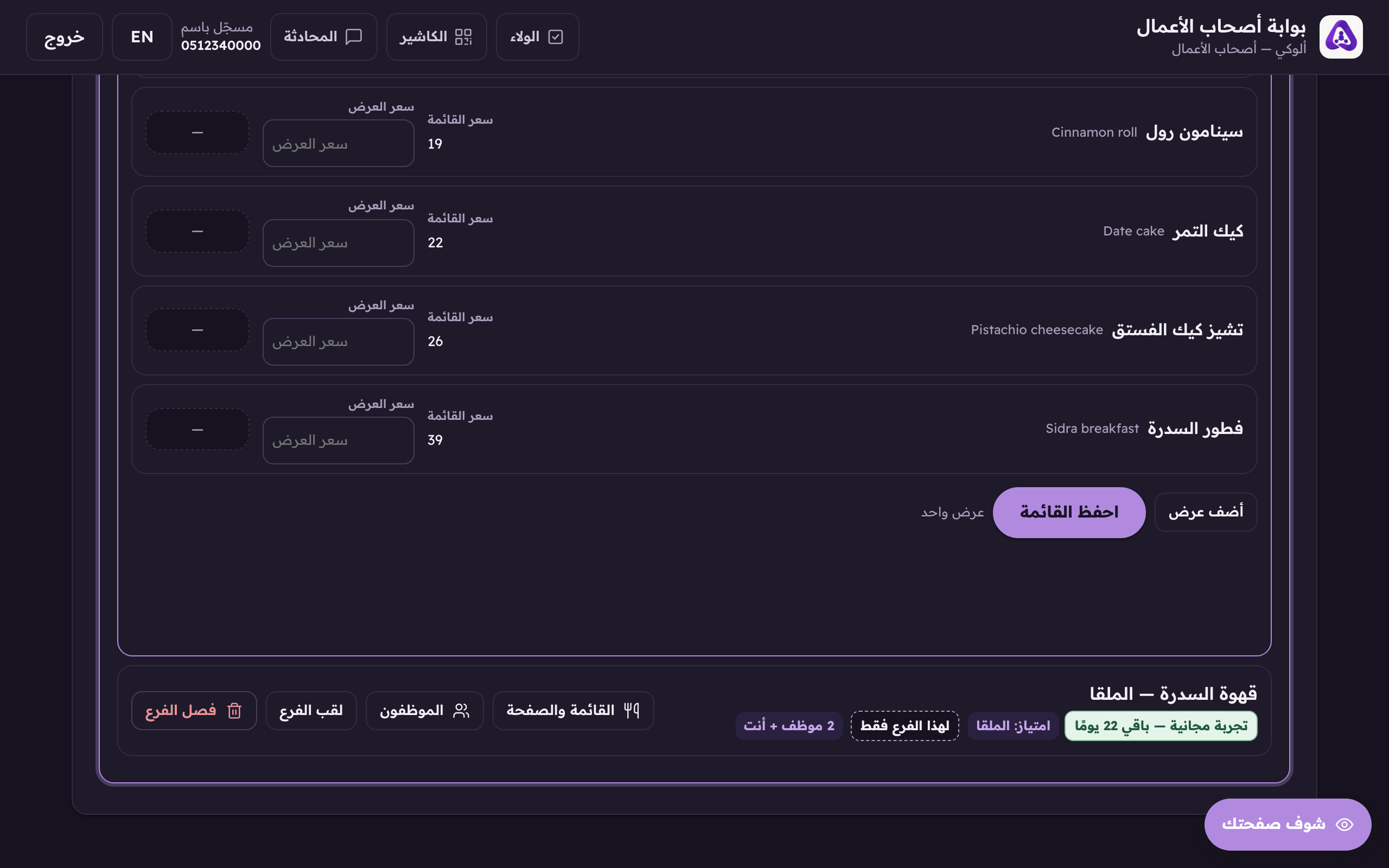
«Add an offer» puts a discounted price on an existing dish. - Choose the dish from your menu.
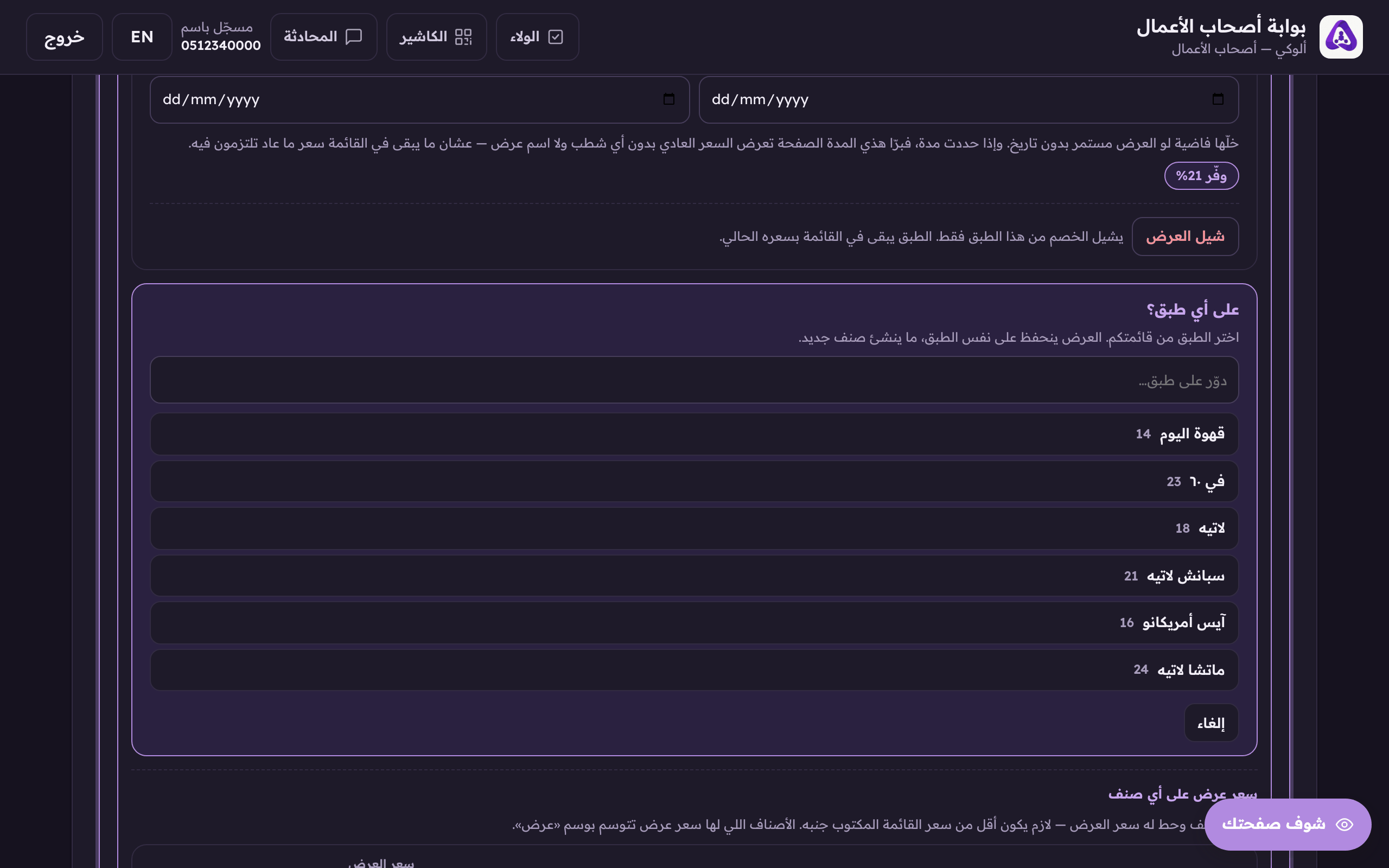
«On which dish?», an offer goes onto a dish that is already on your menu, chosen from this list. - Enter «Price after the discount», that is what the customer pays, then «Price before the discount» in the second box, which is the one printed struck through.
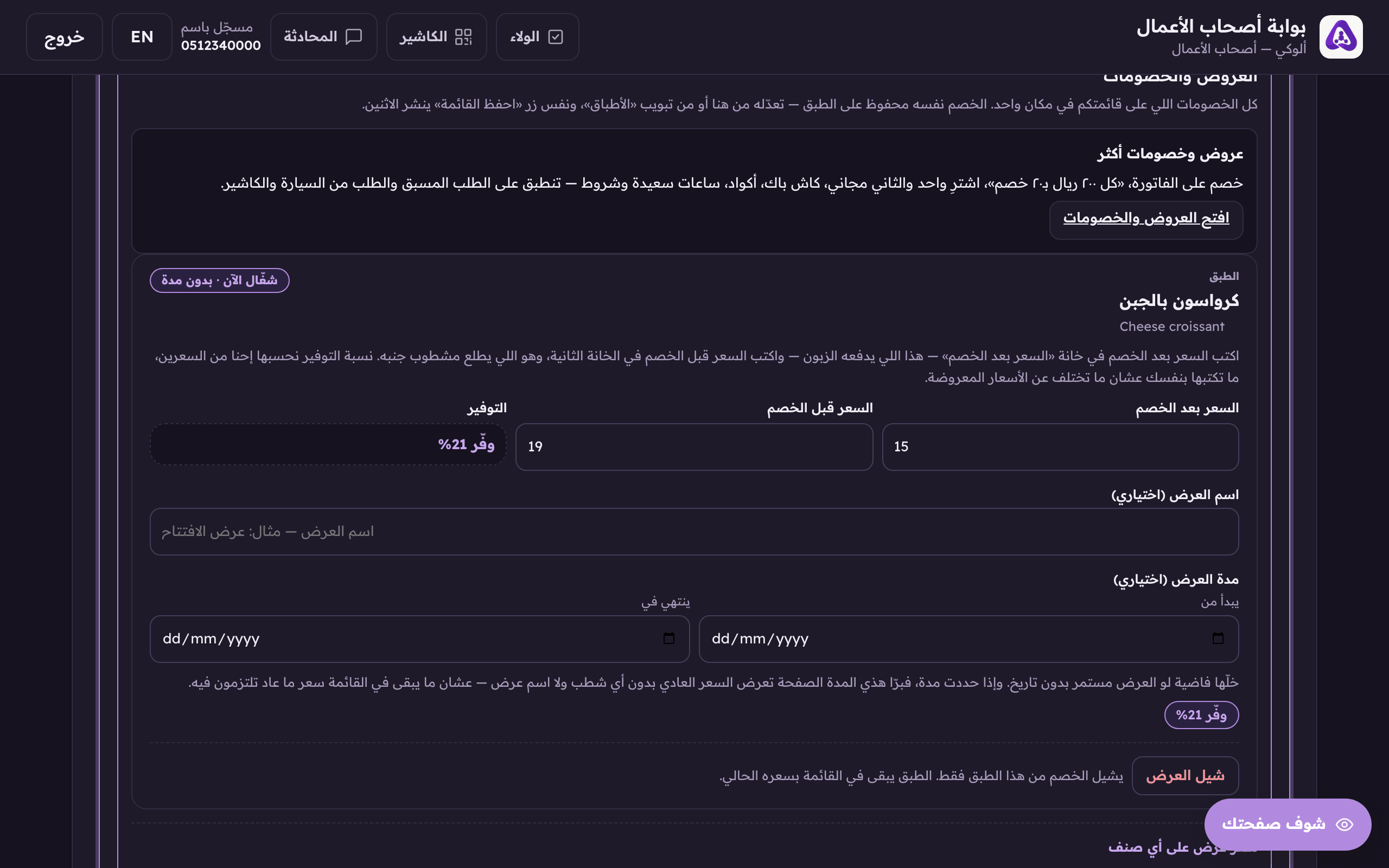
The offer price must be below the menu price. We work out the saving ourselves. - If the offer has a window, set «Starts» and «Ends». Leave them empty for an offer that runs indefinitely.
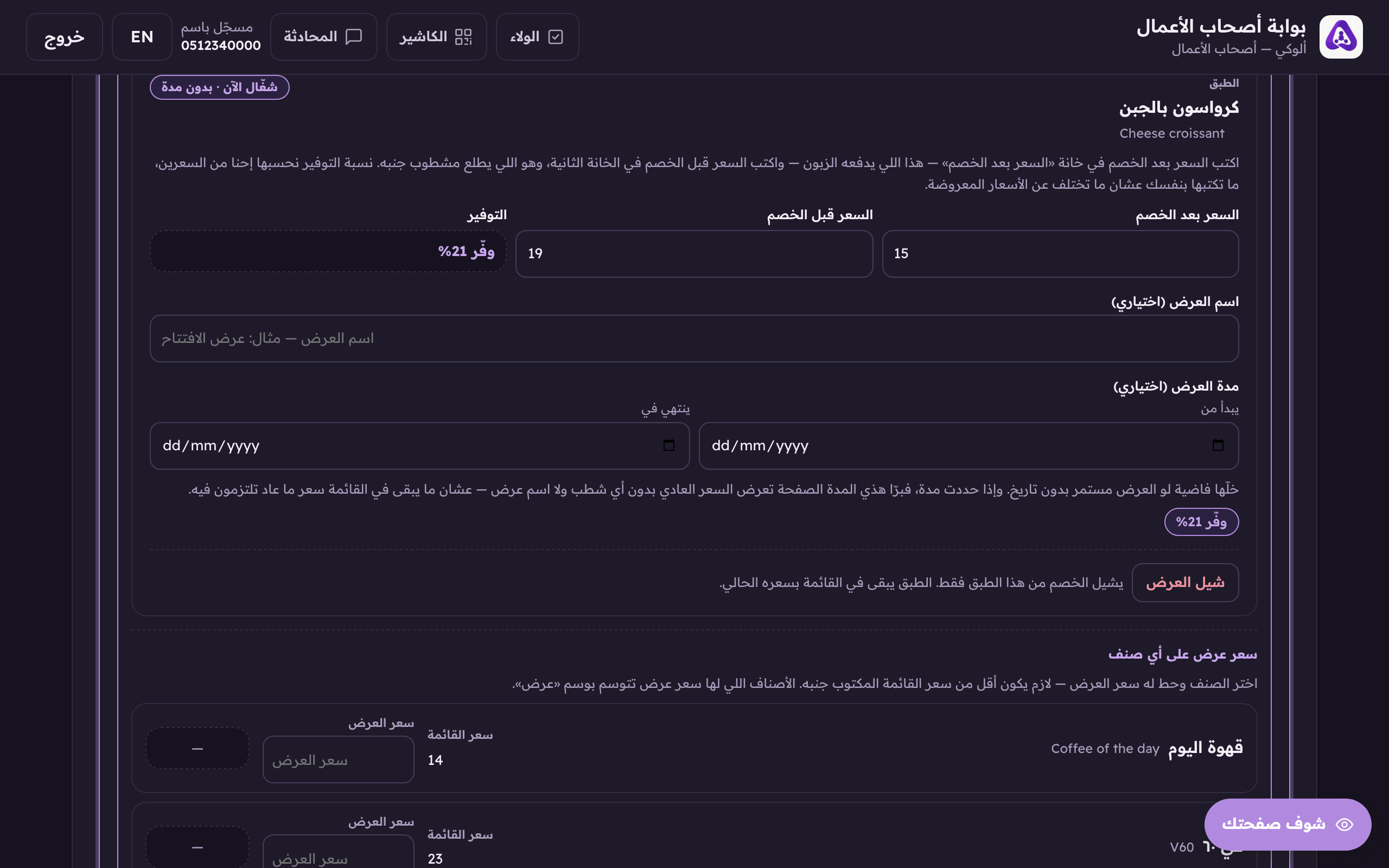
«Starts» and «ends». Leave them empty and the offer runs until you take it off yourself. - You can also put an offer price on any dish from inside its own details. It must be below the menu price, and the dish is then tagged as an offer.
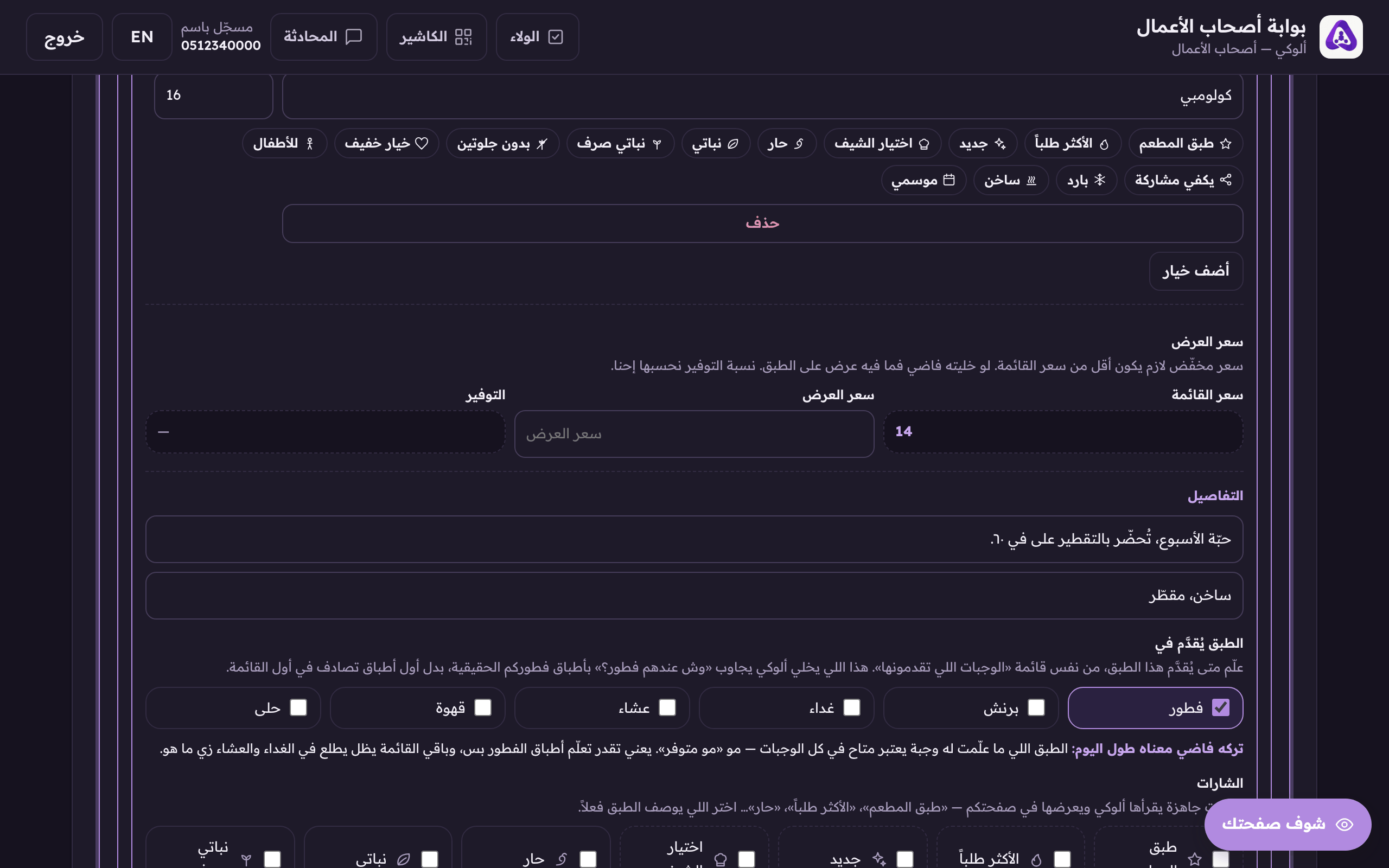
A discounted price for this dish. The old price prints struck through. - Press «Save menu». The same button publishes the menu and the offers.