 Aloke
AlokeThe Aloke POS app for iPad and phone
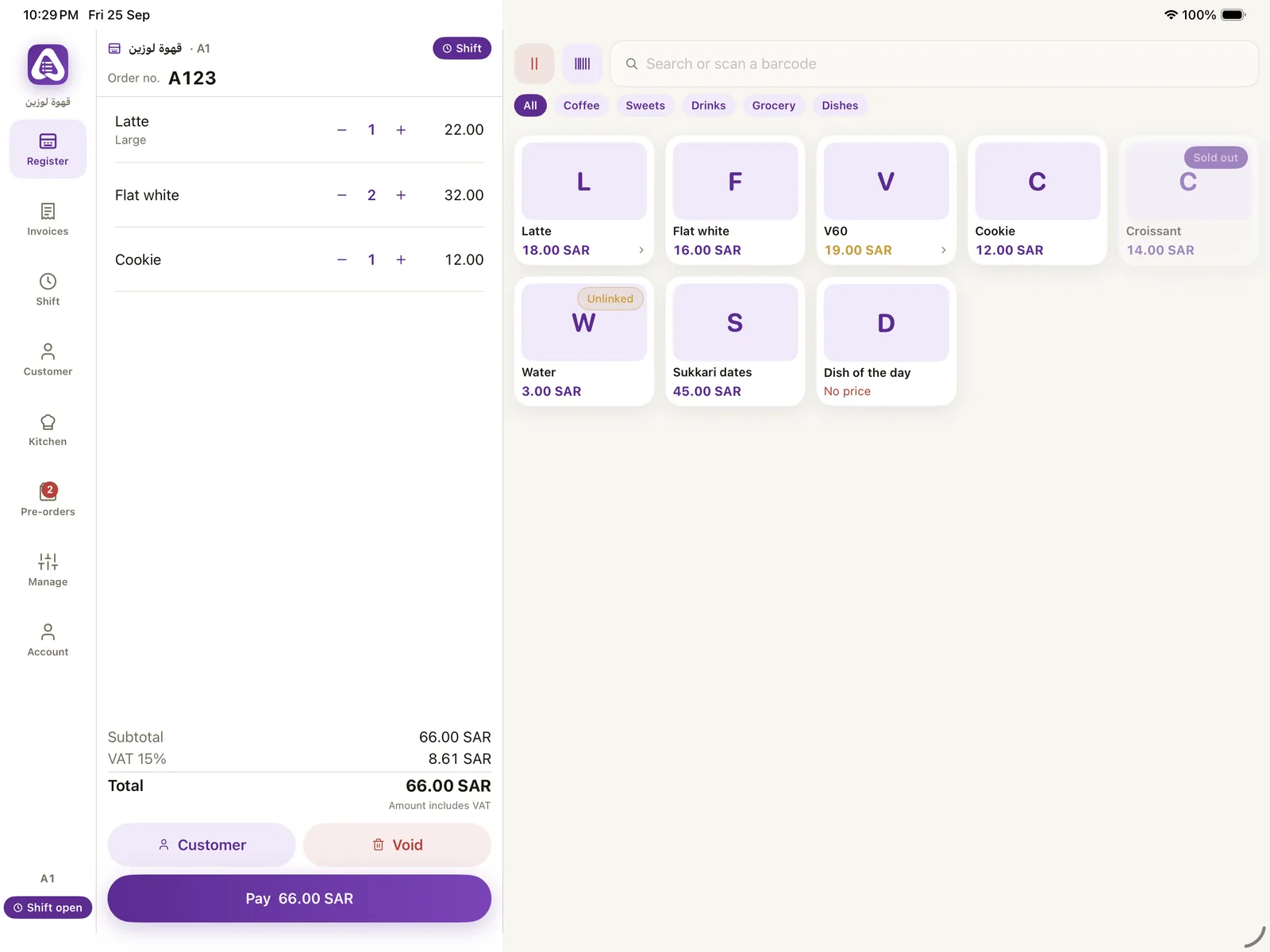
The selling screen in your shop: choose items and their extras, split the payment, issue the invoice, and print for the customer and the kitchen. Orders ahead and table orders reach it paid.
- for counter staff and managers
- iPad, iPhone, Android and the web browser
Android download Open in the browser
What is in it
- Selling. Menu sections, barcodes, sizes and extras, discounts by permission, and offers.
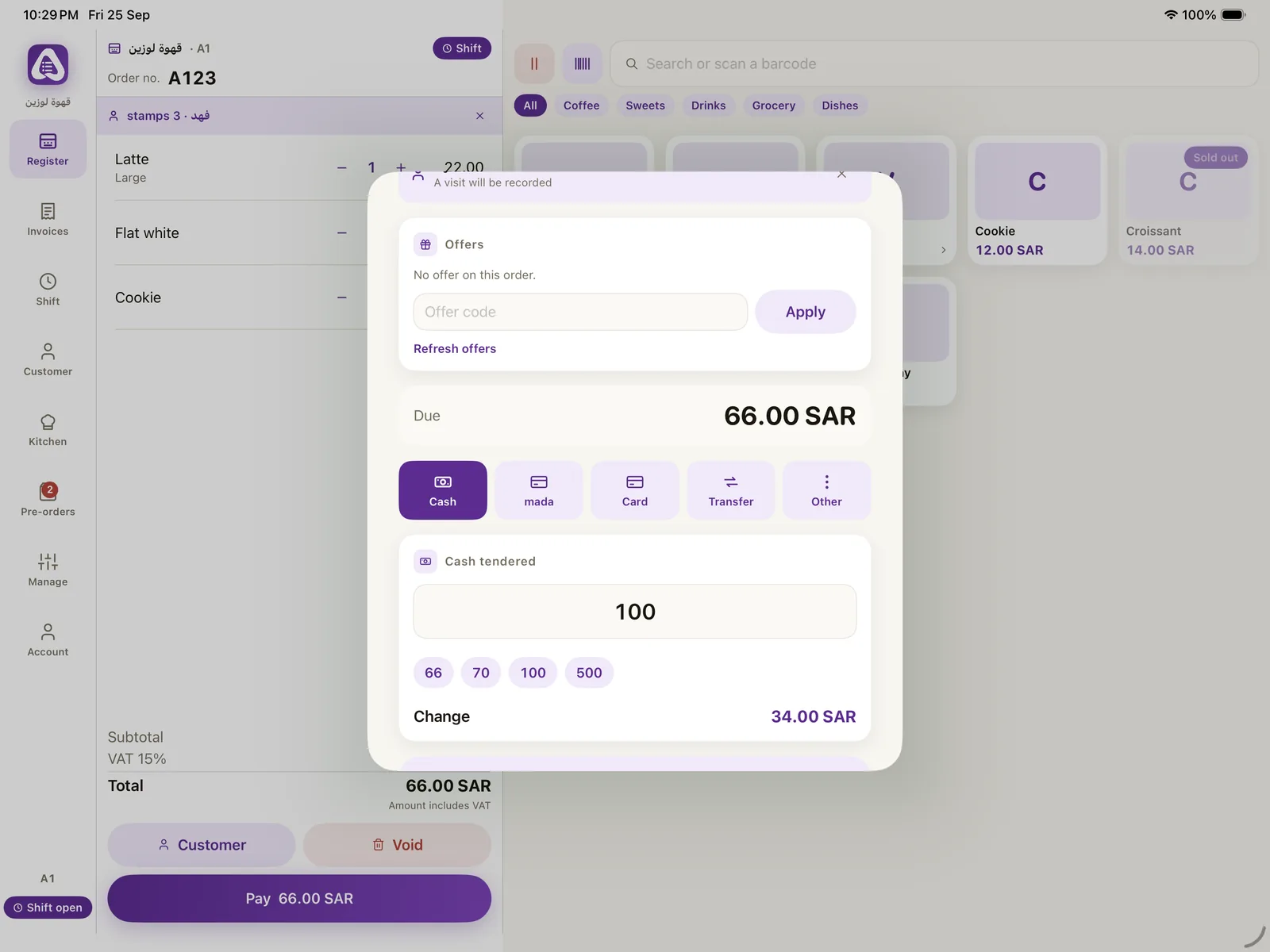
- Payment. Cash, card and split, plus cashback, bundles and prizes.
- The invoice. An electronic invoice for every sale, and a return with a credit note.
- Orders. Order Ahead, kerbside, table and kiosk orders, with an alert for a new one.
- Printing. The receipt printer and the kitchen printer on the shop's network.
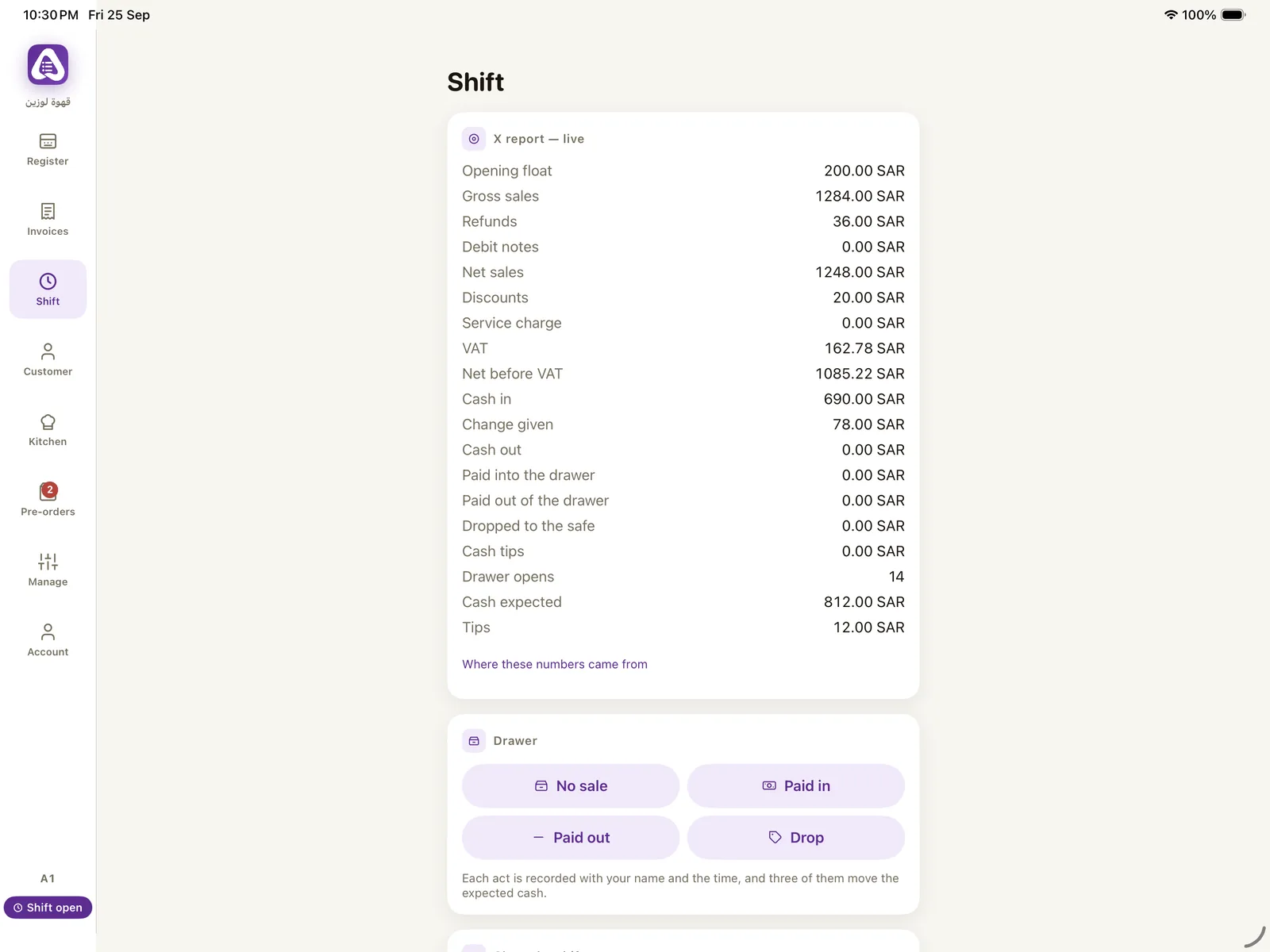
- The shift. Open and close with a count, and the difference shows to the manager.
- Stock. Stocktakes, receiving and «When to order?» from the same app.
Systems
Aloke POS
Tap the item, pick its size and extras, and close with cash, card or both. Aloke POS issues an electronic invoice for every sale, closes the shift with the difference written out, and takes stock down with every sale.
Electronic invoices
Every sale gets an electronic invoice with a serial number and your commercial registration, and it reaches a member customer under My Invoices in the app. A VAT registered business gets the VAT on every line, a QR code and a signed file built to the Phase 2 requirements.
The dining hall and table ordering
You draw your hall as it is: round, square and long tables and booths, each with a QR code to print. The guest scans it, orders and pays from their phone, and calls a waiter or asks for the bill with one tap.
The kitchen screen and printing
Before your customer locks their phone, the order is in your kitchen: it appears on the kitchen screen and in Aloke POS at the same moment, with a ticket for every station and a screen that says what has started and what is ready.
Inventory and purchasing
Every sale in Aloke POS takes its ingredients off the stock. You start the simple way: items, their ingredients and the stocktake. If you grow into a chain, Aloke switches on advanced inventory on the same ledger.
Accounting
Every sale in Aloke POS, every supplier invoice, every online payment and its fee reaches your brand's books as a double entry, with no typing. The framework: IFRS for SMEs or full IFRS, as endorsed by SOCPA.
The app explained step by step in the help center
Questions
Where do I get it?
In the browser at pos.hwe.sa. On Android from the download link on this page. The iPhone and iPad version reaches the App Store after Apple's review.
Does it run on an Android phone?
Yes, on phones and tablets.
Register your business and branches, choose your systems and pay, and our team reviews your application; then you start from your console. Priced per branch, every three months or every year, with no setup fee.
Get started