 Aloke
AlokeAloke Scan: your staff's screen at the counter
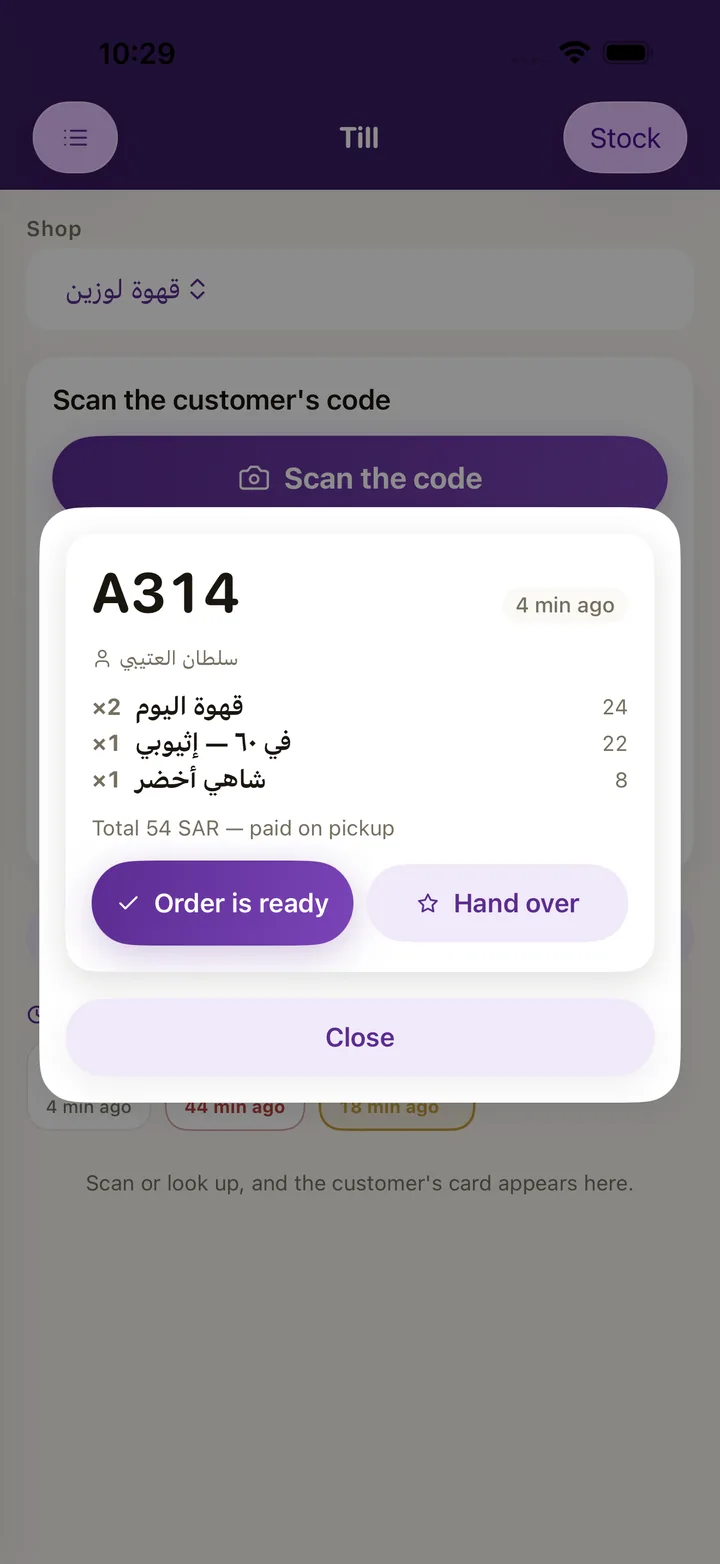
Your staff scan the customer's card code from their phone or Apple Wallet to add the visit, or to spend a prize or a cup from a bundle, and see the orders coming ahead and hand them over.
- for counter staff
- web, Android and iPhone
Android download Open in the browser
What is in it
- Scanning. The card code from the app or Apple Wallet, or the mobile number.
- The visit. A stamp, or points by the amount, and cashback.
- Spending. Earned prizes, bundle cups and gifts.
- Orders ahead. A queue of incoming orders, «Ready», and handover by scanning the order code.
- Appointments. Today's bookings and check in.
- Your staff's language. Arabic, English, Urdu, Hindi, Bengali and Nepali.
Systems
The loyalty programme
Choose stamps, points or cashback, and make your prizes items from your own menu at your prices. Your customer carries your card in the Aloke Wallet app and in Apple Wallet, and it updates itself after every visit.
Order Ahead and kerbside
Your customer opens your shop's card in Aloke Wallet, chooses from your menu and pays with Apple Pay or a card. The order reaches the kitchen screen and Aloke POS at the same moment, and one scan at pickup hands it over and adds the stamp.
Gifts and bundles
A gift brings you a new customer. Your customer gifts an earned prize or cups from their bundle to a friend by mobile number, or buys them a gift from your menu and pays online. The friend opens it in the Aloke Wallet app and spends it at your shop.
Appointments and bookings
Your services with their durations and prices, your team with their days and hours, and one engine that works out the free times for the front desk and for the customer in the app. A booking is free, takes a deposit, or is paid in full.
The app explained step by step in the help center
Questions
Where do I get it?
In the browser at owner.hwe.sa/till. On Android from the download link on this page. The iPhone and iPad version reaches the App Store after Apple's review.
Does the employee need an account?
They sign in with their mobile number and a code, after the owner adds them.
Register your business and branches, choose your systems and pay, and our team reviews your application; then you start from your console. Priced per branch, every three months or every year, with no setup fee.
Get started