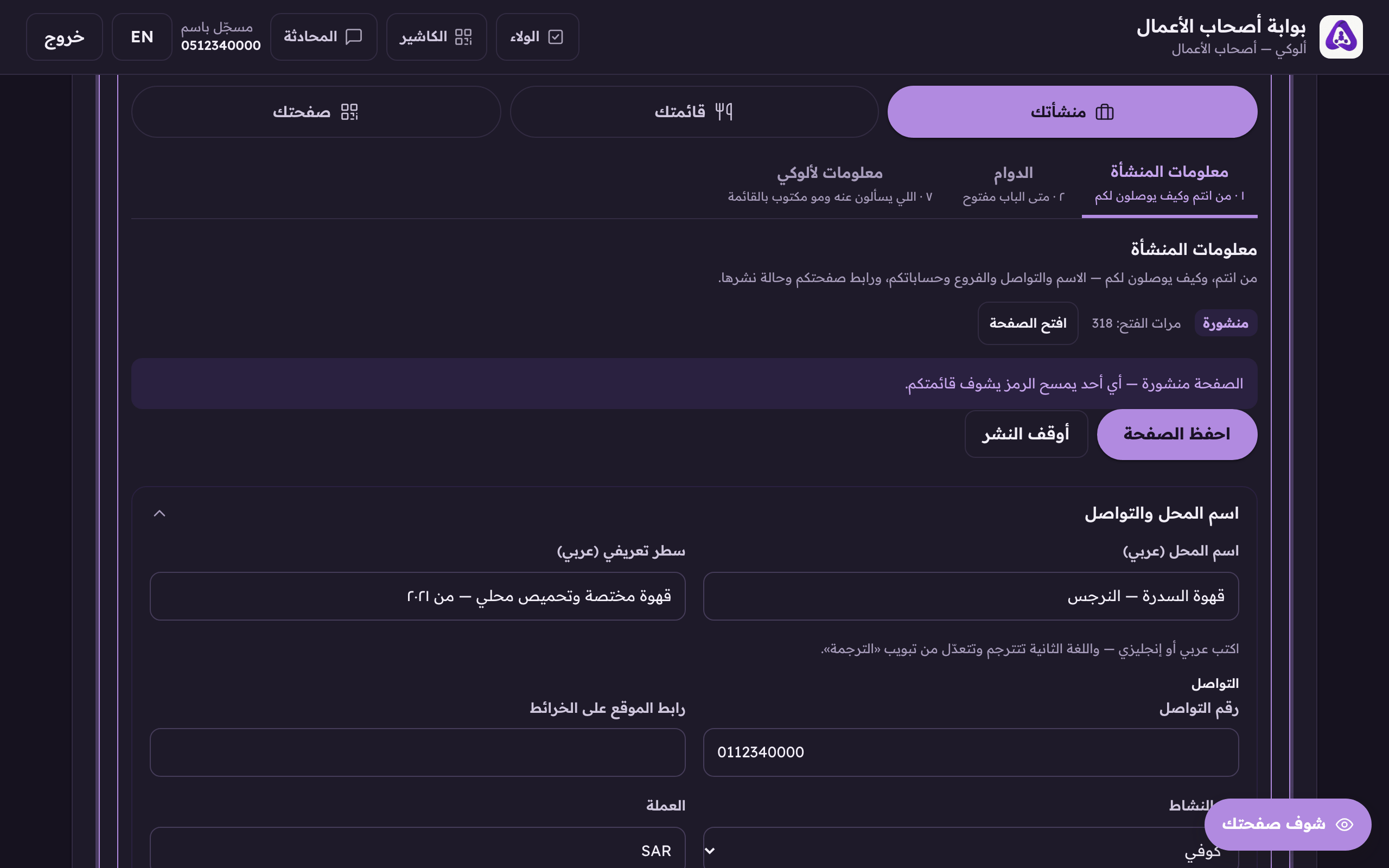
Before you publish, your page exists but nobody can open it. Publishing is what makes the code on the table work.
Open the «Business details» tab and press «Publish the page». Once it is published the same button becomes «Unpublish», which is what the picture shows.The publish button: «Publish the page» while it is unpublished and «Unpublish» afterwards. This shot is of a published page. While it is off nobody can open it.
Press «Open the page» and look at it exactly as a customer would.
Published
Anyone who scans the code sees your menu. This is the state you want.
Unpublished
Whoever scans the code sees nothing. Useful while you are still building; harmful if you forget it.
Unpublish
Puts the page back to unpublished. It deletes nothing: dishes, photos and your link all stay, and publishing again brings everything back.
 Aloke
Aloke