 Aloke
AlokeSpecial periods: Ramadan, Eid, renovation
Temporary hours that replace the normal week, with a start and an end.
- Aloke Owners
- Web, iPhone and iPad, Android
Saudi opening hours change more than once a year: Ramadan, the two Eids, National Day, a refit. A special period is a set of temporary hours with a start and an end date; it takes over from your normal week when it starts and hands back on its own when it finishes, with no console visit and nothing to remember.
- In the Aloke Owners app, open «Your business» from the home screen, then «Opening hours». (iPhone and iPad, Android)
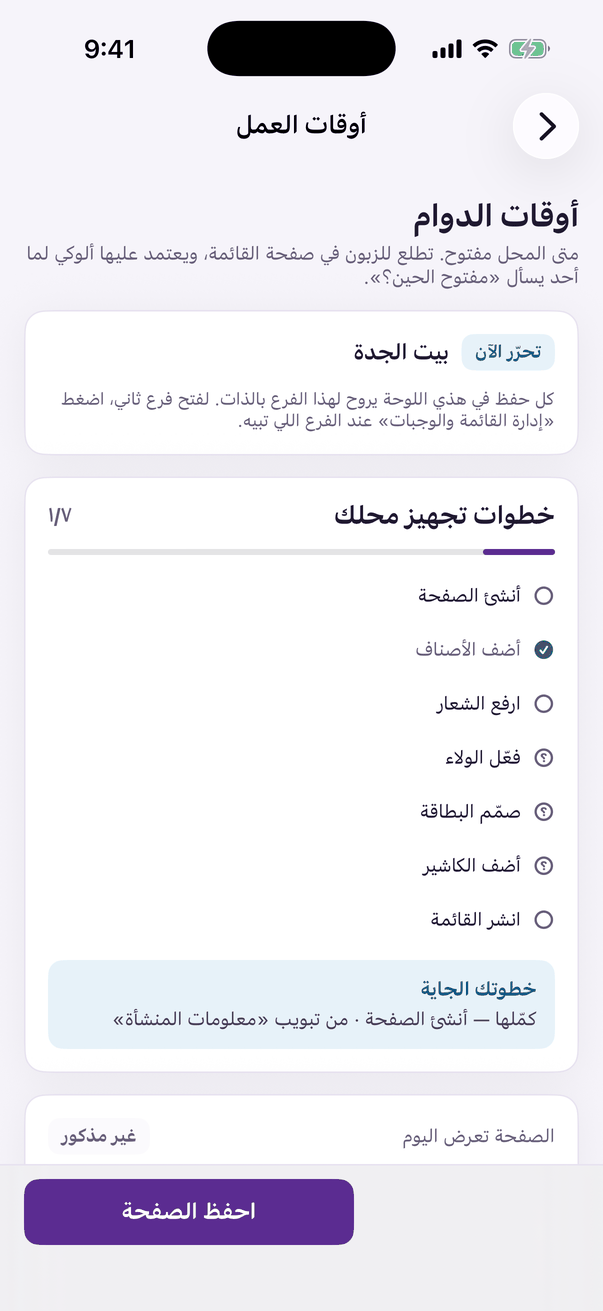
«Opening hours»: when your door is open, day by day. - Open the «Hours» tab, scroll to the special periods and press «Add a special period». (Web)
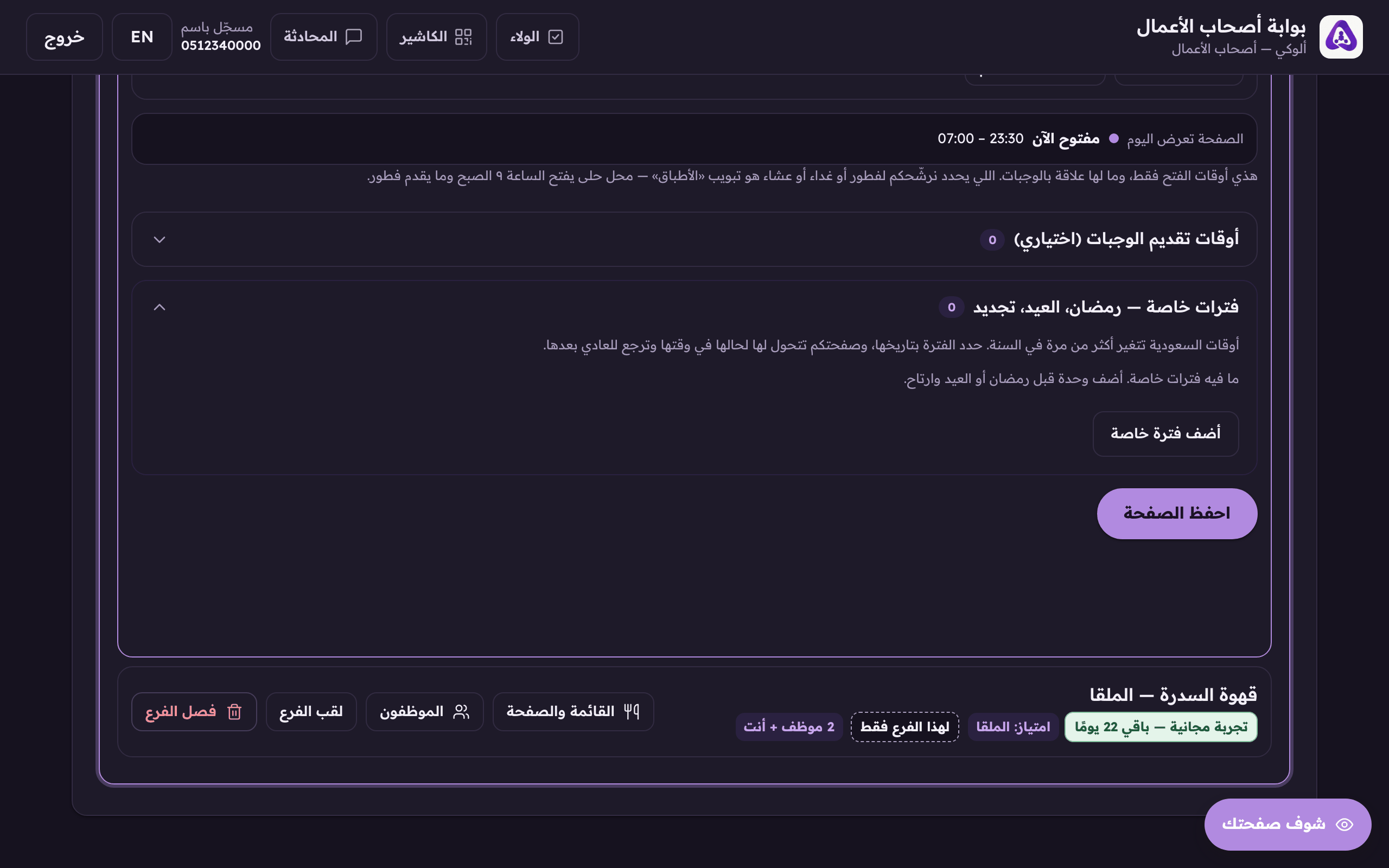
«Add a special period» for Ramadan, Eid or a refit, temporary hours with a start and an end date. - Pick the occasion from the ready list, or choose «Other» and write the name yourself.
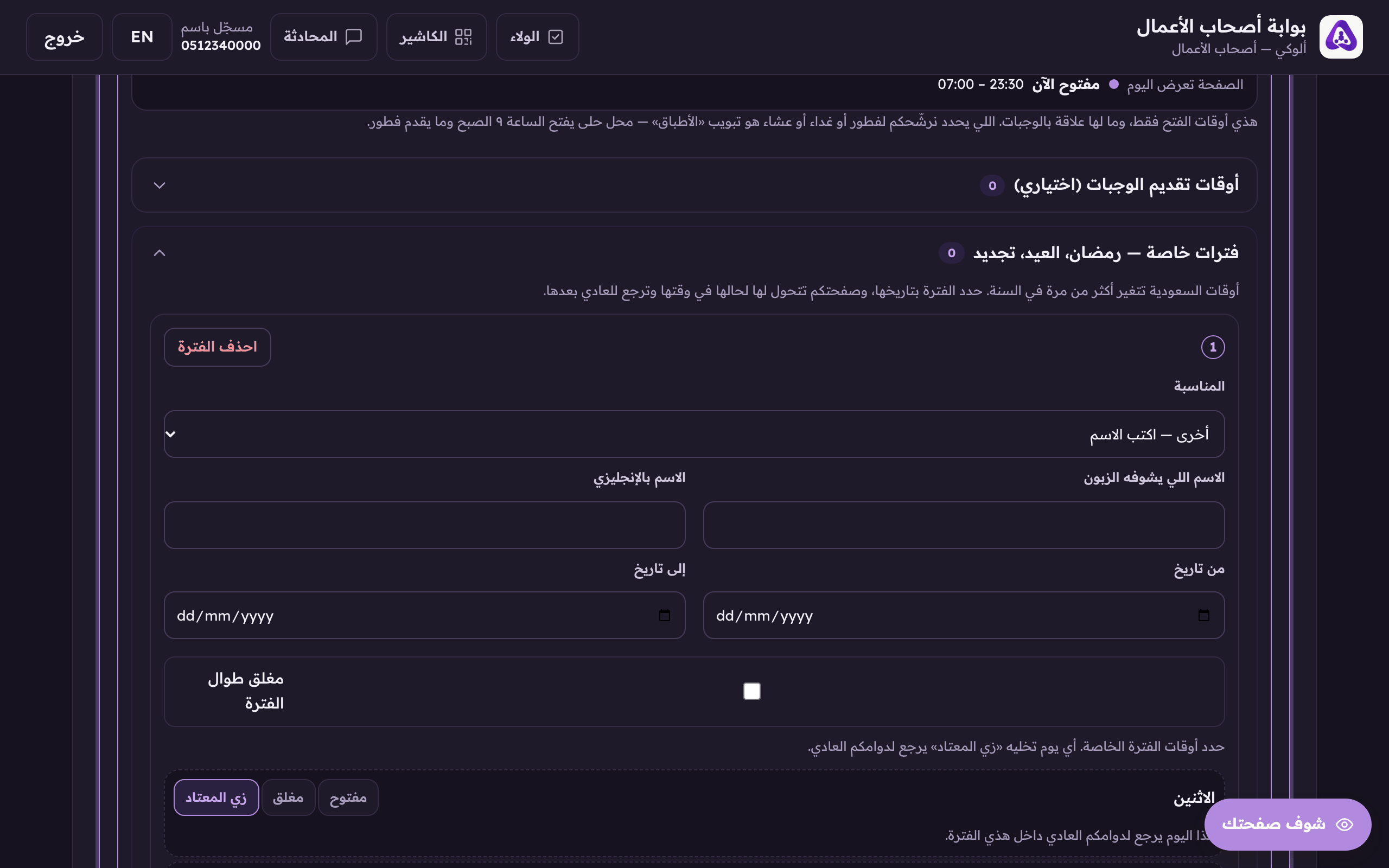
«The occasion», pick a ready-made one, or «other» and write the name yourself. - Set the start and end dates.
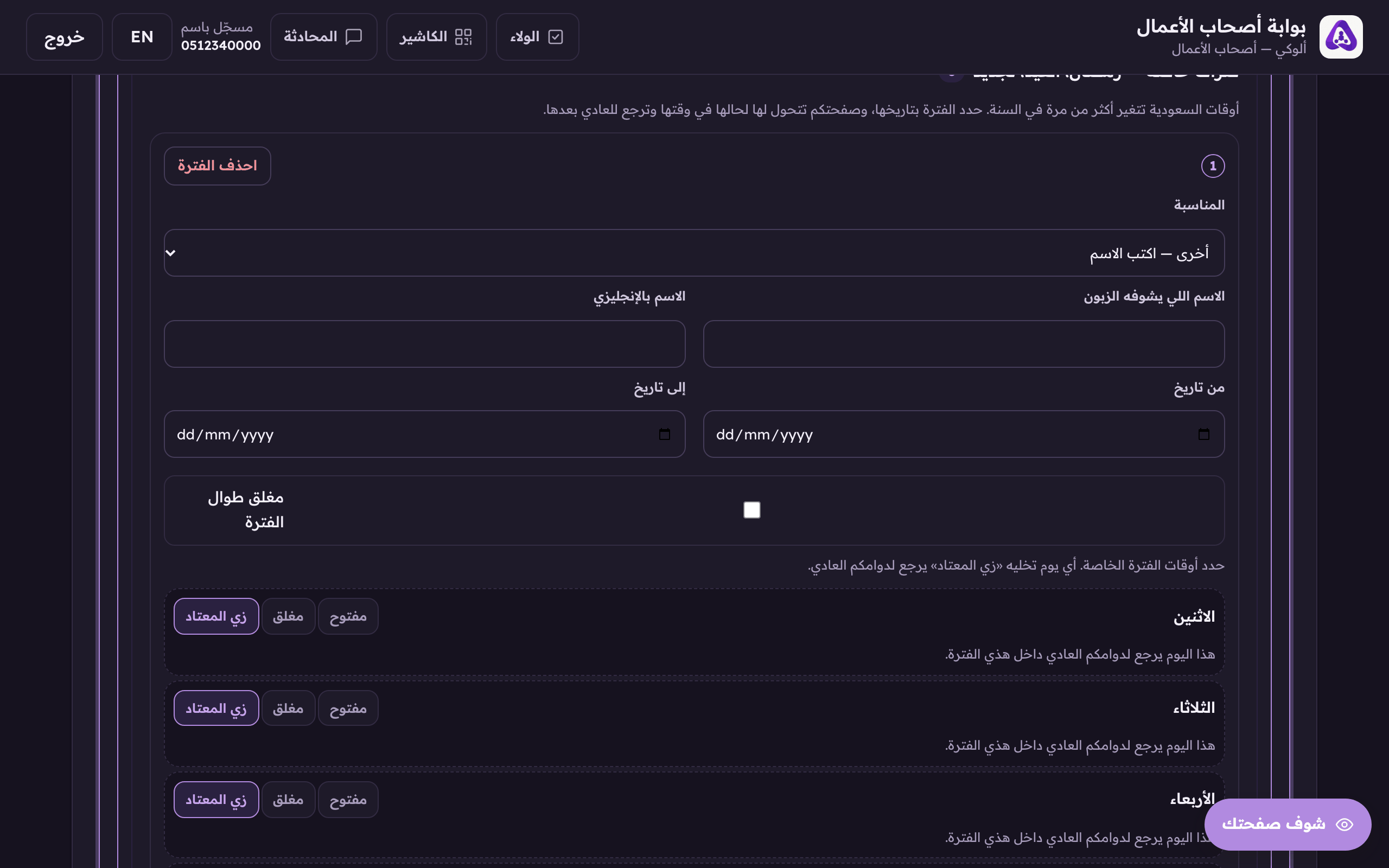
«From» and «to», without both dates the period is not stored at all. - Set the period's hours. Any day left as «As usual» falls back to your normal week inside the period.
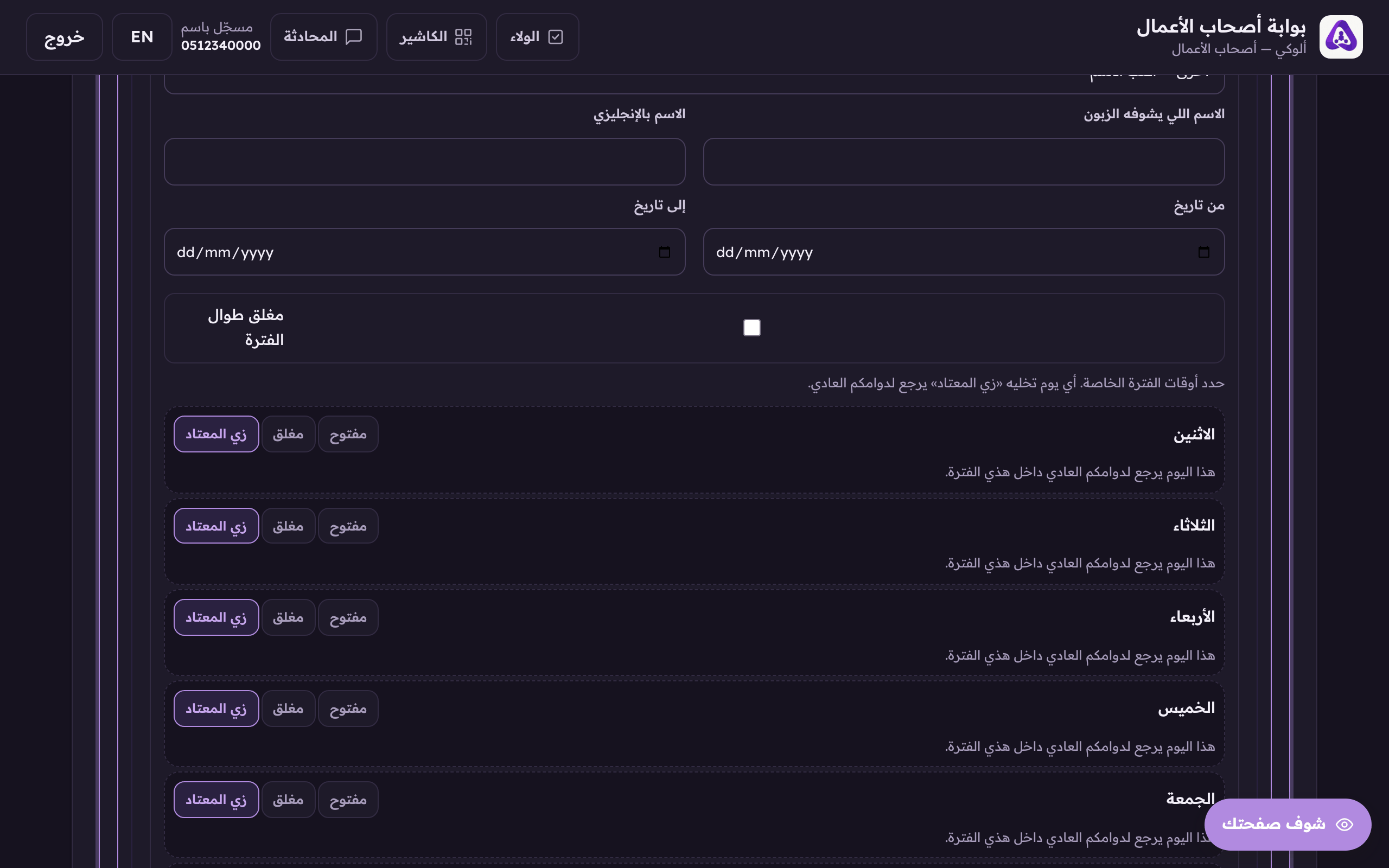
«As usual» on any day inside the period sends that day back to your ordinary hours.