 Aloke
AlokeDesigning your page
The theme, the dish layout, the font, and your brand colours.
- Aloke Owners
- Web, iPhone and iPad, Android
This tab is the LOOK of the page a customer opens when they scan the code on the table: the theme, the typeface, the layout. Your name, your contacts and your link live on the «Business details» tab, not here. (Web)
- In the Aloke Owners app, open «Your page» from the home screen, then «Page design». (iPhone and iPad, Android)
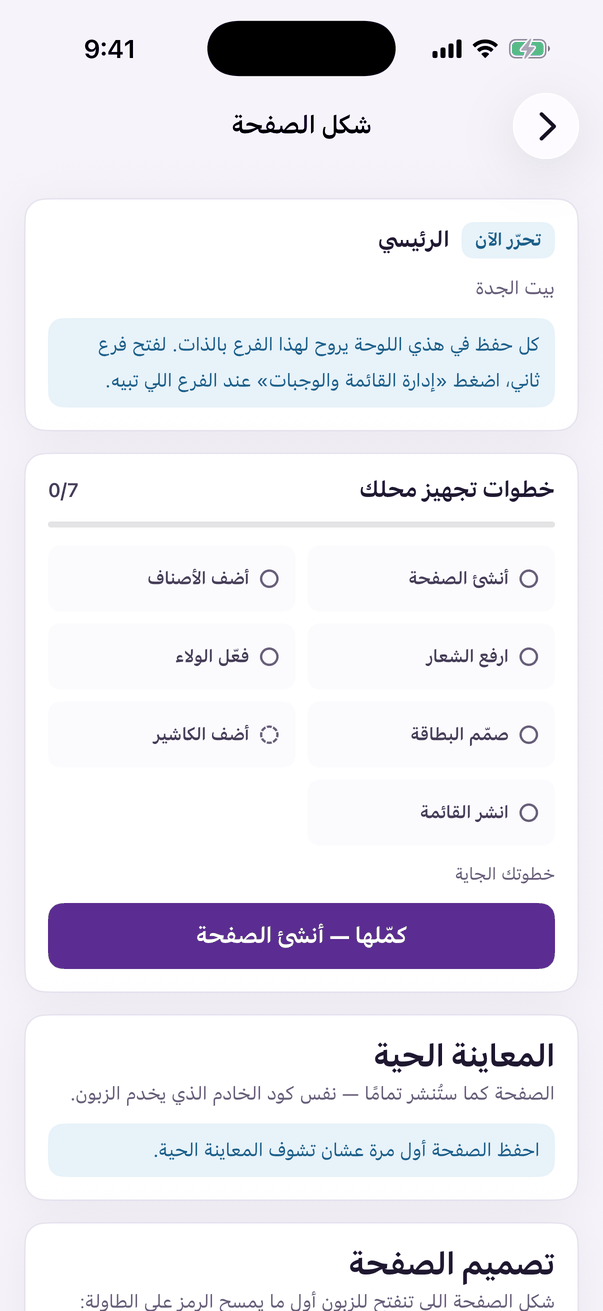
«Page design»: theme, colours and cover. - Pick a theme. Each one changes the type, the colours and the layout in one go: thirty ready themes, changeable any time, and your link is not affected.
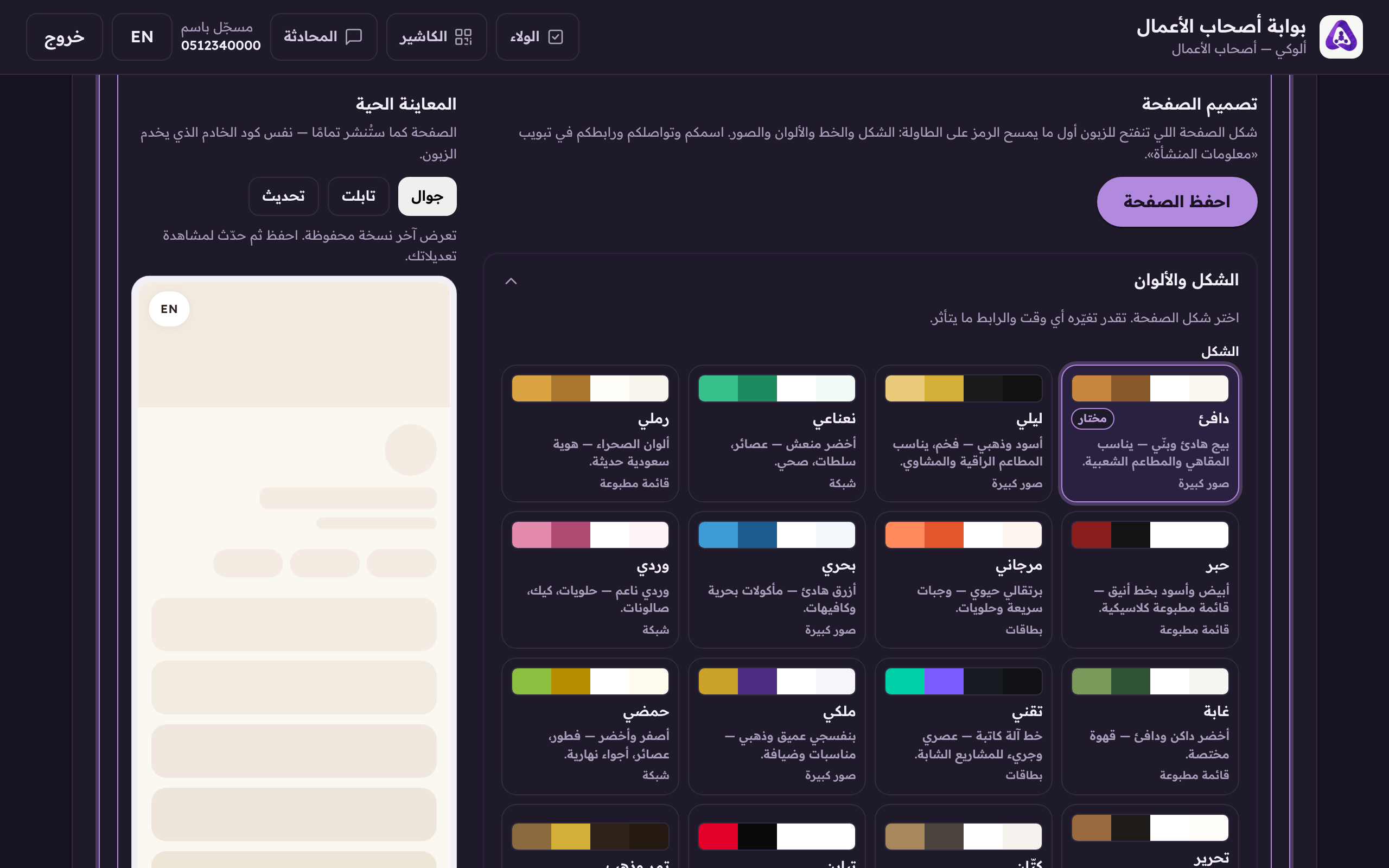
Pick your page's look. Each theme changes the type, colours and layout in one go. - Choose how dishes are laid out inside each section, or leave it on «Follow the theme» and it takes the theme's own.
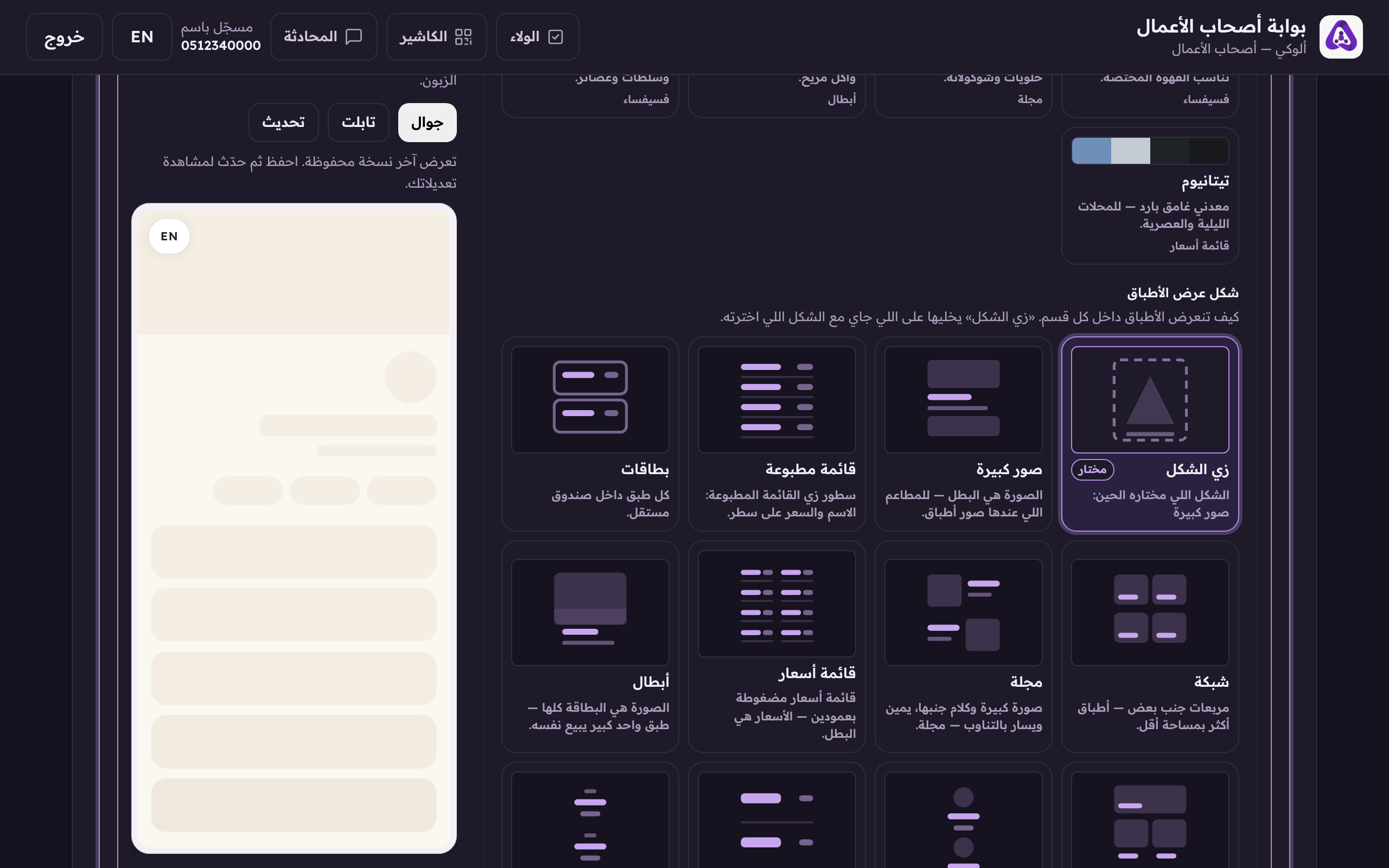
The layout: big photos, a compact list, or whatever the theme brings. - Choose the typeface. Every one here sets Arabic properly, and the sample under each option is written in that face, so what you see is what your customer gets.
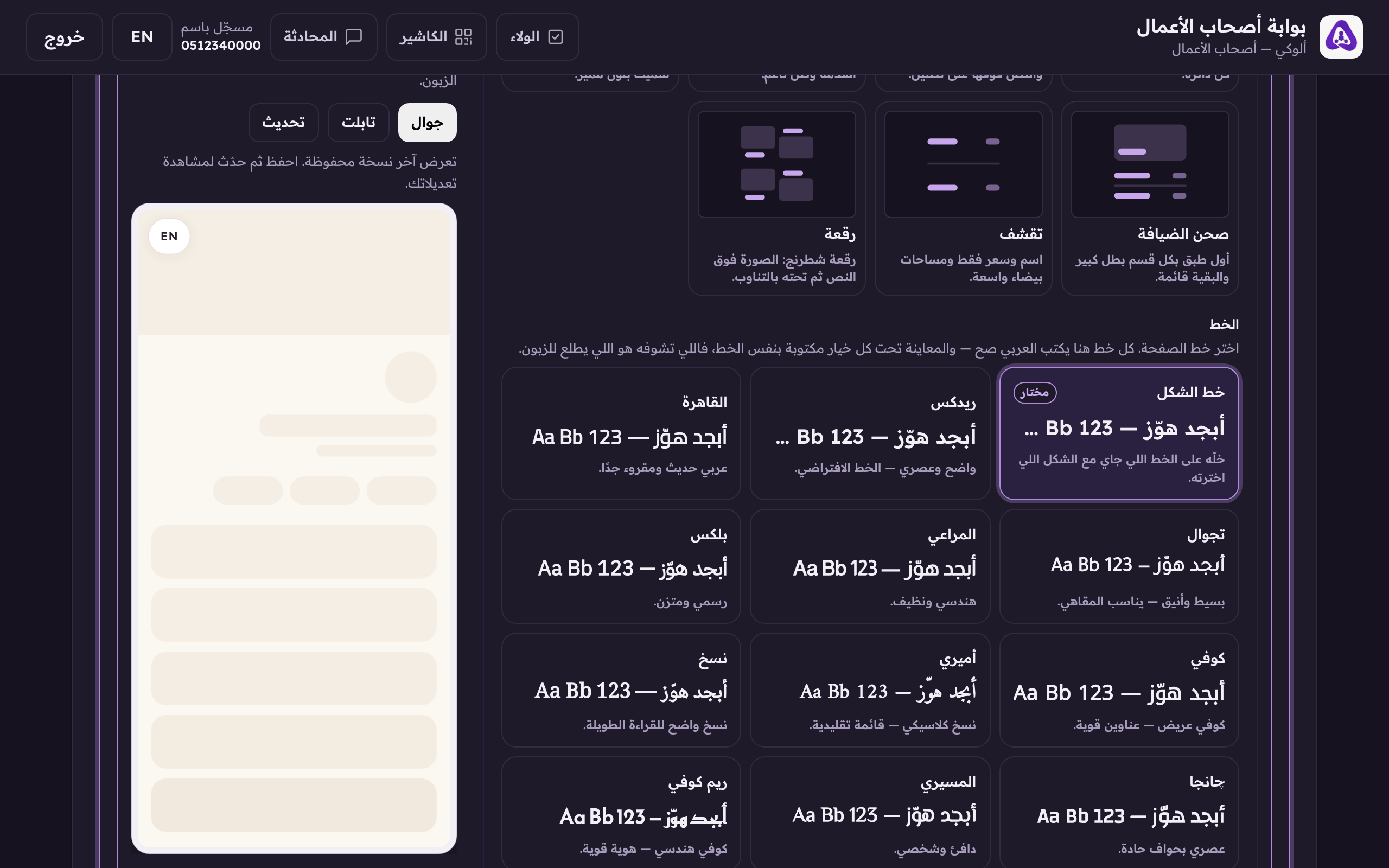
The typeface, keep the theme's, or choose another. - Press «See your page» at any point. It opens a live preview served by the same code your customer gets.
«See your page» opens a live preview while you edit.