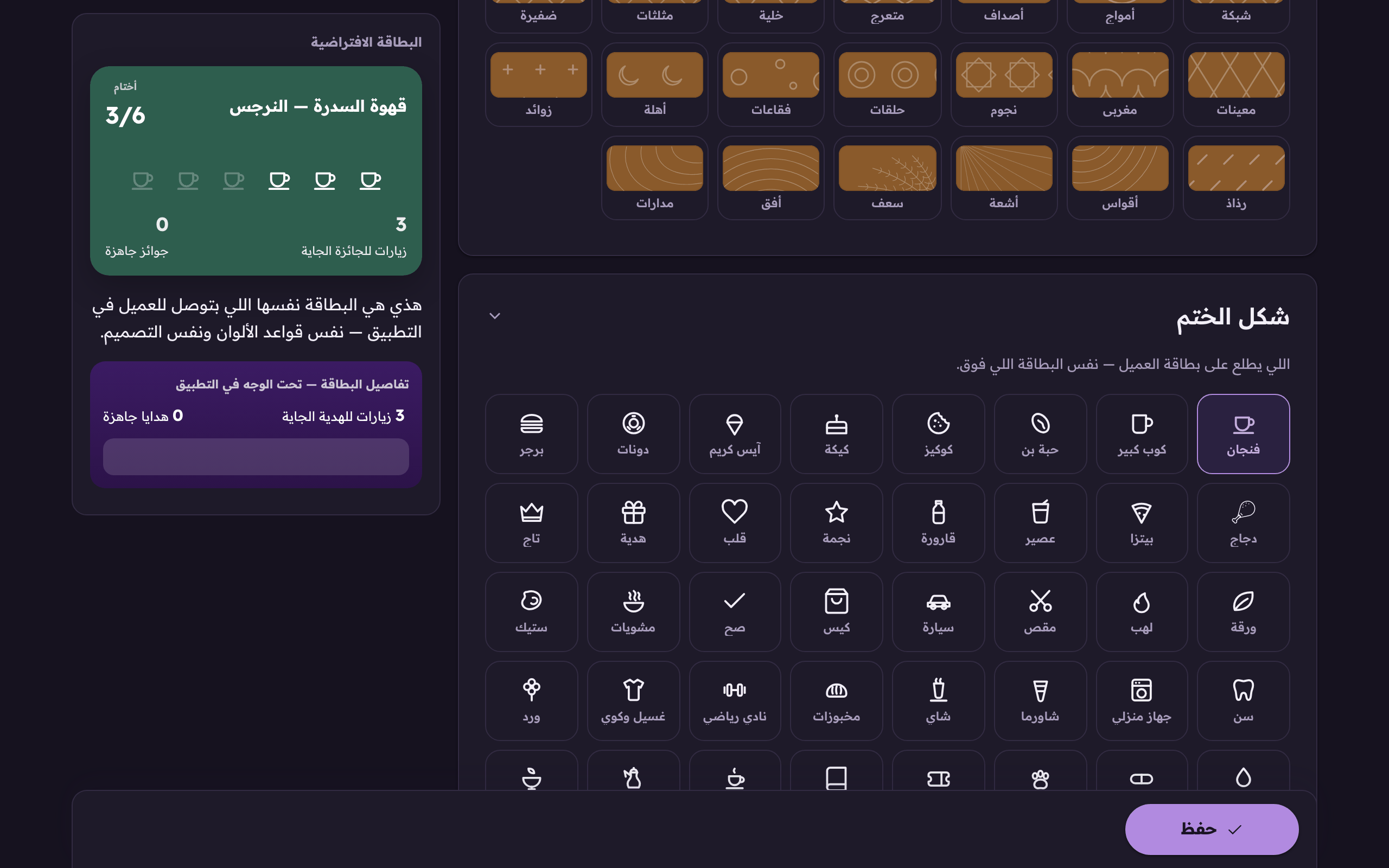
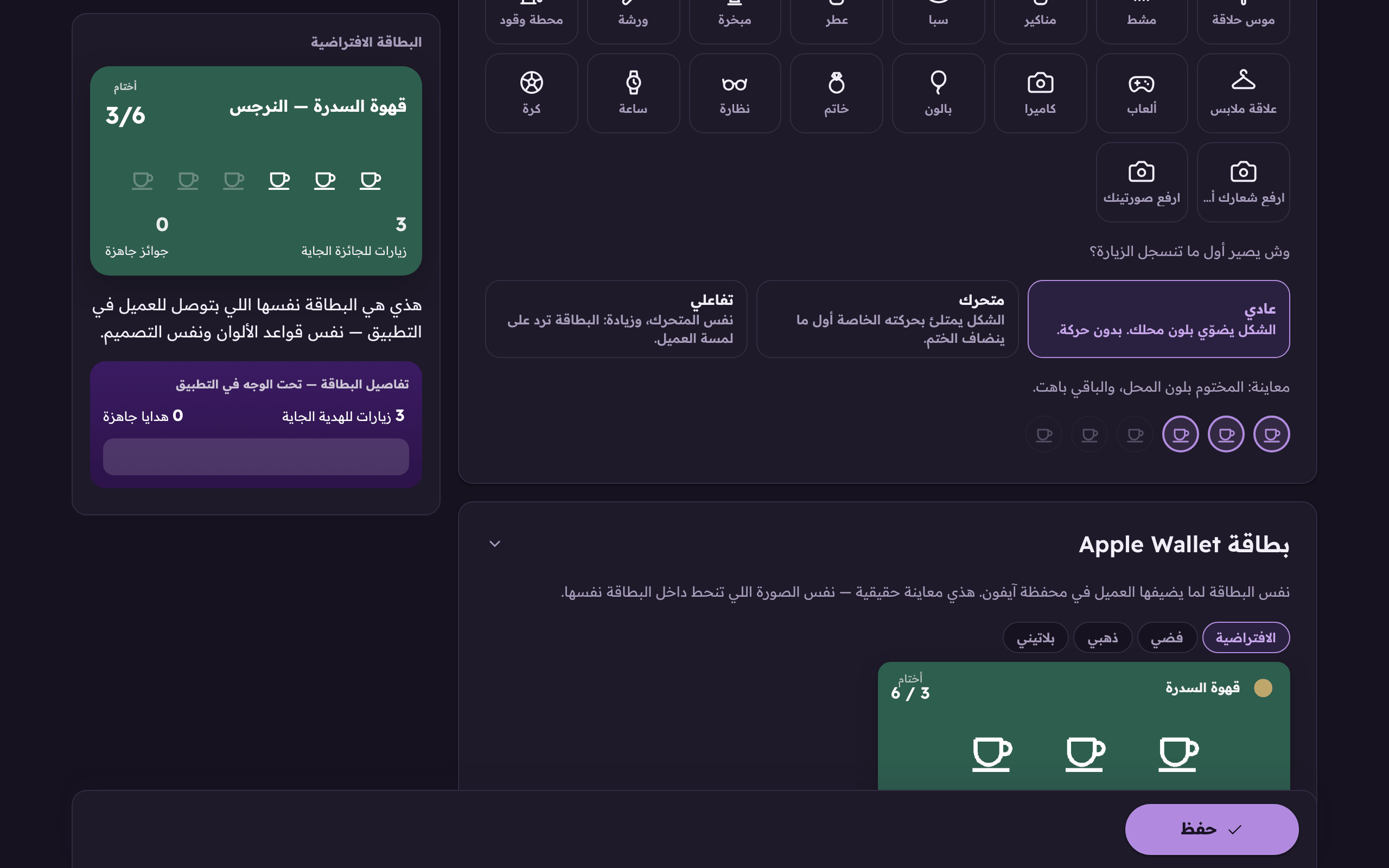
You choose the mark that lands on every visit. Seventy-two ready marks, seventy-three counting your own logo. Coffee alone has seven: a cup, a mug, a bean, an espresso, a dallah, tea and matcha. There are juices, smoothies and boba; cupcakes, waffles and chocolate; shawarma, grills and a meal cloche; a barber's pole, a razor and a comb; nail polish, spa, perfume and an incense burner; a workshop, a fuel pump and a car wash; a hookah; a hanger, a watch, glasses, a camera and a game controller, and more.
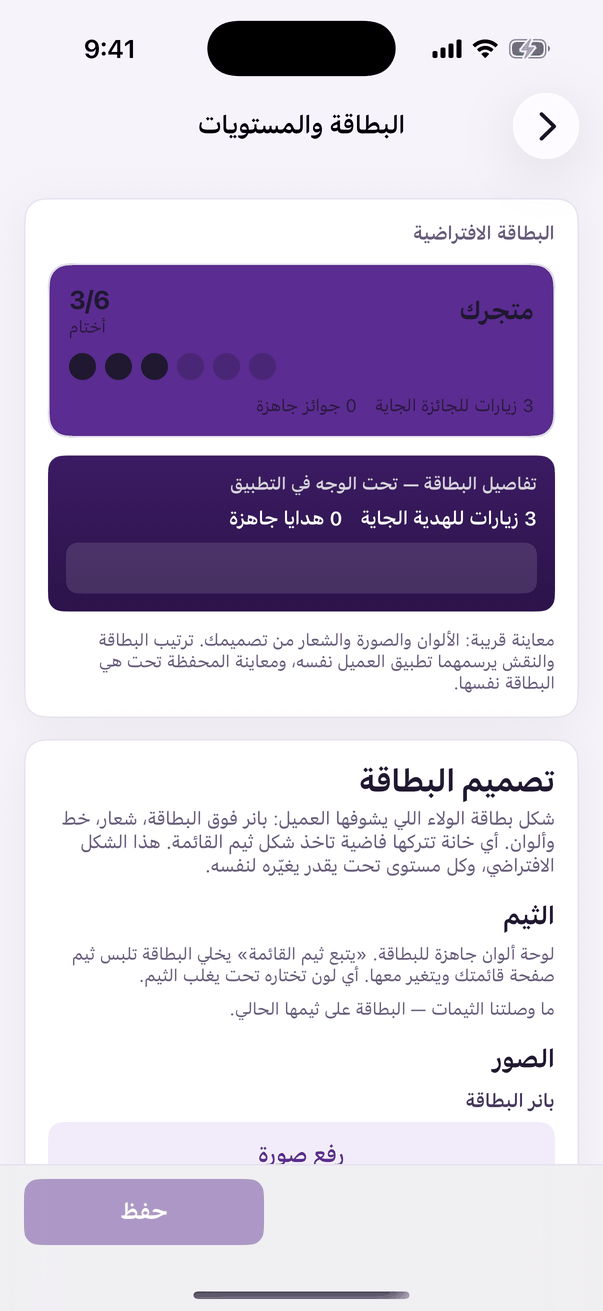
In the Aloke Owners app, open «Loyalty programme» from the home screen, then «Card and tiers». (iPhone and iPad, Android)«Card and tiers»: the design, the stamp and the tiers.
Open the «Card and tiers» tab, scroll to «The stamp mark», and press the one that suits your shop. (Web)Choose the mark that prints on your customer's card.
Look at the preview under the grid: earned marks in your colour, the rest faded, exactly what the customer sees.The preview: earned stamps in your colour, the rest faded.
Press «Save».
The shop's logo
The mark becomes your own logo: an empty slot draws your logo's outline, and an earned one fills it in. You must upload a logo first, without one the system falls back to a tick and does not explain why.
Your own artwork
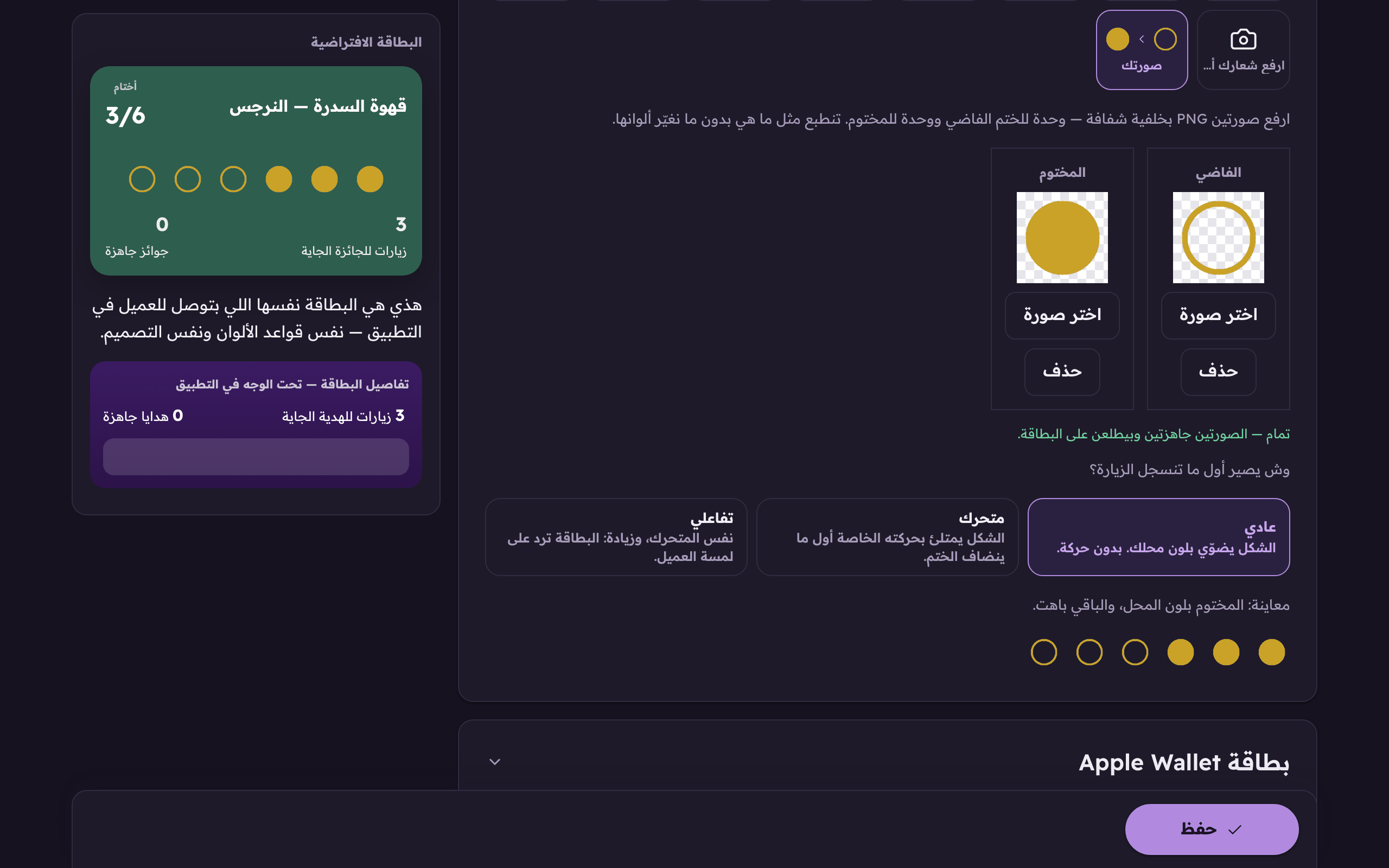
The mark becomes your own drawing: you upload two pictures, one for an empty slot and one for an earned one, and each prints on the card exactly as it is. We do not recolour it and we do not fade it. Both are required; with only one the card falls back to the tick.
Uploading your own stamp
If your shop has a mark of its own that looks like nothing in our library, or a designer made you a stamp, upload it yourself. The difference from the ready marks is this: ours is one drawing we colour twice, faded while the slot is still owed and in your shop's colour once it is earned. Your pictures are two states you drew yourself, so we print them exactly as they are and never go near their colours.
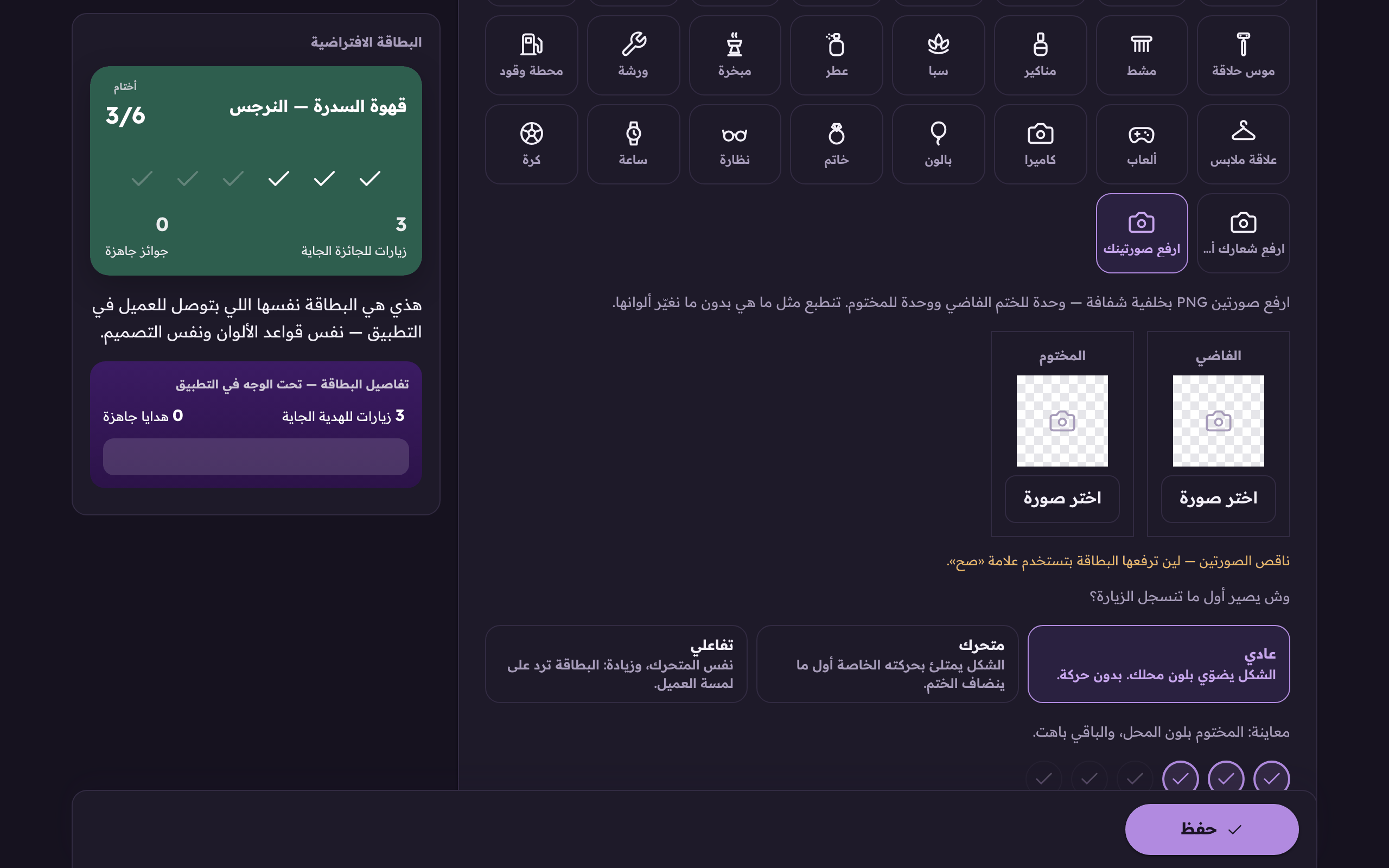
Open the «Card and tiers» tab, scroll to «The stamp mark», and press «Upload your two pictures». Two upload boxes open under the grid. (Web)«Upload your two pictures» makes the stamp your own drawing instead of one of the ready marks.
In the «Empty» box press «Choose a picture» and pick the mark as it looks before it is earned. Then do the same in the «Earned» box.Two boxes: «Empty» for the stamp before it is earned and «Earned» for after, with «Choose a picture» under each.
Read the line under the two boxes: it tells you what is still missing, and once both are there it says «Done». Look at the preview below it, then press «Save».The line under the two boxes tells you what is still missing, and once both are there it says «Done».
The empty one
The picture for a slot the customer has not earned yet. It works best light or hollow, so it reads as still owed.
The earned one
The picture for a slot once it is earned. Make it full and unmistakable. This is the one that tells the customer they gained one.
 Aloke
Aloke