 Aloke
AlokePrize choices from your menu
Let the customer pick from a list you choose; the till shows what they picked.
- Aloke Owners
- Web, iPhone and iPad, Android
Instead of writing a prize as free text you can tie it to dishes from your own menu. The customer picks ONE of them at redemption, and your cashier sees which one on their screen.
- In the Aloke Owners app, open «Loyalty programme» from the home screen, then «Prizes». (iPhone and iPad, Android)
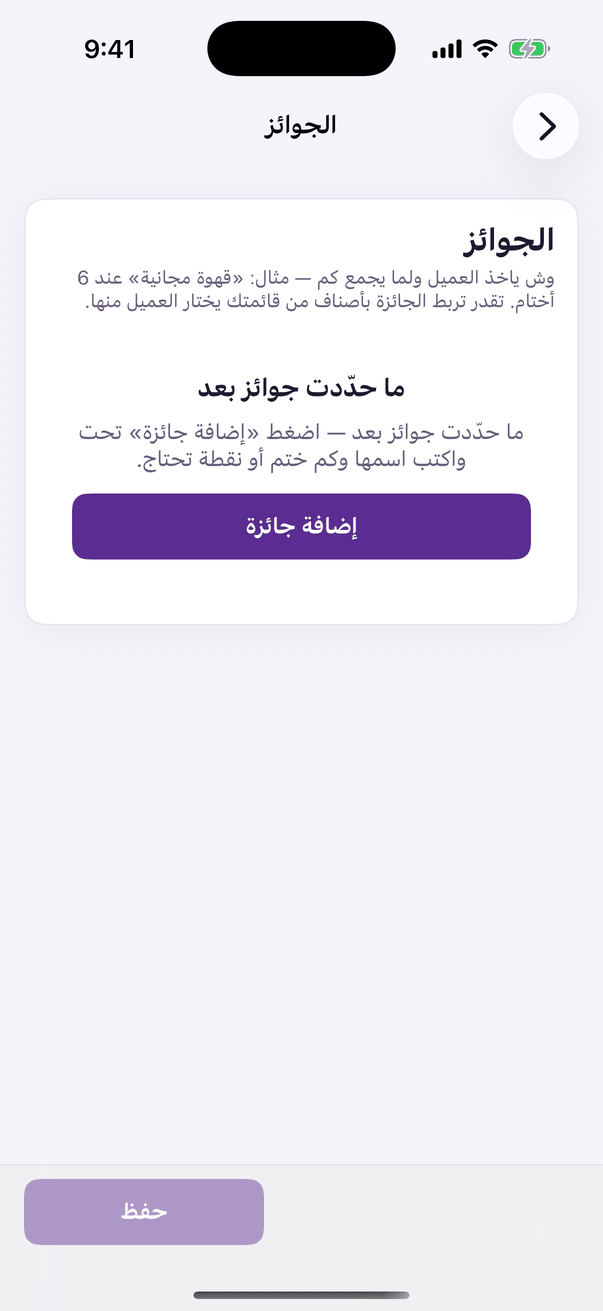
«Prizes»: the ladder and its menu items. - On the reward's row press «Choices from the menu». The button beside the cost box.
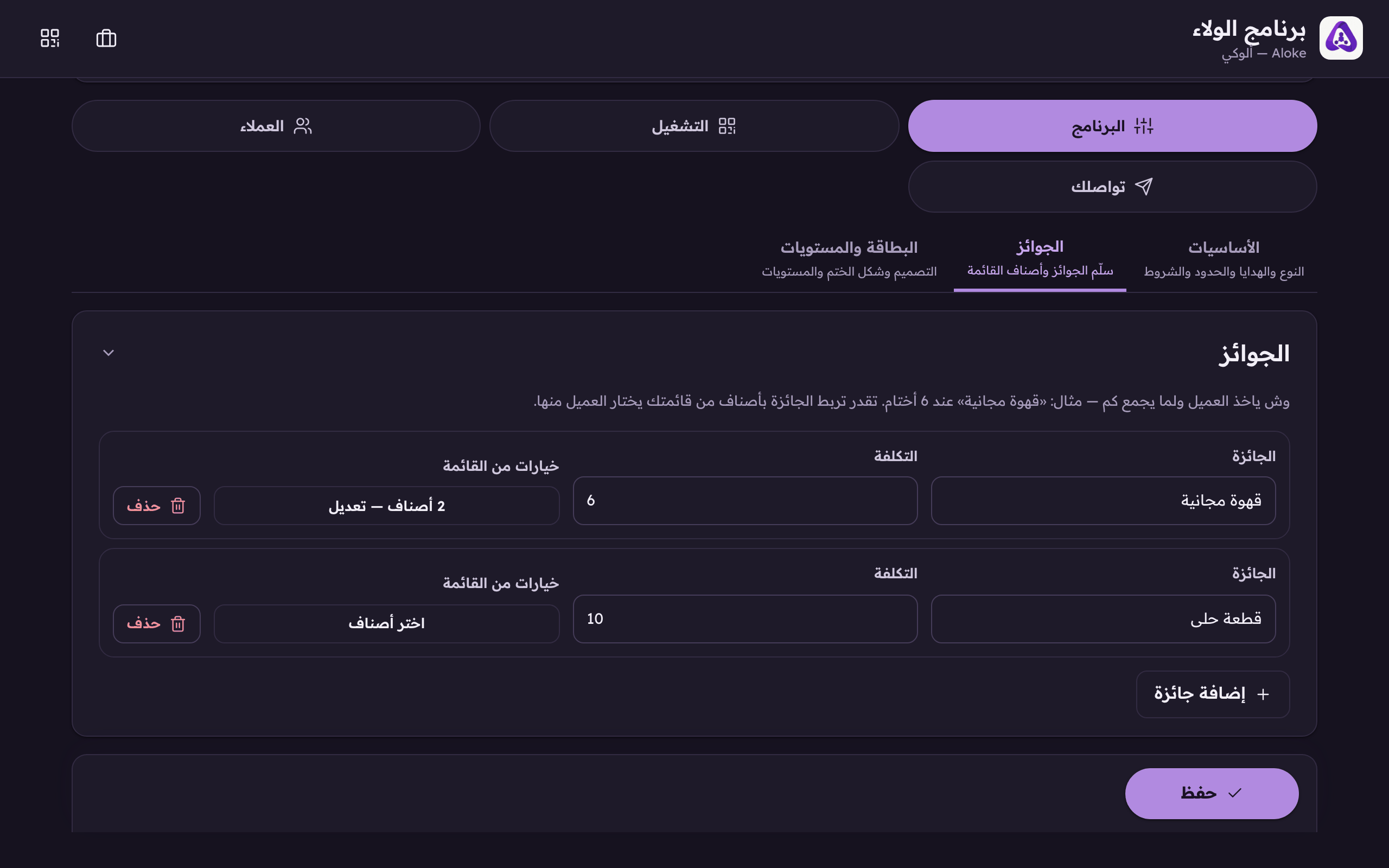
Link the reward to dishes from your menu. The customer picks one of them at redemption. - Tick the dishes you will accept for this reward. There is no limit; you can pick every item on your menu if you want to.
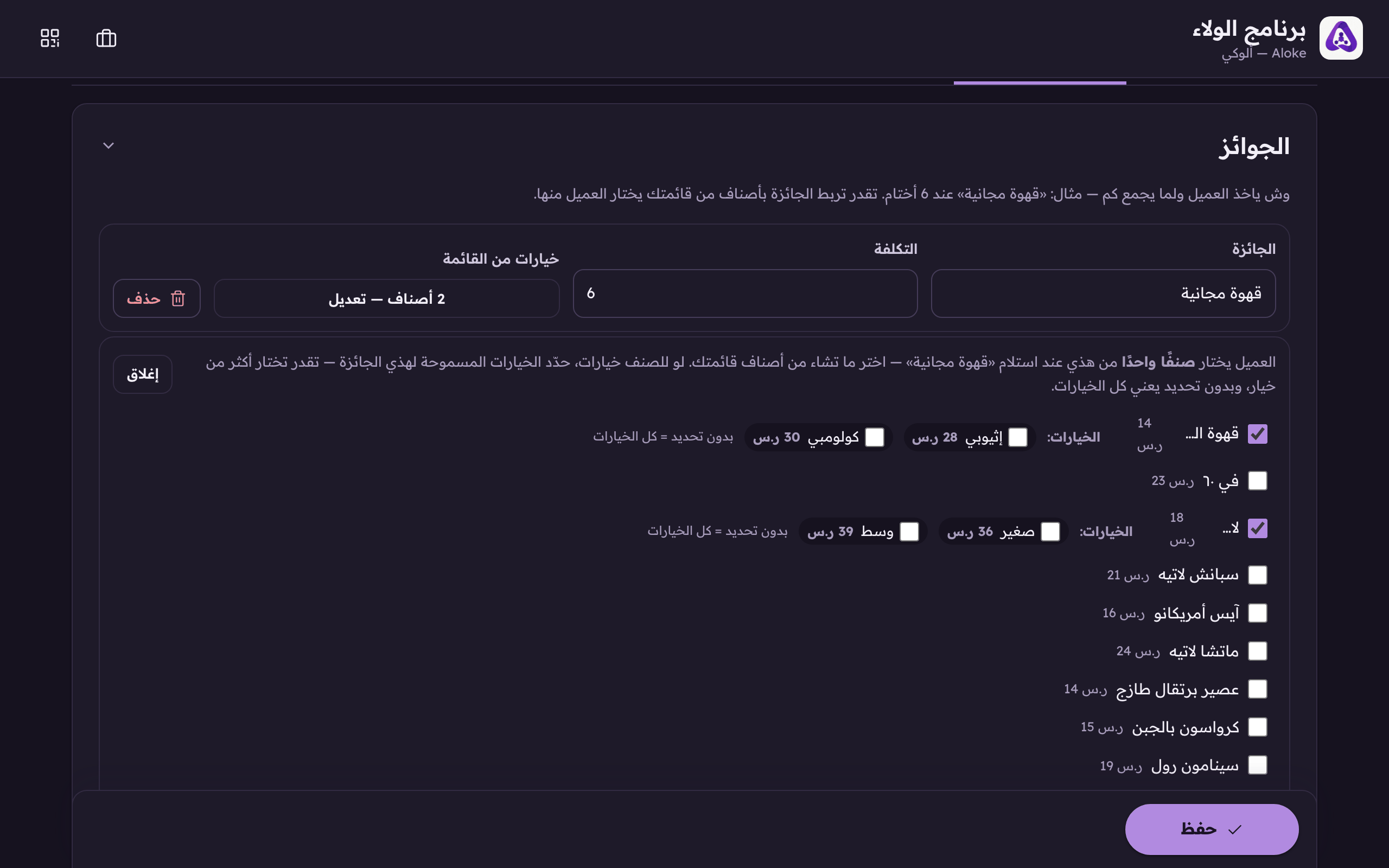
Tick the dishes you will accept for this reward. - If the dish has options, name the one meant for THIS reward: «V60 Ethiopian» on one rung and «V60 Colombian» on a dearer one.
- Press «Save».