Your own conditions in your own words, printed for your customer on your menu page.
Aloke Owners
Web, iPhone and iPad, Android
If your programme has conditions, stamps expire after a year, a prize is not exchanged for cash, a prize does not stack with another offer, write them in your own words and they print for your customer on your menu page, under the loyalty block. Leave it empty and nothing appears, not a line and not a gap.
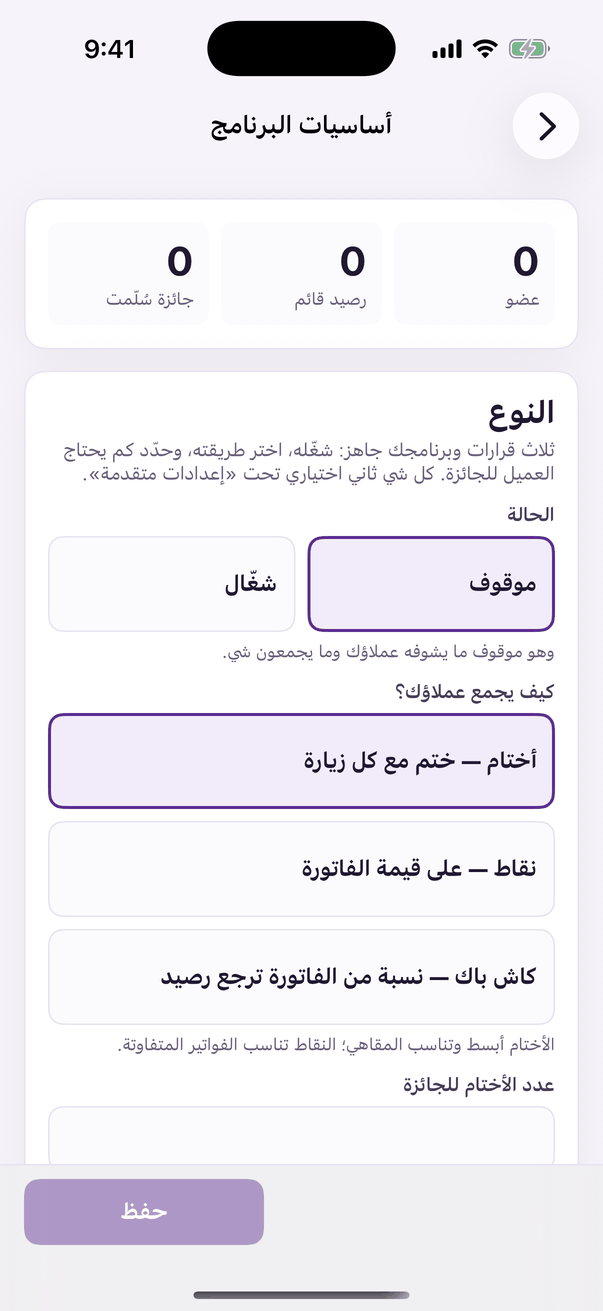
In the Aloke Owners app, open «Loyalty programme» from the home screen, then «Programme basics». (iPhone and iPad, Android)«Programme basics»: the switch, and how customers collect.
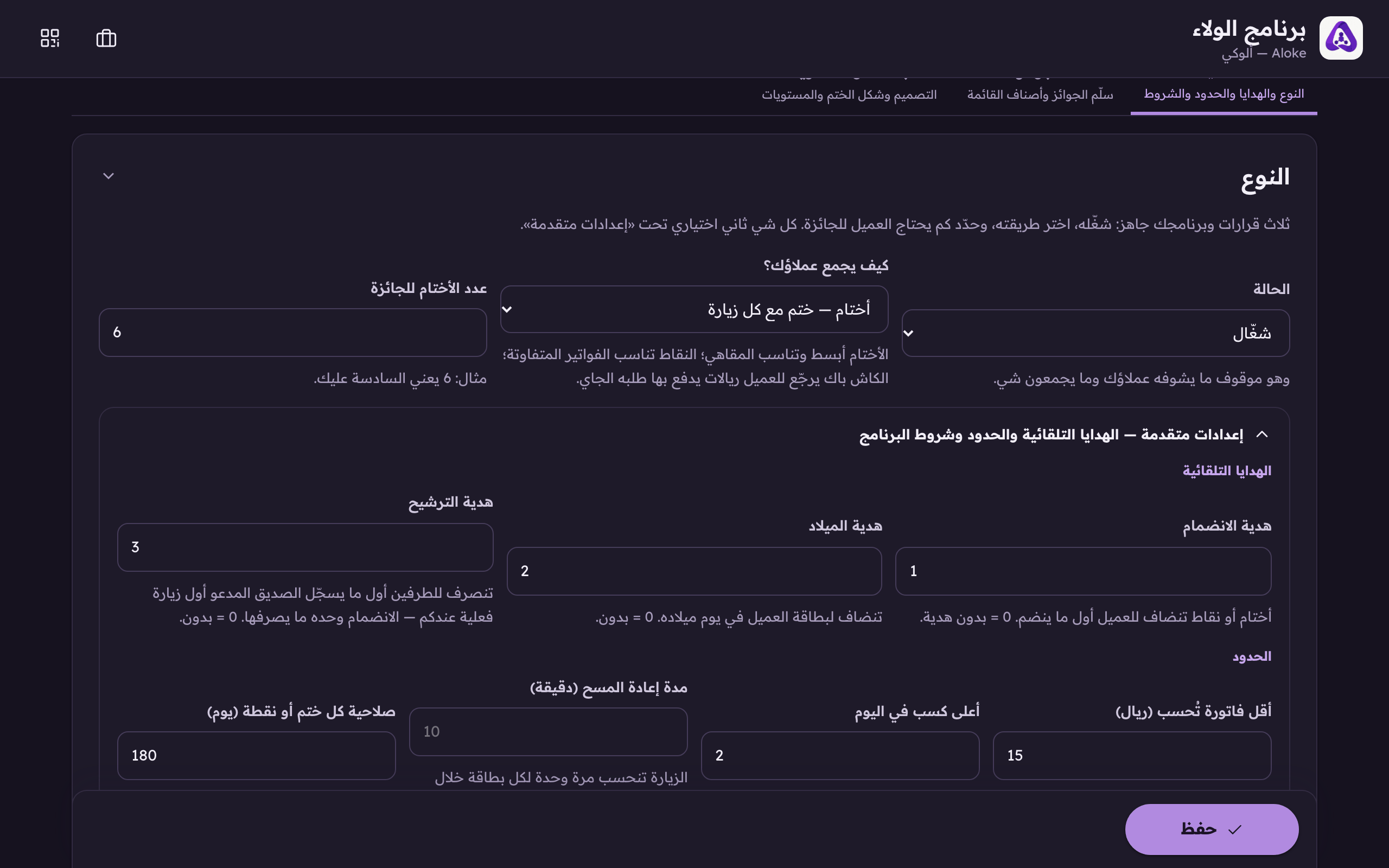
Open the loyalty console, the «Basics» tab, and scroll to «Advanced». (Web)«Advanced» holds the automatic gifts and the limits. All of it optional.
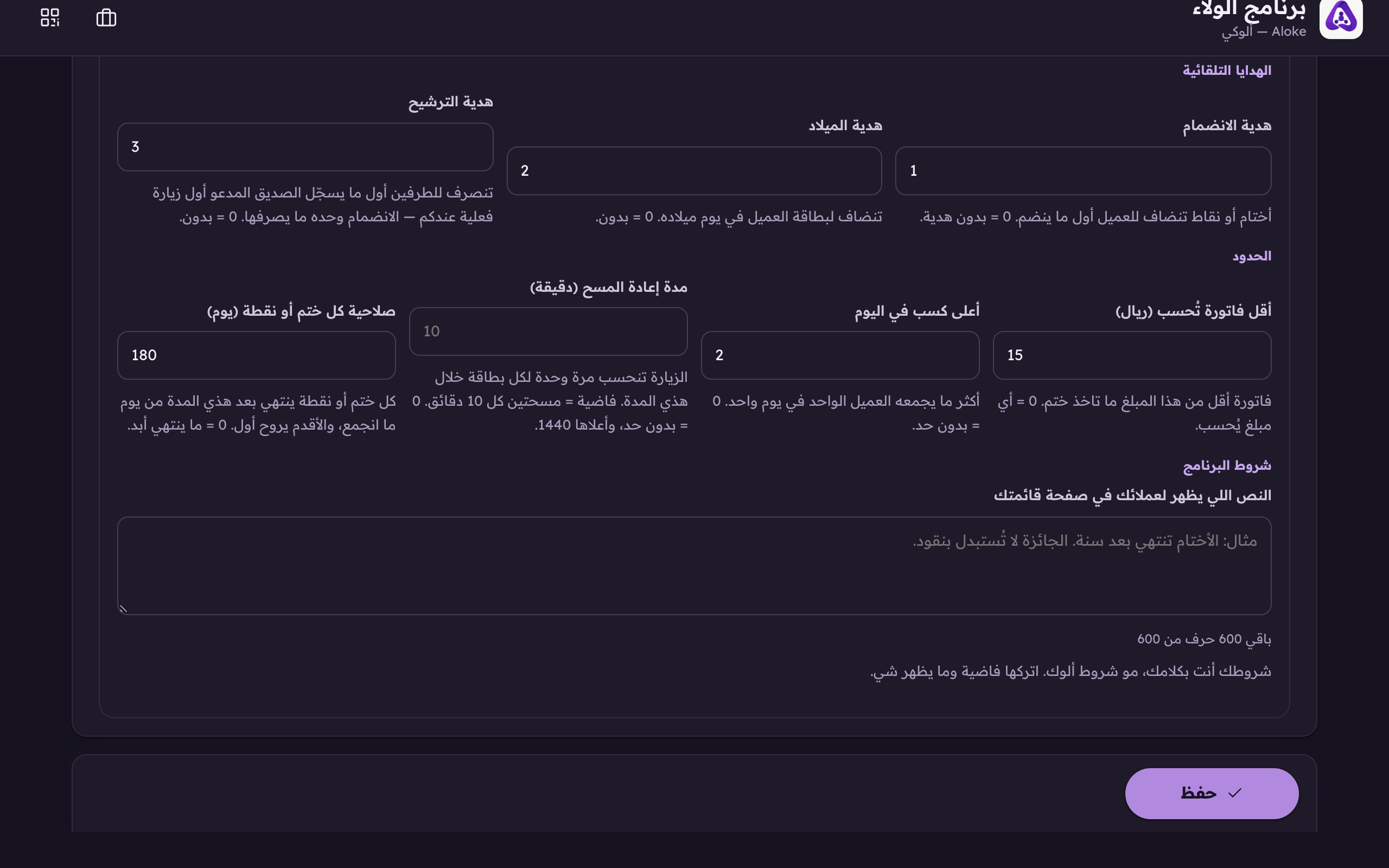
Under «Limits» you will find «The programme's terms». Type yours in the box, and the counter beneath it tells you how many characters you have left.«The programme's terms», your own conditions in your own words, printed for your customer on your menu page. Leave it empty and nothing shows.
Press «Save». The change reaches your page immediately. You do not republish.
How long it can be
Six hundred characters. Gone over? The counter says by how much, and the server cuts at six hundred when you save, so shorten it yourself first, or a sentence gets cut in half.
Where it shows
On the menu page your customer opens, under the loyalty explanation and the join button. It does not appear in the app and it is not on the card.
 Aloke
Aloke