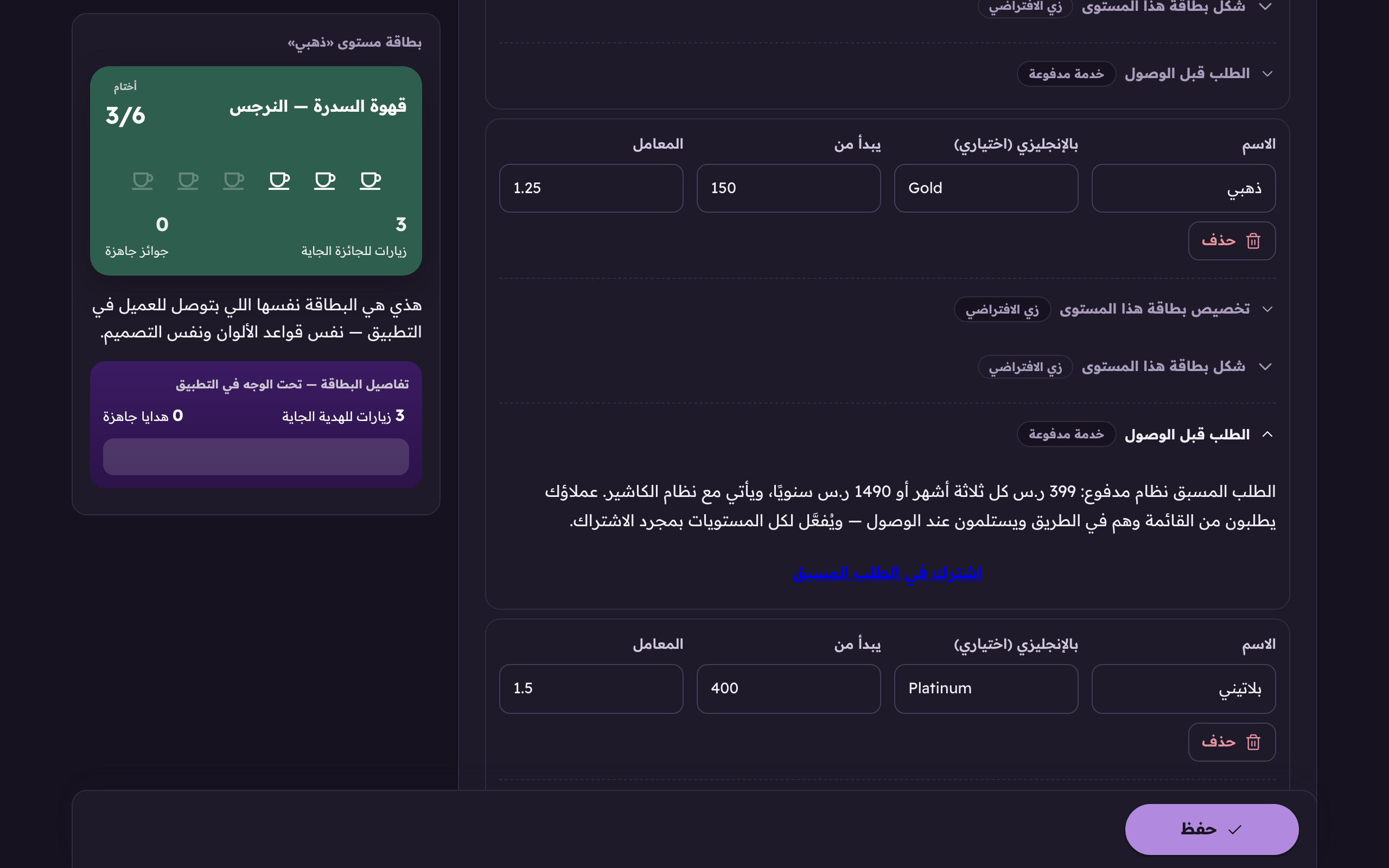
Pre-Order is a paid system, sold on its own or with the loyalty programme or the point of sale, and all of them are in Aloke One. The moment you subscribe it is on for every loyalty tier, and you decide from how far each tier may order. Without a loyalty programme your customers get an order card in your shop's design, with no stamps, which you design from «Card design» on the Pre-Order page.
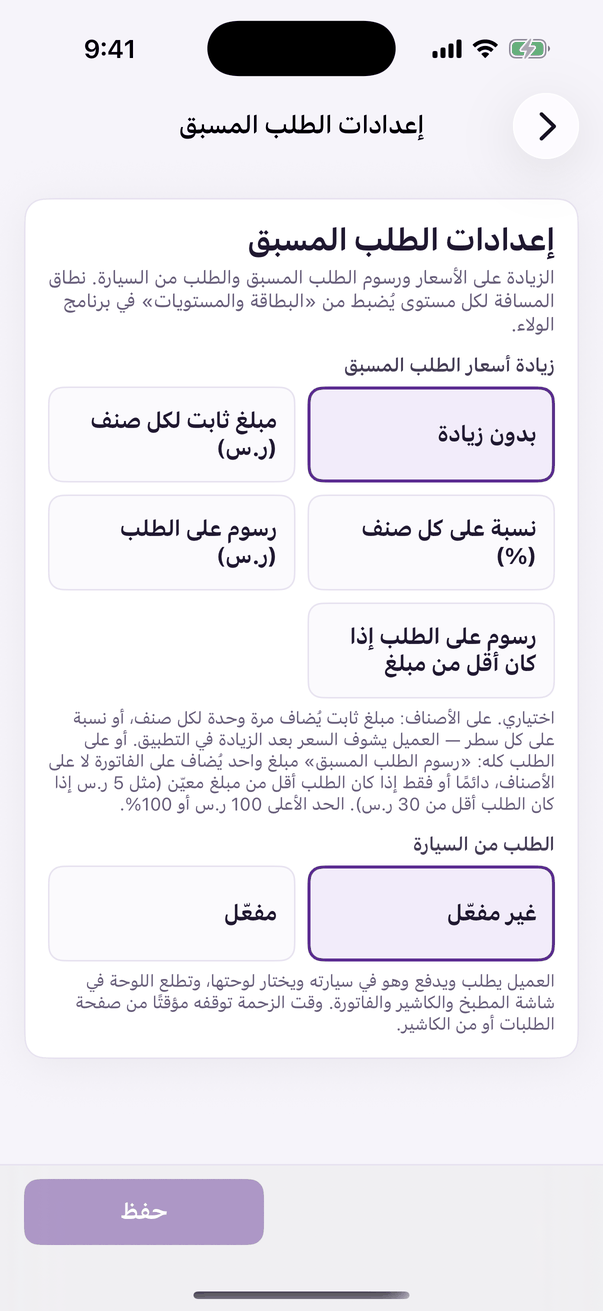
In the Aloke Owners app, open «Pre-Order» from «Every section» on the home screen, then «Pre-Order settings». (iPhone and iPad, Android)«Pre-Order settings»: the price increase, the fee and the car.
Open the «Card and tiers» tab in the loyalty console, and on the tier's row open «Order before you arrive». (Web)Every tier has its own order-ahead switch inside its row. Turn it on for the tiers you want to reward.
If you have not subscribed yet, press «Subscribe to Pre-Order». The subscription page opens, and once it is active the range replaces the price here. (Web)
In Aloke Owners, when Pre-Order is not active at the branch you see «هذه الميزة غير متاحة لحسابك» (This feature is not available for your account). Press «افتح تذكرة دعم» (Open a support ticket) and the Aloke team gets in touch to switch it on. Once it is active, the range shows here. (iPhone and iPad, Android)
Enter the range in metres. Zero means no limit at all.
Open «Pre-Order» → «Pre-Order settings»: the increase, the fee and ordering from the car are there. Want Pre-Order prices above the menu? Pick «Pre-Order price increase»: a fixed amount per item or a percentage, and type the value. Want a fee on the whole order instead of the items? Pick «Fee on the order ()» and type the amount, or «Fee on the order under an amount» and type the amount and the threshold. «None» keeps the menu's own prices.
Press «Save».
The range
From 0 to 100,000 metres (100 km). A customer may order while inside that distance of the branch. Zero means unlimited. They can order from anywhere.
The Pre-Order fee
One amount added to the whole order, not to the items, shown to the customer as «Pre-Order fee» before they send and on the order after. Charge it always, or only when the order is under an amount you set, say 5 when the order is under 30; an order that reaches 30 pays none. It lands on the invoice as its own line and earns no stamps. Ceiling 100.
The price increase
Optional. On the items: a fixed amount is added once per item, never again on a size or an option, and a percentage on every line, and the customer sees the increased price in the app. Or on the whole order: the Pre-Order fee (the option above). One choice at a time. Ceiling 100 or 100%.
 Aloke