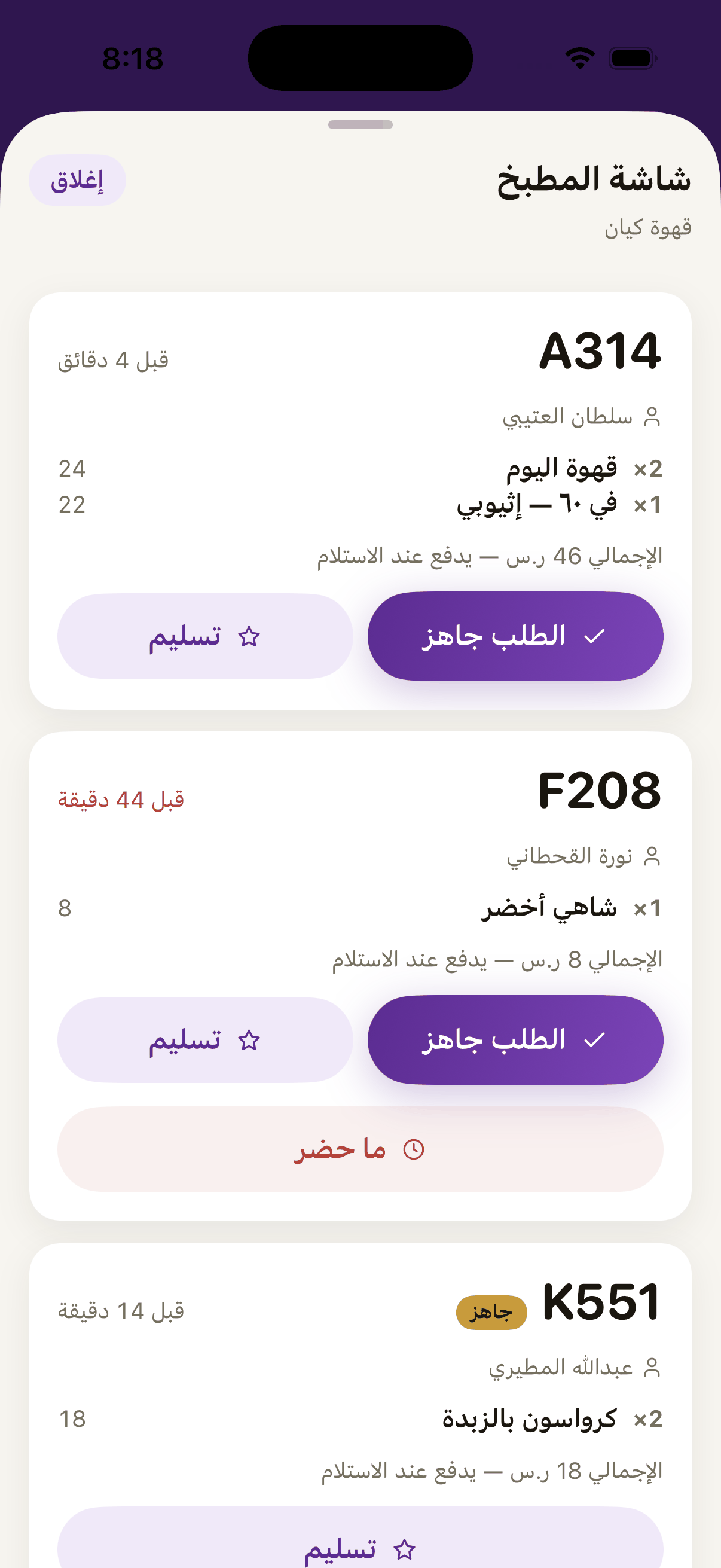
The kitchen screen lists your branch's open orders oldest first, each with its short number, its items and how long it has waited. You find it in Aloke POS under «الطلبات المسبقة», in «الطلبات» of the Pre-Order group in Aloke Owners, and on a wall screen with Aloke Display.
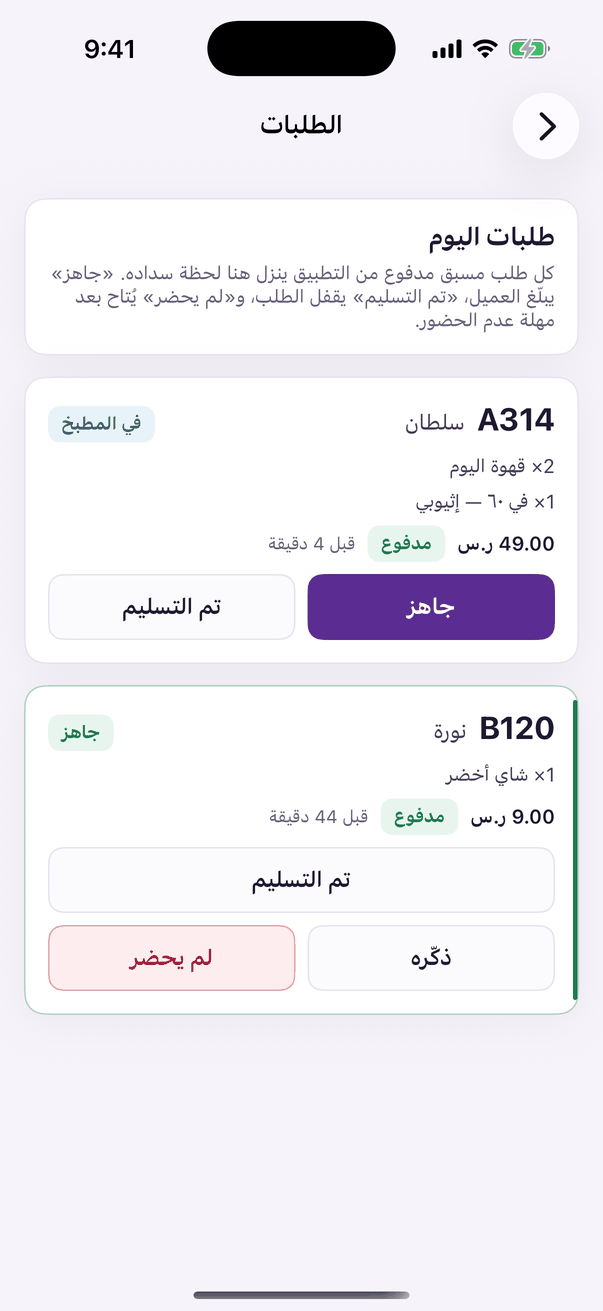
In the Aloke Owners app, open «Pre-Order» from the home screen, then «Orders». (iPhone and iPad, Android)«Orders»: today's paid orders and their state.
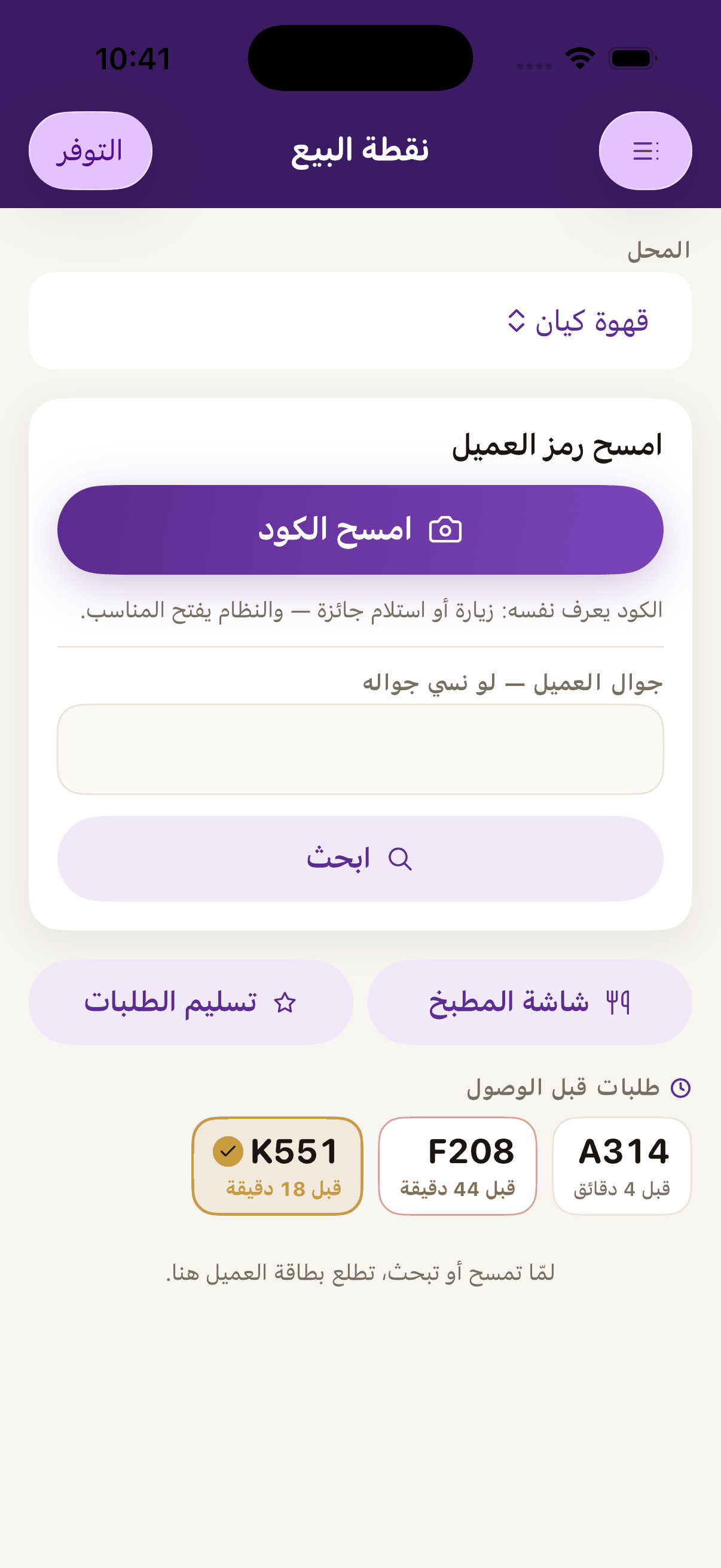
In Aloke POS open «الطلبات المسبقة»; or in Aloke Owners open «الطلب المسبق», then «الطلبات».«Kitchen screen» opens the orders coming in ahead of their owners.
Make the order, then press «Order ready». The customer is pushed a notice that it is waiting.«Order ready» pushes the customer a notice that their order is waiting.
 Aloke
Aloke