Scanning the order code, and paying on collection.
Aloke Owners
Web, iPhone and iPad, Android
Hand-over is one scan. The customer arrives, you scan the order's code, and the system closes the order and counts the visit in the same moment.
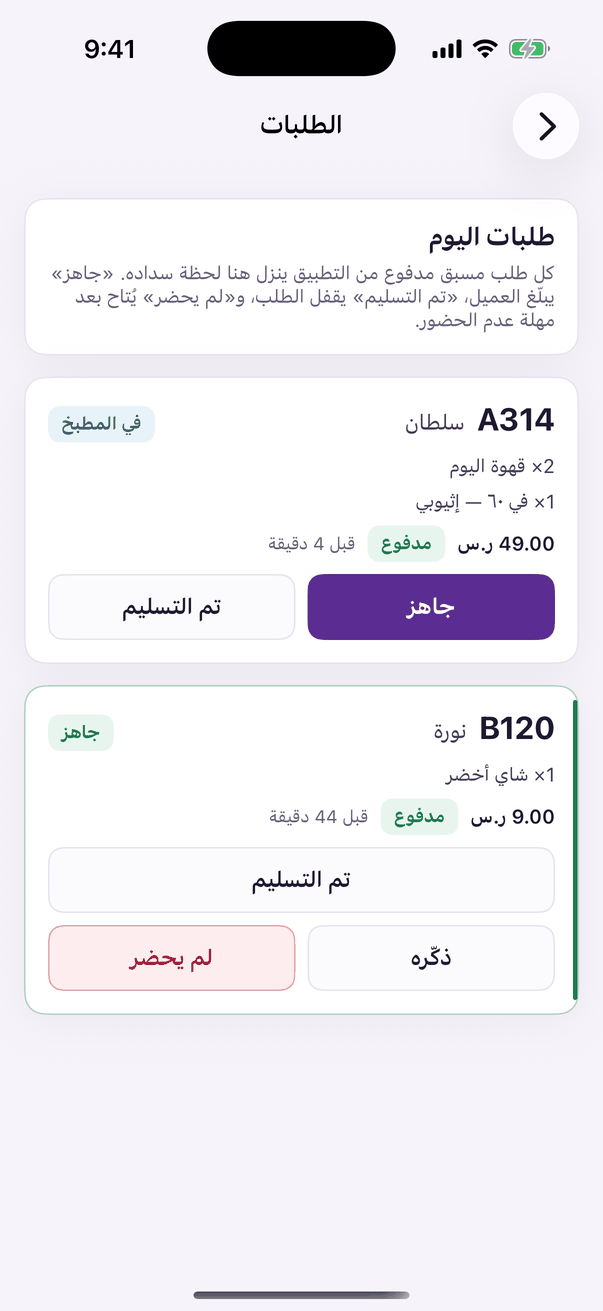
In the Aloke Owners app, open «Pre-Order» from the home screen, then «Orders». (iPhone and iPad, Android)«Orders»: today's paid orders and their state.
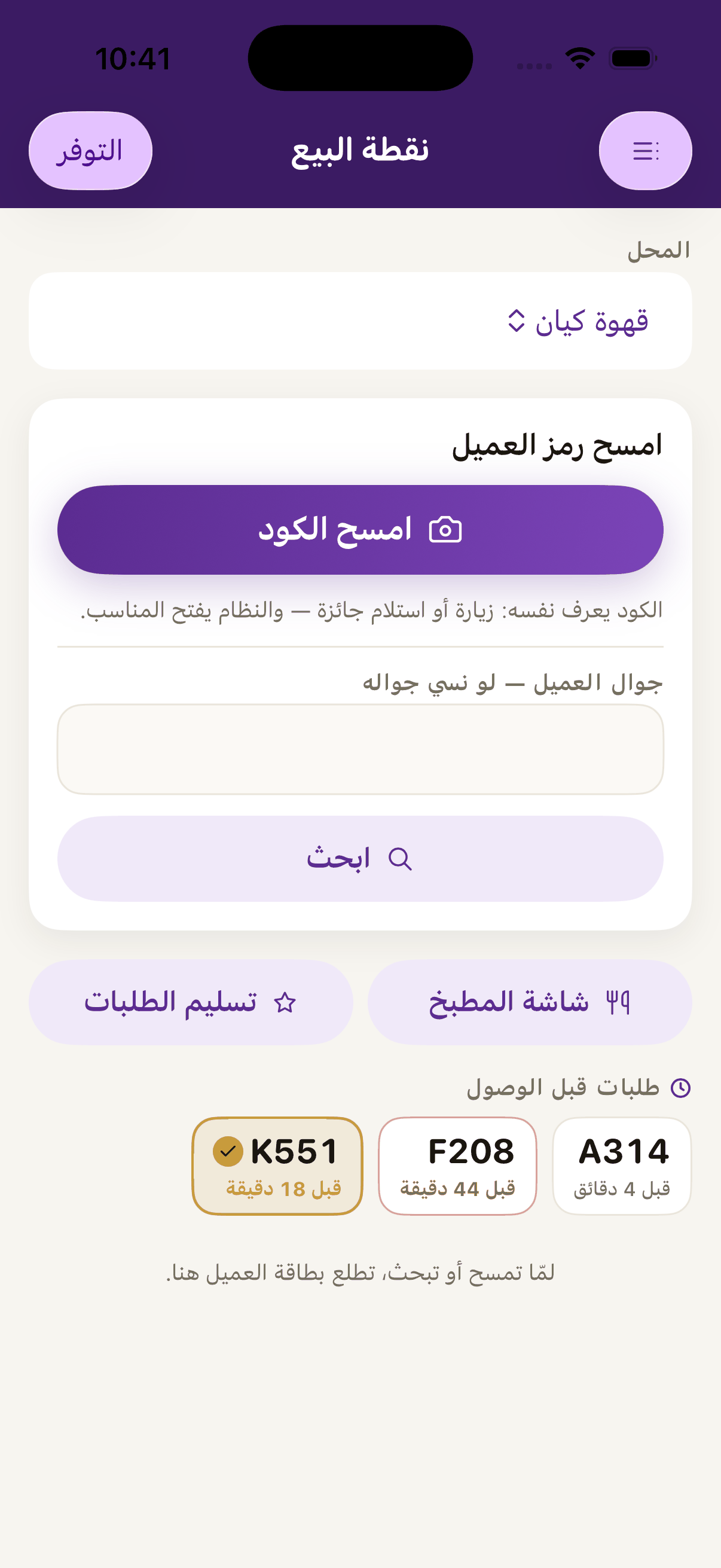
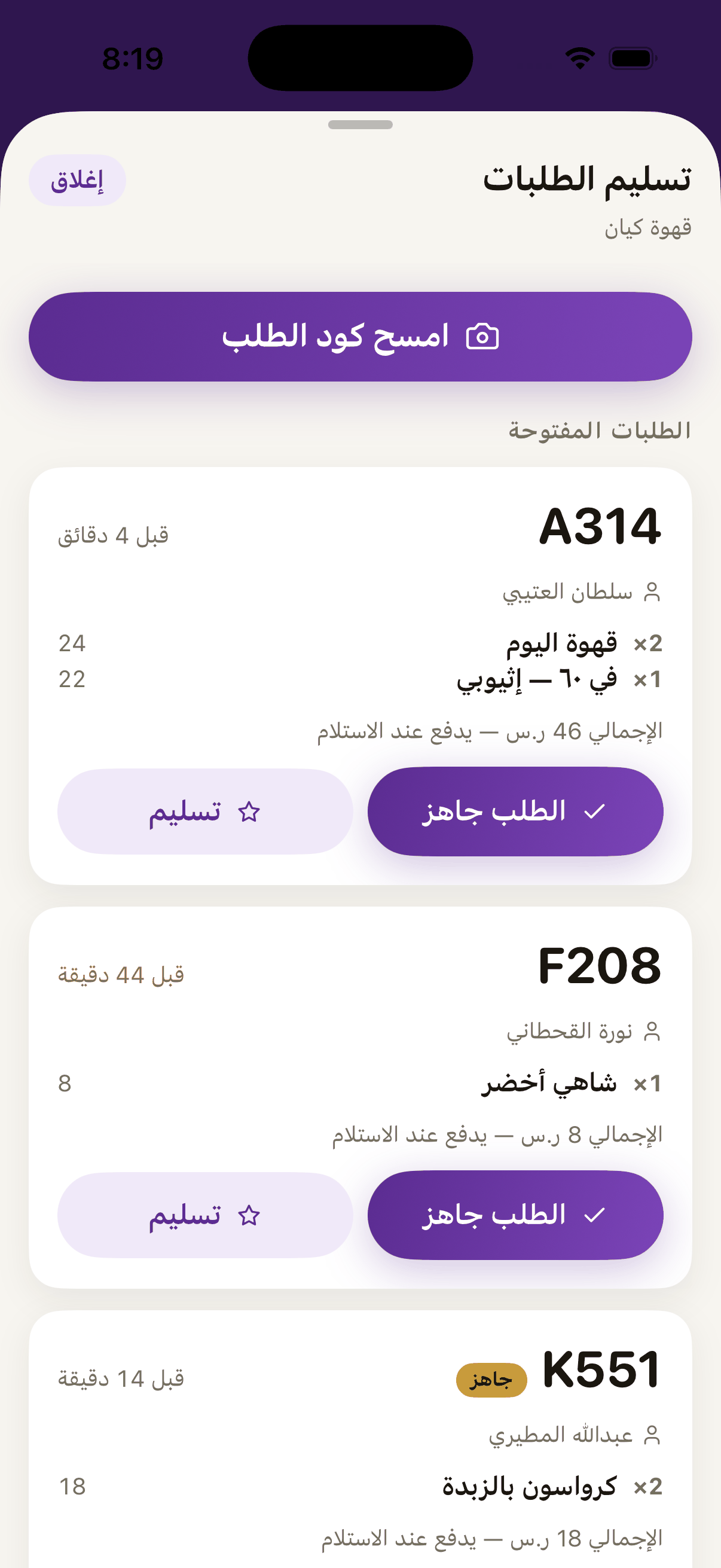
In Aloke Scan or Aloke POS, scan the customer's code like any other scan.«Hand over orders» for the customer who has arrived to collect.
Their order comes up straight away. The items, the amount and the order number.«Scan the order code» when the customer arrives to collect, or press «Hand over» on their order in the list.
Press «Hand over». It closes the order and counts the visit.«Hand over» closes the order and counts the visit for the customer.
Take the money exactly as on any sale. Payment happens with you, not in the app.
 Aloke
Aloke