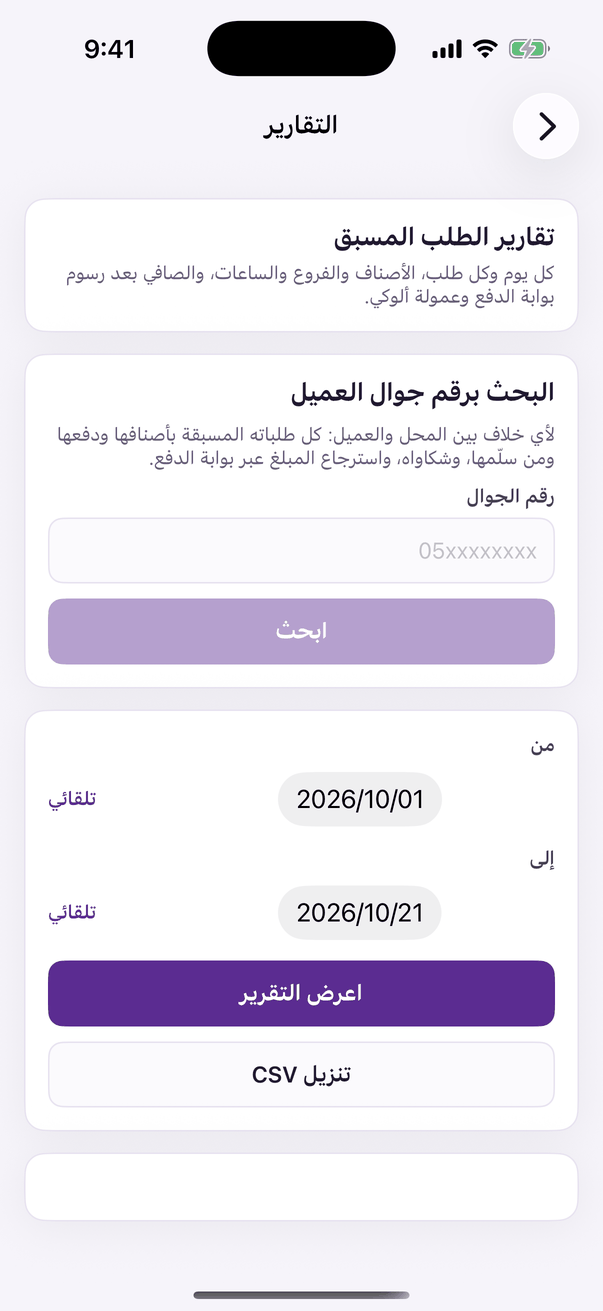
Every day and every order, items, branches and hours, and the net after the payment gateway's fee.
Aloke Owners
Web, iPhone and iPad, Android
How much did Pre-Order sell, and how much actually reached your account? «التقارير» (Reports) answers. Pick the report and the dates and see every figure. The owner sees every branch or one; an employee holding «تقارير الطلب المسبق» (Pre-Order reports) sees their branch.
In the Aloke Owners app, open «Pre-Order» from «Every section» on the home screen, then «Reports». (iPhone and iPad, Android)«Pre-Order reports»: finding a customer by mobile, and the reports by period.
Daily
For each day: orders, sales, discounts, cashback and order fees, what was paid online, the payment gateway's fee and its VAT, Aloke's commission, and the net that reaches you.
Every order
Every order with its state, pickup, money, invoice and the day it was deposited.
Items, branches, hours, pickup and offers
What sells most, which branch, which hour and day, counter, car or table, and which offers were used.
Online payments, deposits, cancellations and refunds
Each payment method's fee and rate, which deposit carried each payment and what is still on the way, and every order cancelled, refunded or not collected.
Above the reports is «البحث برقم جوال العميل» (Find a customer by mobile number). Type the number and see every Pre-Order they placed with you: items and add-ons, payment, who handed it over and when, the invoice number, the payment trail, any earlier refund, and their complaints. It is what you need when you and a customer disagree.
Open the order and press «استرجاع مبلغ عبر بوابة الدفع» (Refund through the payment gateway). Type the amount, all that is left or part of it, and the reason. Before you confirm you see what goes back to the customer, the refund fee on your shop, and how much leaves your balance at the payment gateway.
 Aloke