A no-show is your last resort, and it costs the customer something: they lose order-ahead at YOUR shop until you lift the ban yourself.
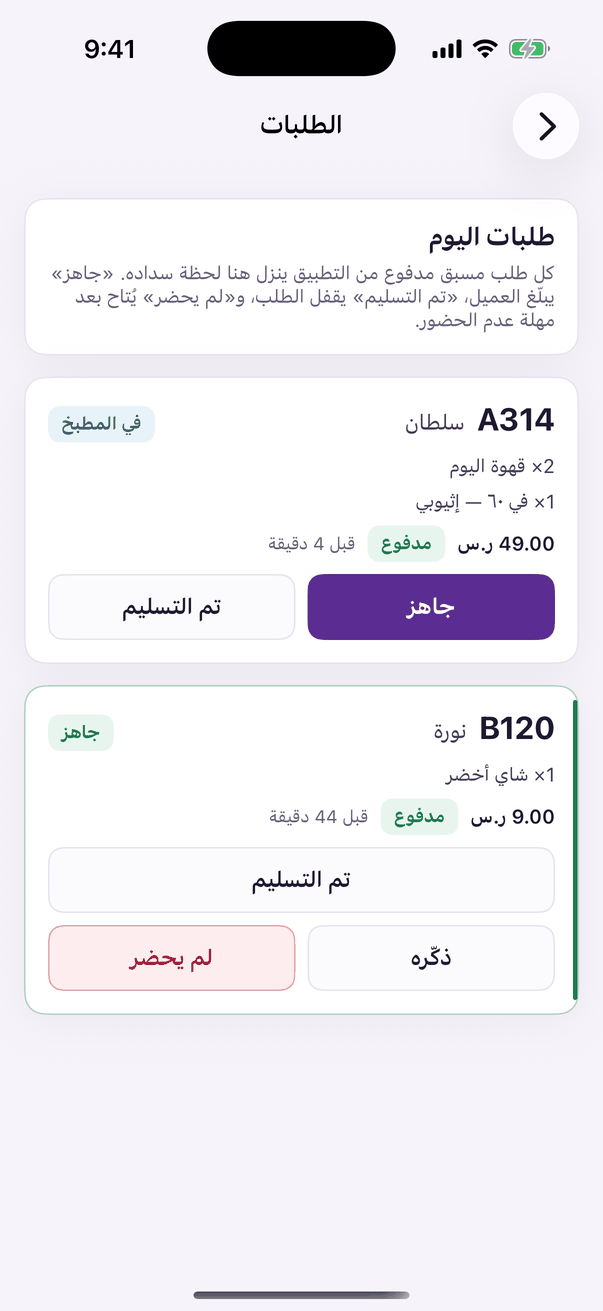
In the Aloke Owners app, open «Pre-Order» from the home screen, then «Orders». (iPhone and iPad, Android)«Orders»: today's paid orders and their state.
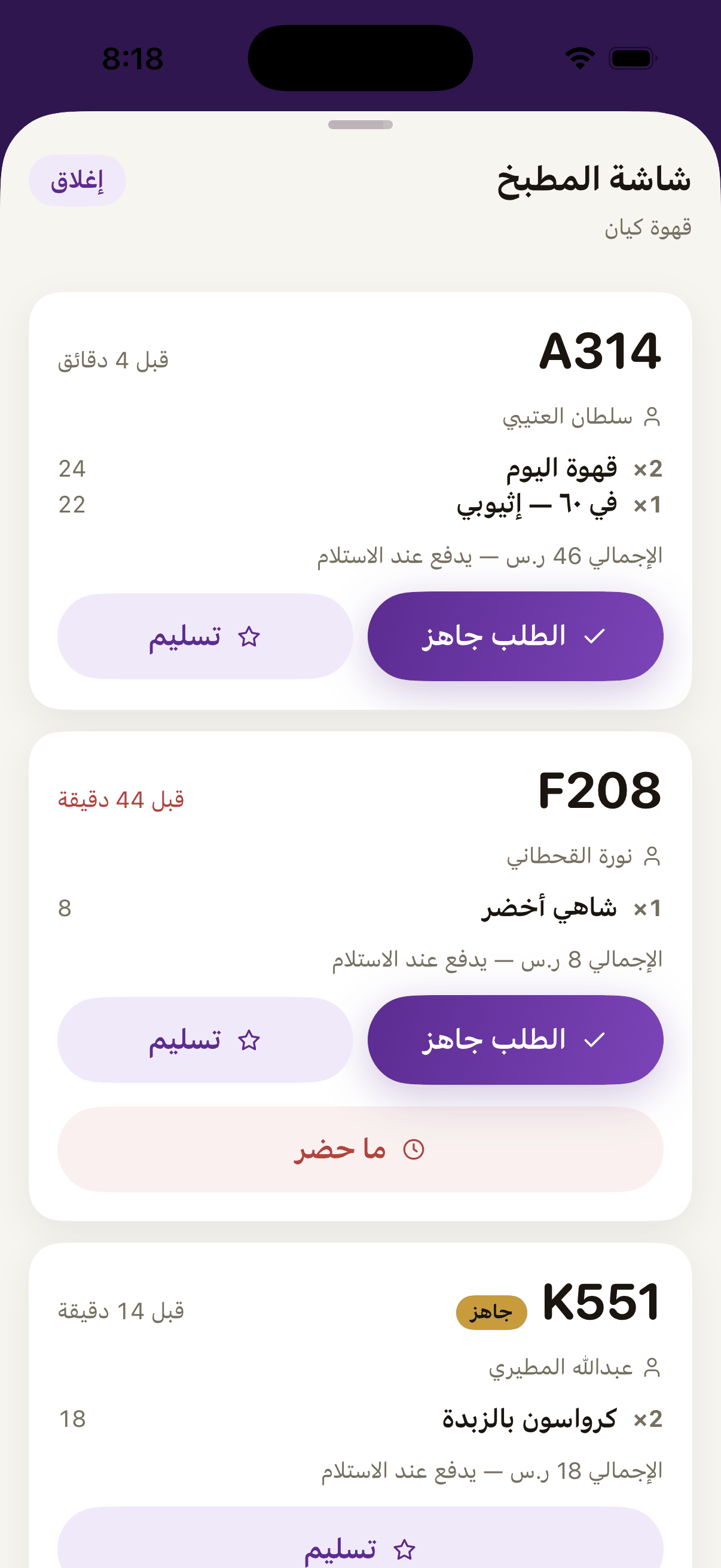
On the kitchen screen, press «No-show» on the order. The button is live from the moment the order is placed. The customer has paid, and the call is your staff's.«No-show», once the timer is up. It blocks that customer from ordering ahead at your shop until you lift the ban from the members panel.
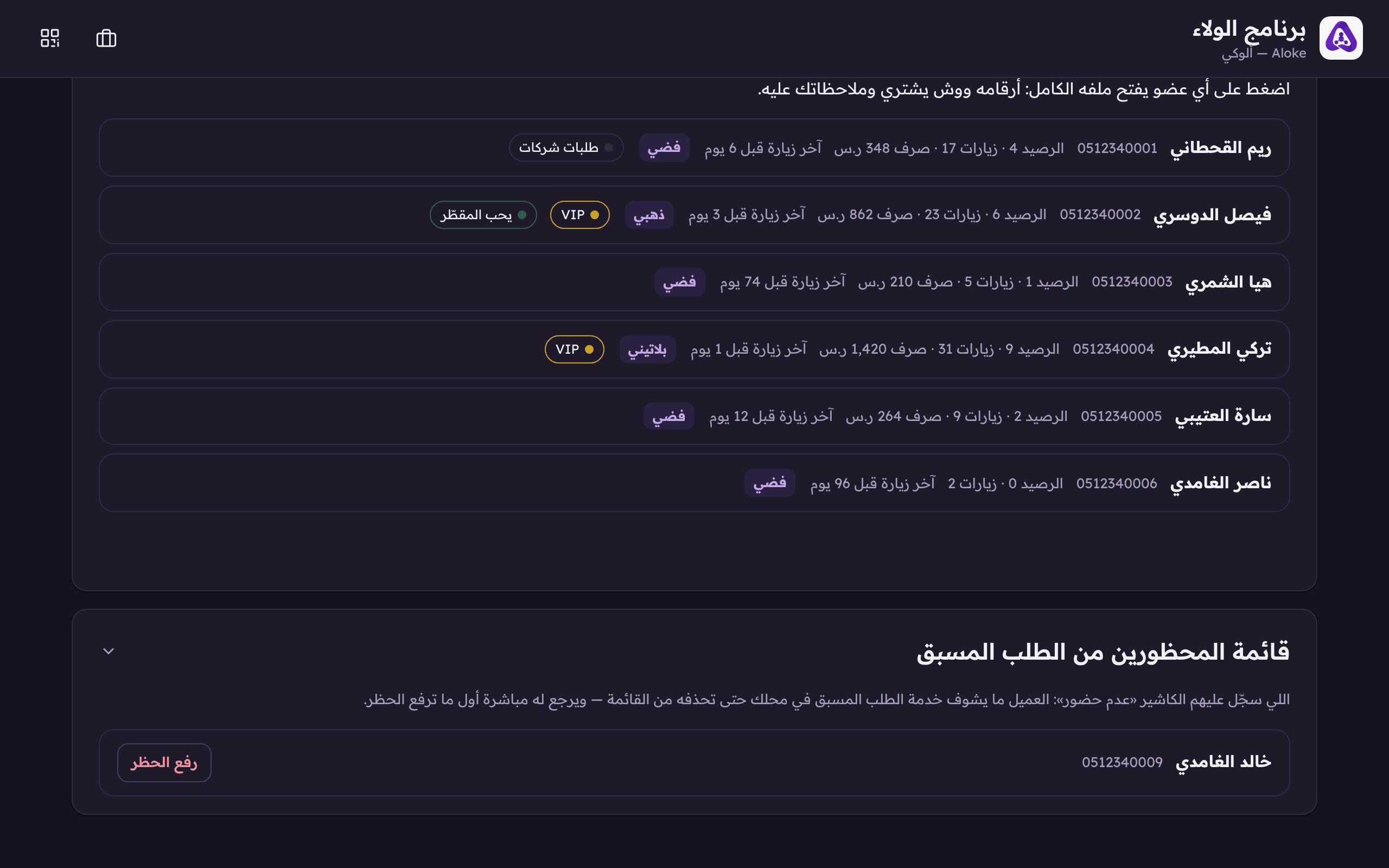
To lift a ban: open the loyalty console, the «Members» tab, and scroll to «Blocked from ordering ahead». (Web)
Press «Lift the ban» on the customer. They can order again immediately.«Lift the ban» gives the customer order-ahead back at your shop.
 Aloke
Aloke