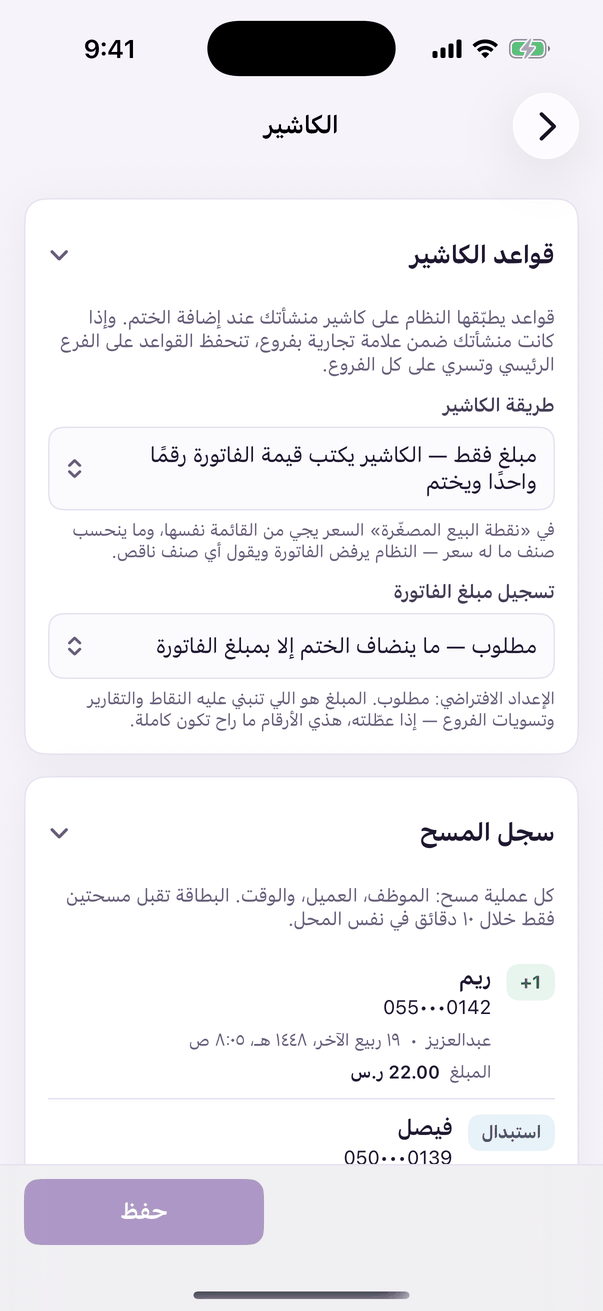
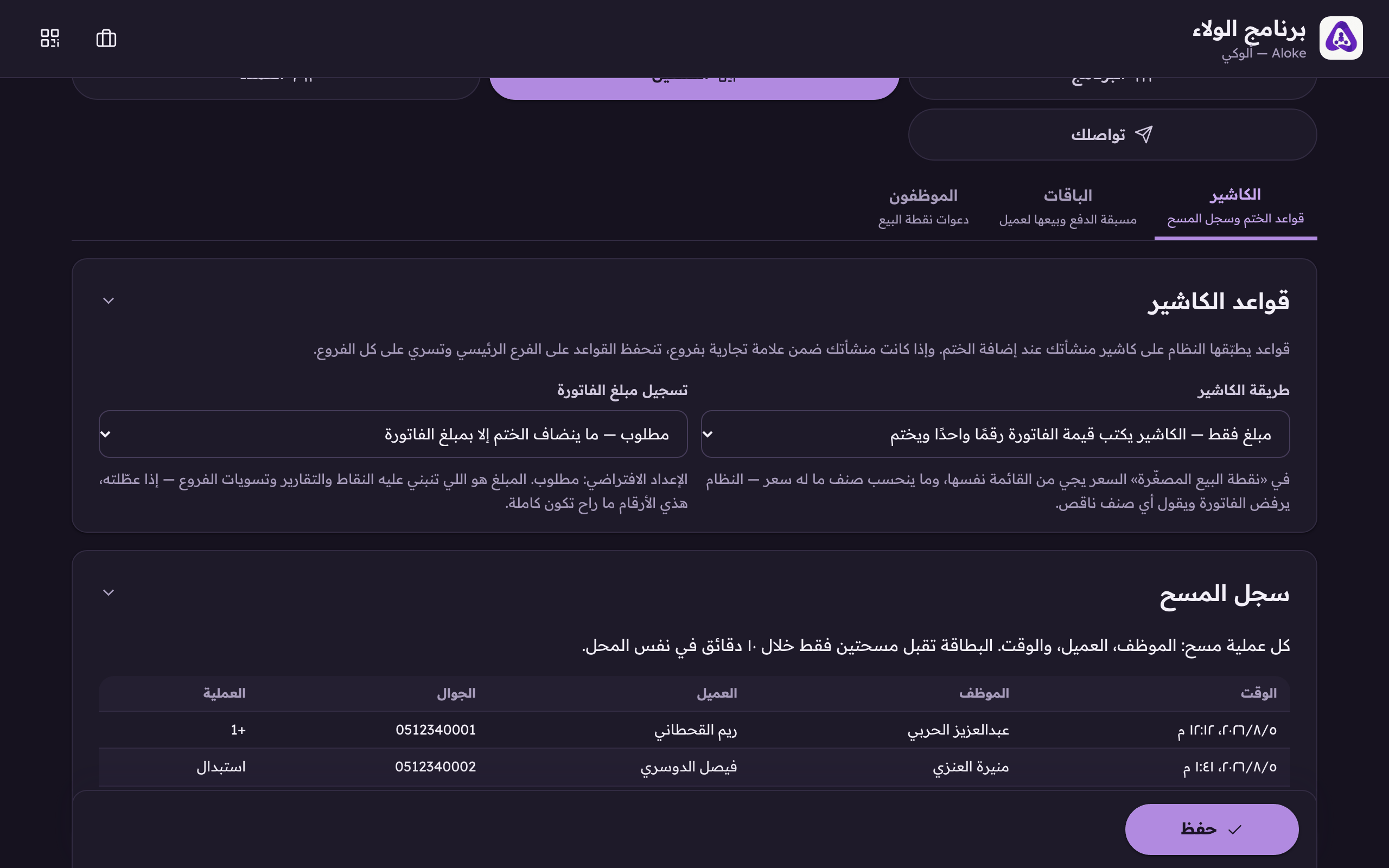
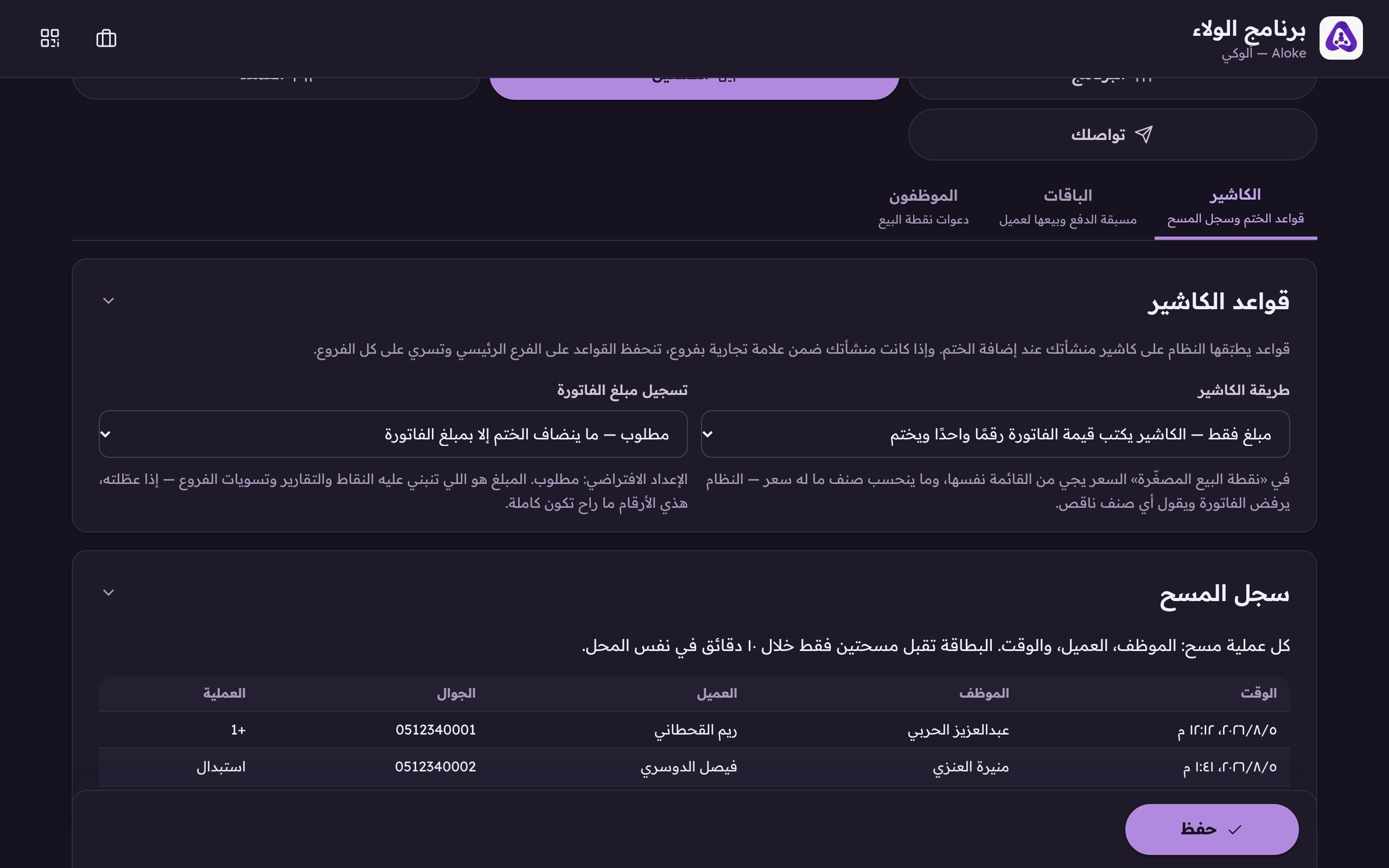
Amount only, or the mini-POS, and when the amount is required.
Aloke Owners
Web, iPhone and iPad, Android
Two rules the system applies to your cashier when a stamp is added. You set them once on the «Till» tab of the loyalty console and they apply to every member of staff on every device. (Web)
In the Aloke Owners app, open «Operations» from the home screen, then «The till». (iPhone and iPad, Android)«The till»: the stamp rules and the scan log.
Open the «Till» tab and choose how the till works. (Web)Amount only: the cashier types the bill. Mini-POS: they pick the items and the system adds up.
Choose whether recording the bill amount is required.Does a stamp require the bill amount? Points, reports and settlements are all built on it.
Press «Save».
Amount only
The cashier types the bill as one number and stamps. It is the fastest way and it is enough for most shops.
Mini point-of-sale (Web)
The cashier picks the items from your menu and the system prices the bill from your own prices. Available in Aloke Scan only, not in the web till.
Required
No stamp is added without the bill amount. This is the default: the amount is what points, reports and inter-branch settlements are all built on.
Not required
A stamp is added with no amount. Faster at the counter, but your figures will be incomplete, and it is no use at all on a points programme, because points are computed from the amount.
 Aloke
Aloke