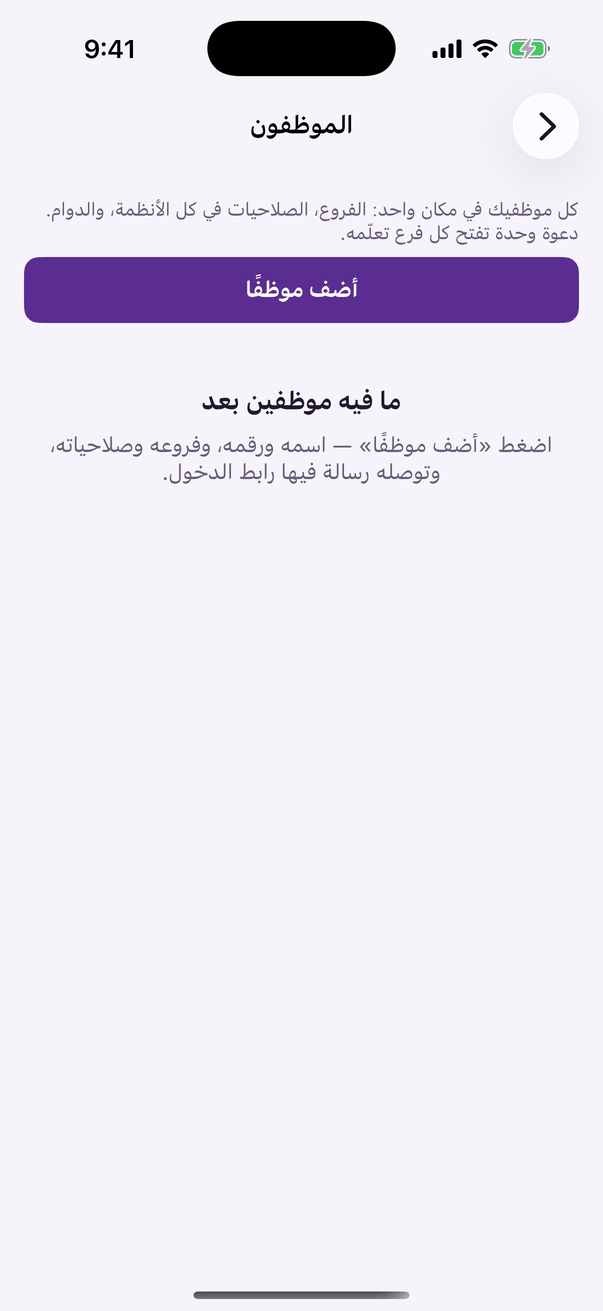
All your staff in one place across every system: branches, permissions and hours.
Aloke Owners
Web, iPhone and iPad, Android
«الموظفون» is one screen for every system you hold: loyalty, the point of sale, Pre-Order, appointments and accounting. Type the employee's name and number, tick their branches and permissions, and they receive a text with the sign in link.
«Employees»: all your staff and their permissions in every system.
Press «أضف موظفًا».
Type «الاسم», «رقم الجوال» and «المسمّى الوظيفي» (job title), and choose «لغة الرسالة» (the language of the text) they read.
Tick the «الفروع» (branches) they work at.
«الدوام» (hours): from and to, and the days. It is for display and planning; nothing locks outside them.
«الصلاحيات في كل الأنظمة»: pick a preset, or tick permissions one by one.
Cashier
Record visits, hand over prizes, and sold out today.
Full till
All the counter's loyalty and Pre-Order work. The default.
Branch manager
Full till plus gifting from the menu, the scan log, the dashboard and managing staff.
POS cashier
Full till plus selling on the POS, voiding orders and the drawer.
 Aloke
Aloke