 Aloke
AlokeAppointments: your book
The day calendar, booking from the desk, and what the customer does from their wallet, for every business that books.
- Aloke Owners
- Web, iPhone and iPad, Android
The book at appoint.hwe.sa is what the desk sees, and the Aloke Wallet is where the customer books, and both read the same free times from the same engine, so they can never disagree. Set it up first from «Setting up appointments».
- In the Aloke Owners app, open «Appointments» from the home screen, then «Calendar». (iPhone and iPad, Android)
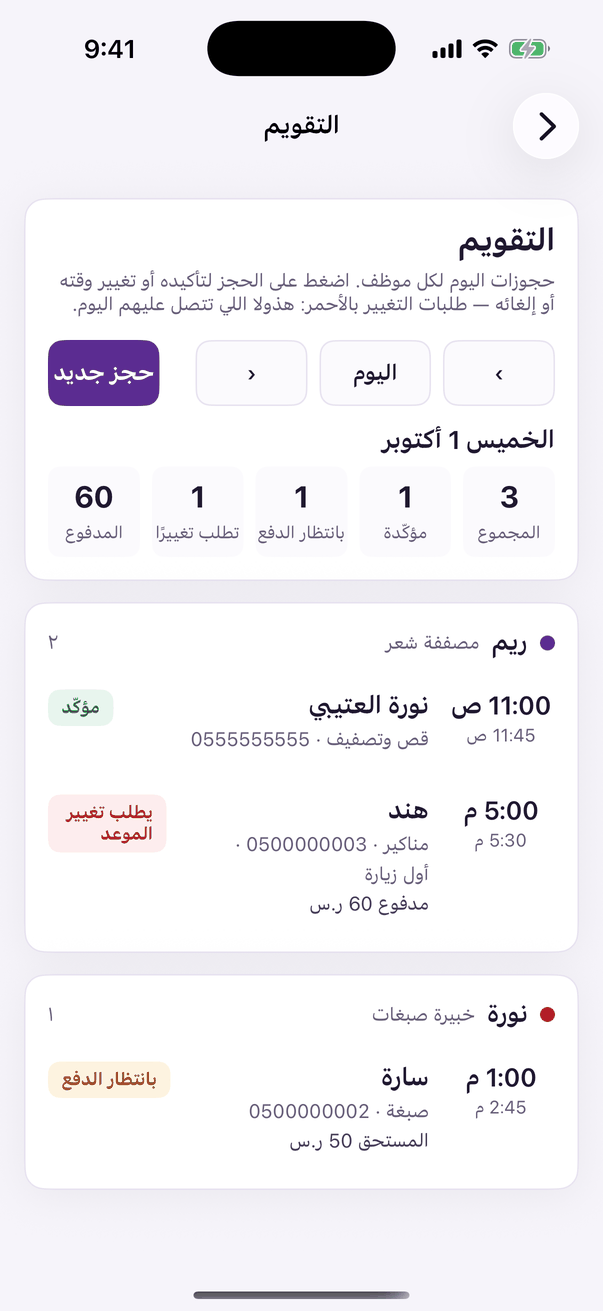
«Calendar»: today's bookings, per team member. - Open «Today»: a column for every team member on shift, and a red line at the current time. A light cell is a free time. Press it and the booking opens on that person and that time. The arrows at the top move between days.
- Or press «New booking»: type the customer's name or mobile and pick them from the list, choose «Service», «Team member» or «Anyone», «Day», then a time from those offered, and press «Book».
- Press any booking in the calendar or under «Bookings» and it opens with its details and its timeline. Its buttons follow its status: «Confirm», «Done», «No-show», «Move» (pick a new free time, and another person if you like) and «Cancel booking».
- «Bookings» lists them: «Upcoming», «Awaiting payment» on its own, and «Past», with a search by name or mobile.
On the customer's side
On your business's card in their wallet the customer finds «Book»: they pick the service, the person or «Anyone», the day and the time, and pay the deposit in the app when one is due. Their booking appears in your book at once, and on their card with cancel and move inside the free window.
- The short road is still there: in the loyalty console, the «Appointments» tab books a customer a time and a reason with «Book», no service, no person, and points you to the full panel for everything else. (Web)
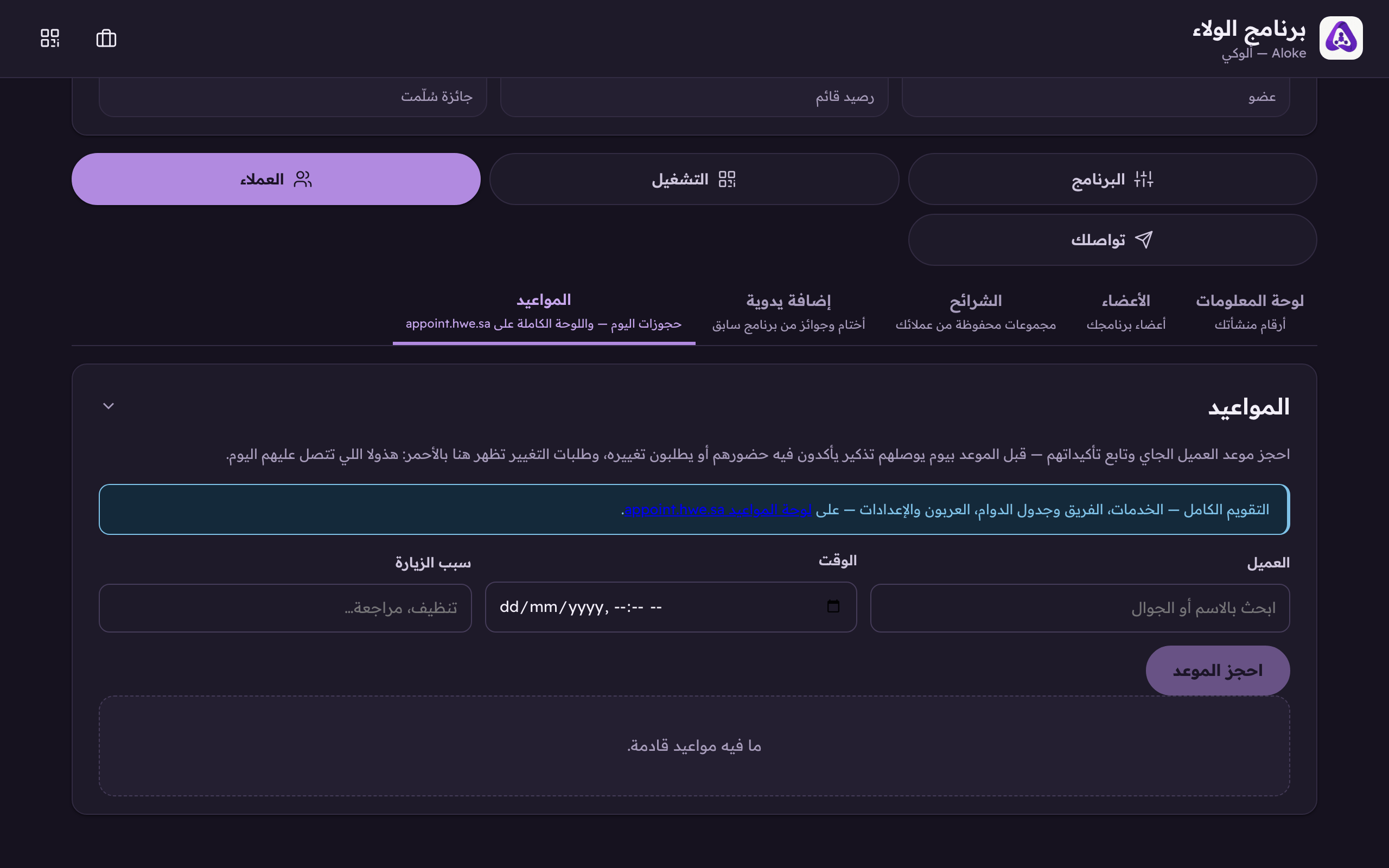
«Book», reschedule requests then show up in red.