 Aloke
AlokeA gift from your menu
An item you give to customers you pick yourself.
- Aloke Owners
- Web, iPhone and iPad, Android
You choose an item from your own menu and give it to customers you name yourself. This is not advertising. It is goods you are paying for. Making up for a morning that went wrong, or thanking somebody who has been good to you.
- In the Aloke Owners app, open «Reaching them» from the home screen, then «Reach». (iPhone and iPad, Android)
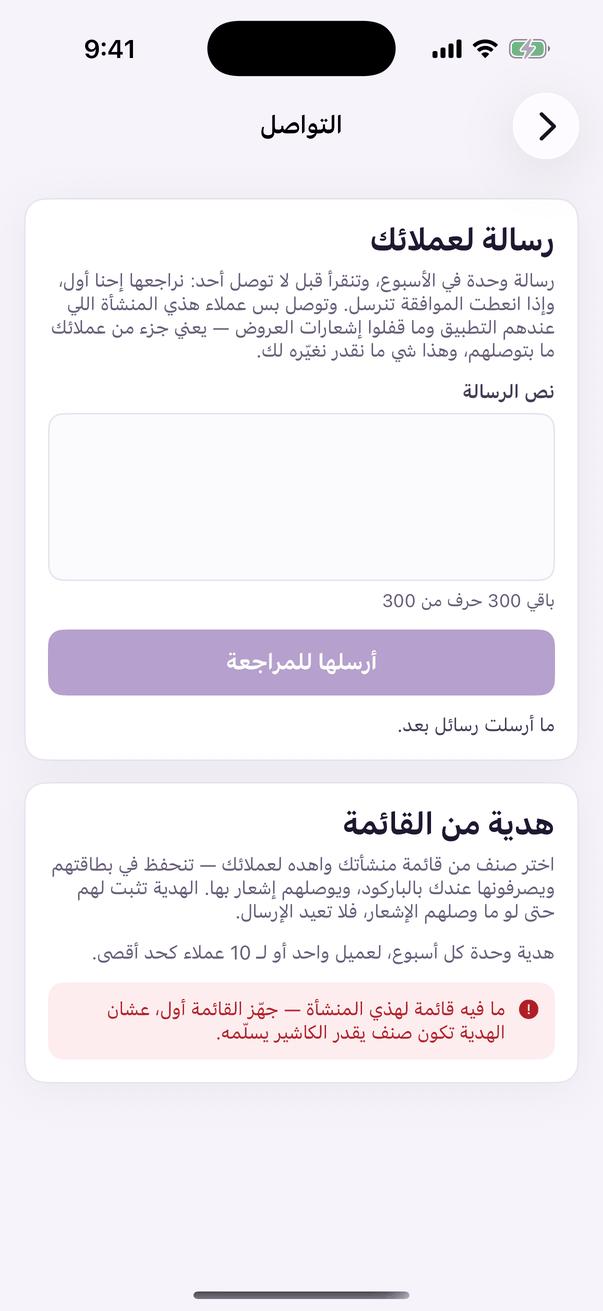
«Reach»: the week's message and the menu gift. - Open the «Reach» tab and scroll to «A gift from your menu». (Web)
- Choose the item. Its price is printed beside it. This is your money.

Pick a dish from your menu to give away. - Add a word with the gift (optional): «on us, thank you».
- Search for the customers and tick them. «Select everyone shown» picks only what is on screen, not your whole member list.

Find the customers you want to gift. - Press «Send the gift». A confirmation comes up naming the item, how many people you picked and the approximate cost, and telling you the gift cannot be taken back once sent. Read it, then confirm.

«Send the gift», the button is off until at least one customer is ticked, and how many you picked prints beside it. The confirmation comes AFTER the press, not before.
Two numbers, not one
The system gives you two numbers, not one: how many cards the gift landed on, and how many people the notification reached. The second is normally smaller, and that gap is the truth about this channel. We say it rather than smoothing it over.