 Aloke
AlokeRecording a visit by scanning
Scan the customer's code, type the amount, record.
- Aloke Scan
- iPhone and iPad, Android
- Press «امسح الكود» and point the camera at the customer's code in Aloke Wallet.
- The customer's card opens with their balance. Press «تسجيل زيارة».
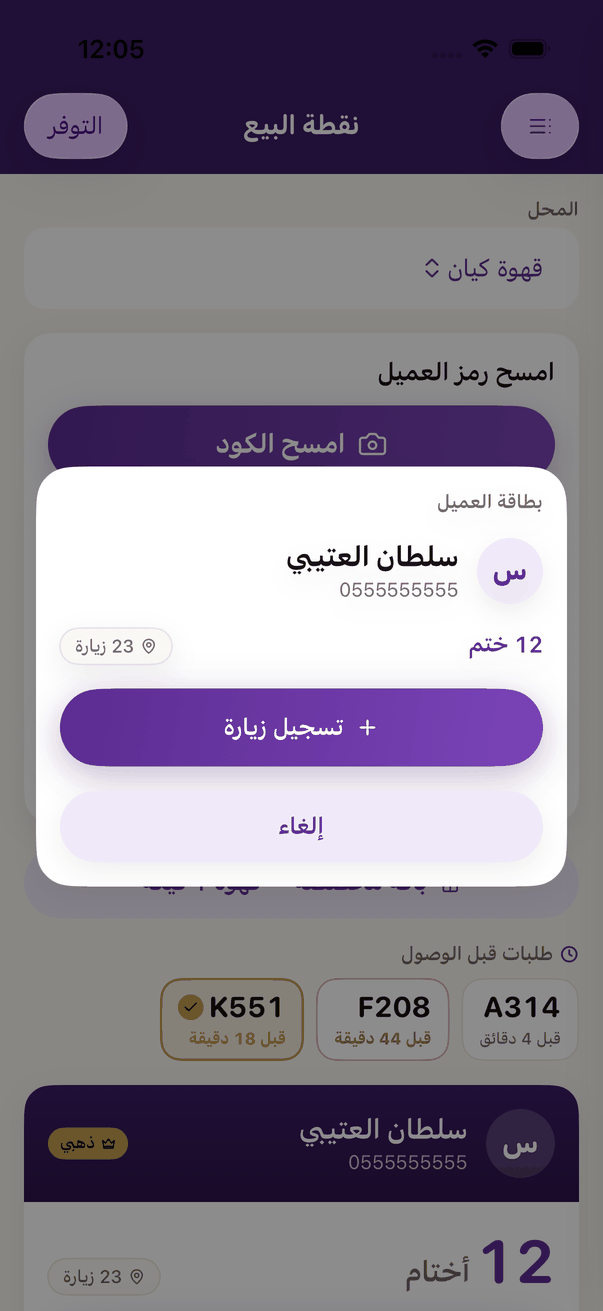
The customer's card after a scan: balance and «Record visit». - If the shop asks for the amount, type «قيمة الفاتورة» and press «سجّل الزيارة».
- If the shop uses the mini till, pick the bill's items from the menu, then «سجّل الزيارة».
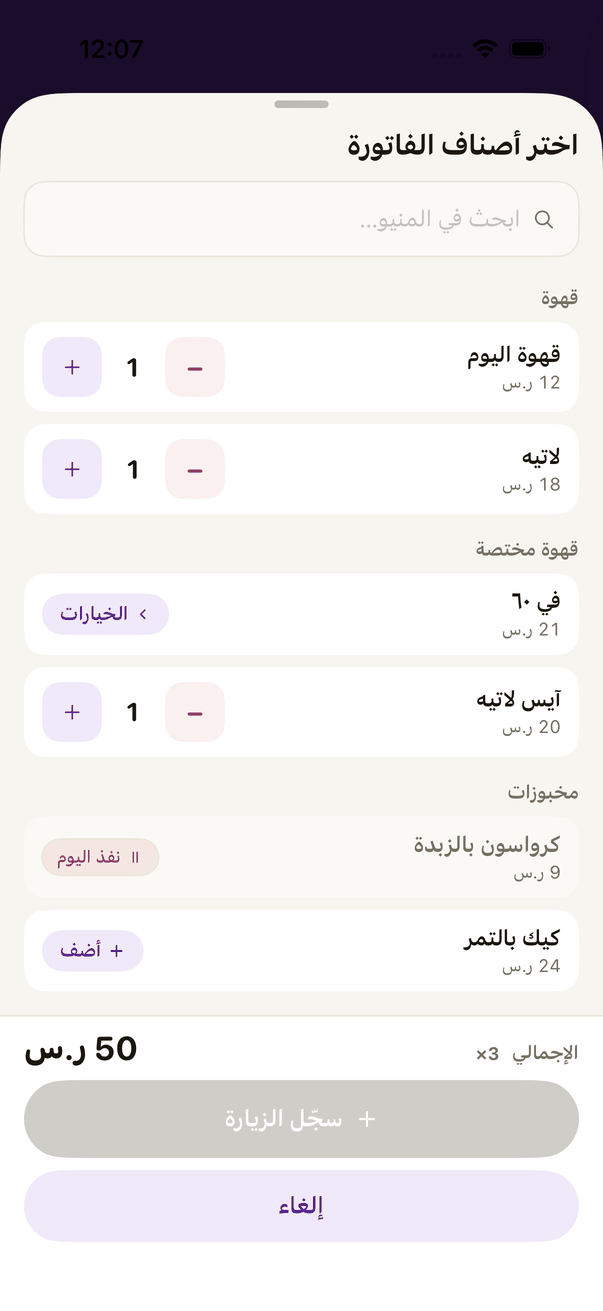
The mini till: «Choose the bill's items». - You see «تم تسجيل الزيارة — أضفنا …». Press «تم».
- Customer forgot their phone? Type their number in «جوال العميل — لو نسي جواله» and press «ابحث».
- A new customer with no card? Search their number and «عميل جديد» appears: type their name and record the first visit; the card opens by itself.