 Aloke
AlokeSelling and spending bundles
A bundle to the customer's card or as a gift, and spending a unit.
- Aloke Scan
- iPhone and iPad, Android
- From the customer's card press «بيع باقة» and choose the bundle.
- «لمين؟»: «لبطاقة عميل» or «هدية لجوال». For a gift type «جوال المُهدى له»; message and name are optional.
- Press «بيع الباقة» or «بيع وإرسال هدية». You see that it was sold and added, or sold and sent.
- «باقة مخصصة»: build one from the menu with the items and quantities you choose.
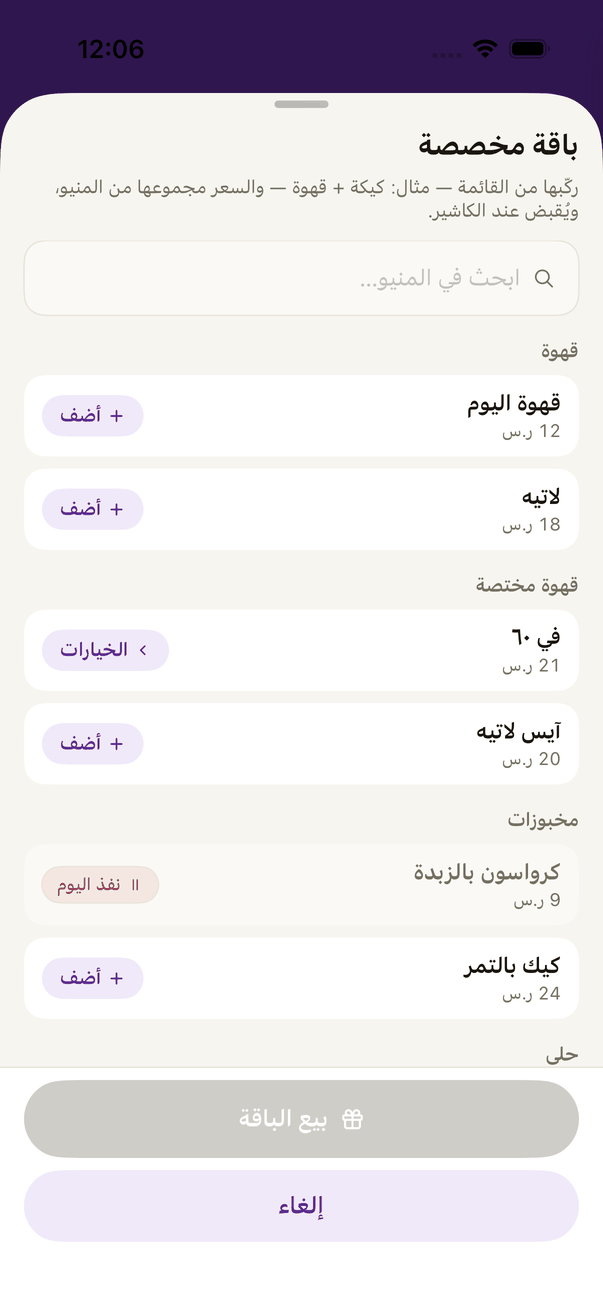
«Custom bundle»: build it from the menu. - Spending: the customer opens the bundle and shows its code. Scan it and press «اصرف الباقة».
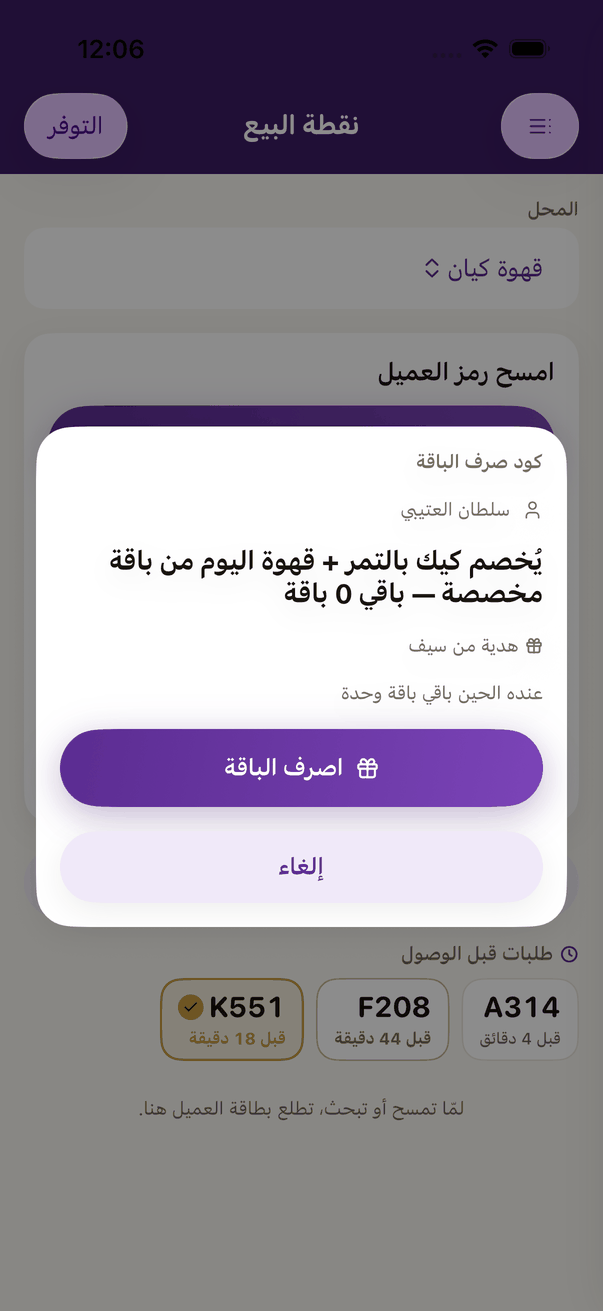
A bundle code: the item, what is left, and «Spend». - Or from the customer's card: «خصم من الباقة», then «اخصم الوحدة».
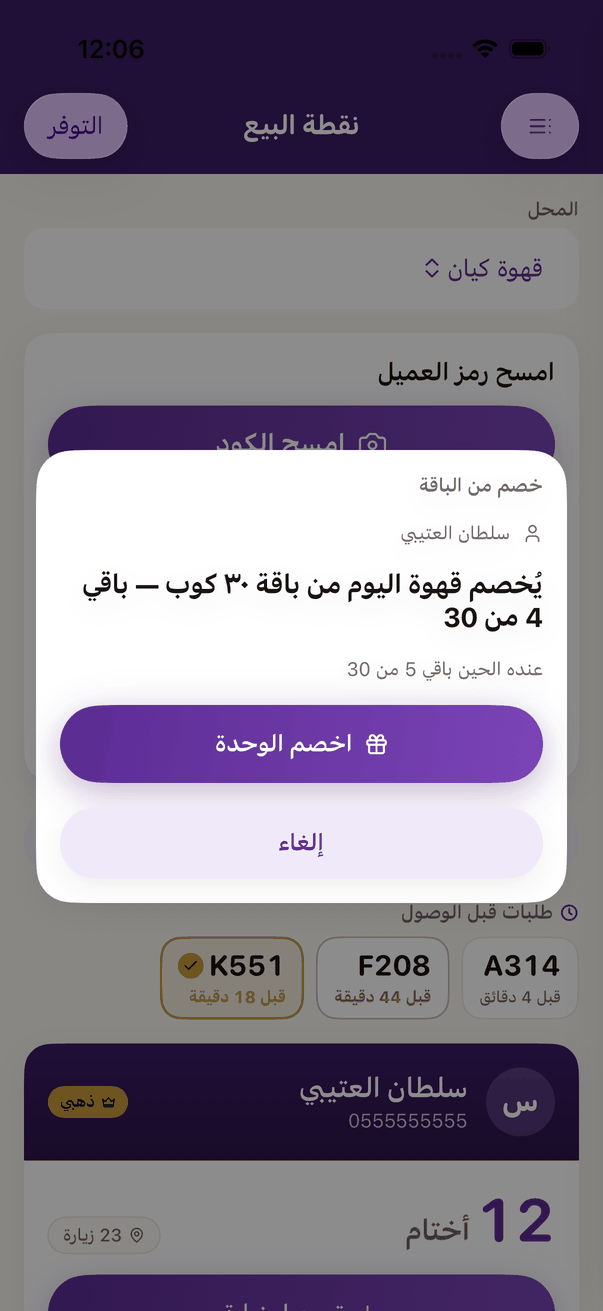
Taking from a bundle: what is left, and «Take one unit».