 Aloke
AlokePre-orders in Aloke Scan
Orders placed ahead: ready, hand over, remind, no-show.
- Aloke Scan
- iPhone and iPad, Android
- Paid orders appear in the «طلبات قبل الوصول» strip at the top.
- Open an order: «الطلب جاهز» when it is done, «تسليم» when you hand it over.
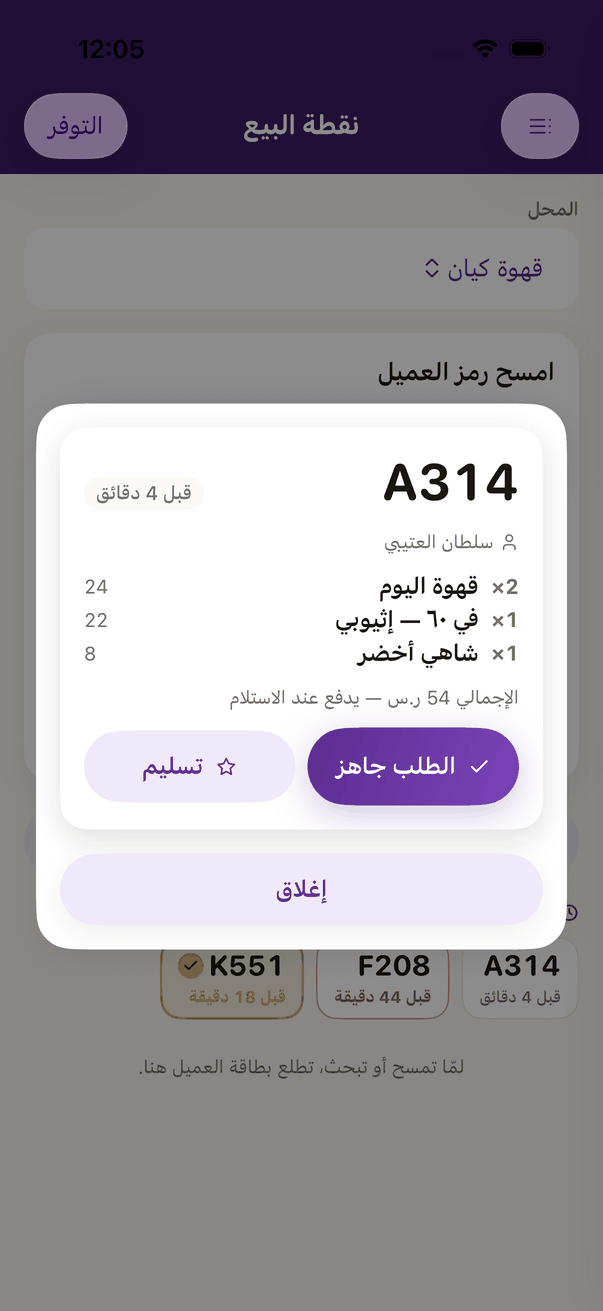
A pre-order: «Order ready» and «Hand over». - «ذكّره» sends the customer a reminder; «ما حضر», then «سجّل عدم حضور» if they never came.
- Or scan the pre-order code on the customer's phone and press «تسليم الطلب».