From placed to «ready» to handed over, and where you leak.
Aloke Owners
Web, iPhone and iPad, Android
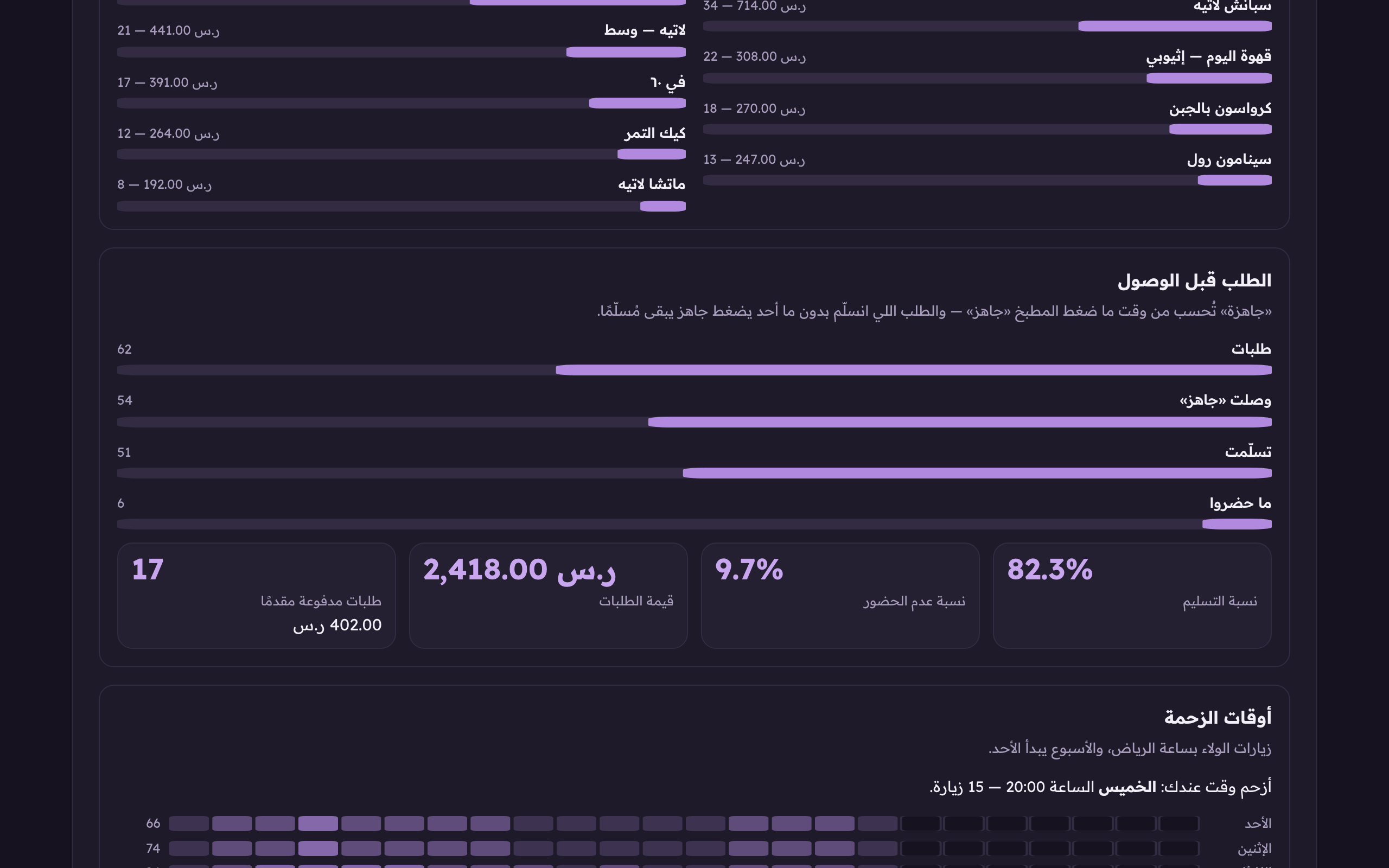
The «order before you arrive» card is a four-step funnel: how many orders reached you, how many you pressed «order ready» on, how many were handed over, and how many people never came. The gap between one step and the next is what tells you where the problem is.
In the Aloke Owners app, open «Your customers» from the home screen, then «Dashboard». (iPhone and iPad, Android)«Dashboard»: your numbers.
Open «the dashboard» and scroll to the «order before you arrive» card.The funnel: placed, reached «ready», delivered, no-shows. «Ready» is counted from the kitchen's own press.
Read the four steps in order, then the four tiles under them: the delivery rate, the no-show rate, the value of the orders, and how many arrived already paid for.The funnel: placed, reached «ready», delivered, no-shows. «Ready» is counted from the kitchen's own press.
Placed
Every order that reached you in the period, whatever became of it.
Reached «ready»
The orders the kitchen actually pressed «order ready» on. It is counted from that press, not from the order's status, so an order handed over without anybody pressing «ready» does not let your screen pretend the kitchen is working.
Handed over
Orders their owners collected. These are the ones that earned a visit and a stamp.
No-shows
Orders closed as no-shows. Their owners are banned from ordering ahead at your shop until you lift it yourself.
 Aloke
Aloke