 Aloke
AlokeWaiter mode: the table, the kitchen and the bill
A till that walks with the waiter: it takes the table's order, sends it to the kitchen, and the bill waits on the table until it is paid.
- Aloke POS
- Web, iPhone and iPad, Android
Any Aloke POS device can become a waiter's till. The waiter takes the order at the table and sends it straight to the kitchen, and the bill stays open on the table: another round goes on it whenever they ask, and they pay at the end at the register, or with the waiter when you allow it.
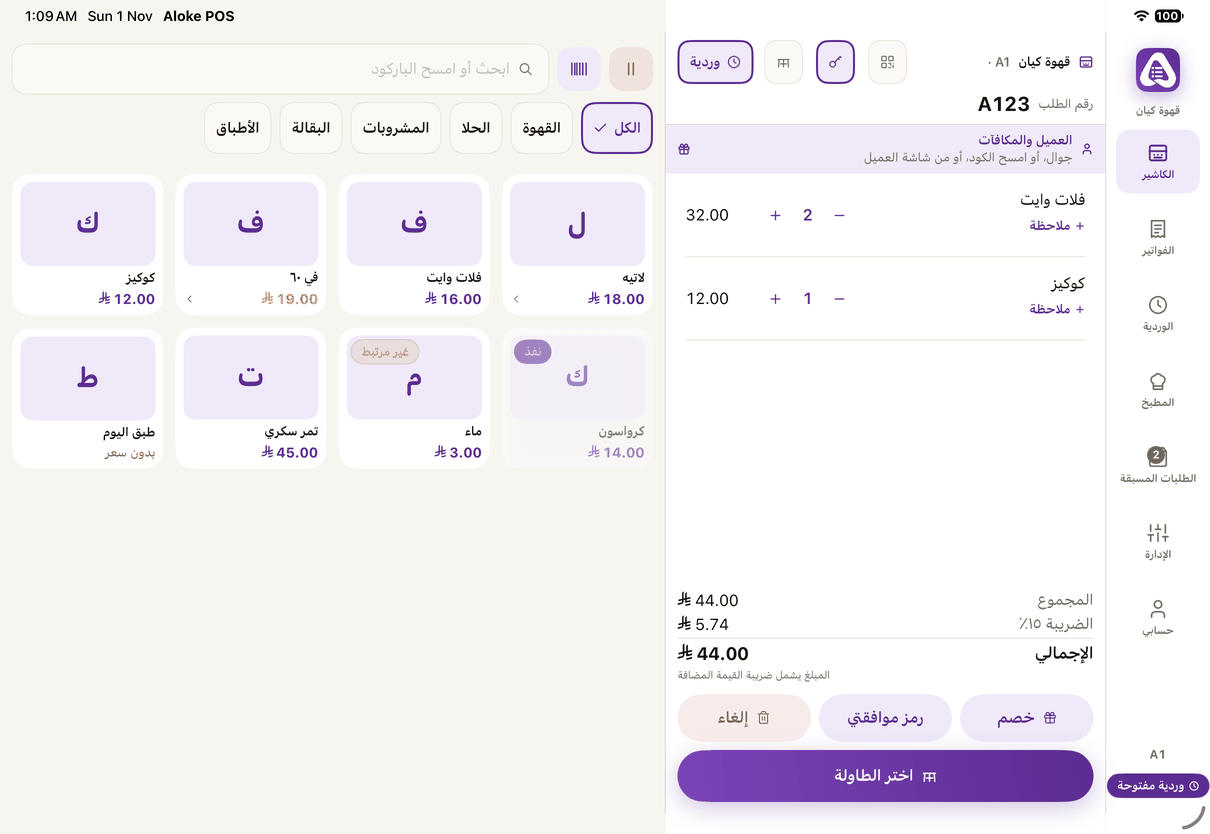
- Switch the till: press «كاشير» (Cashier) at the top of the order and choose «نادل» (Waiter). The owner can switch it, or an employee holding «تبديل وضع الكاشير والنادل» (Switch cashier / waiter mode).
- Pick the table: «طاولة» (Table) opens the hall plan. No hall drawn? Type the table's number.
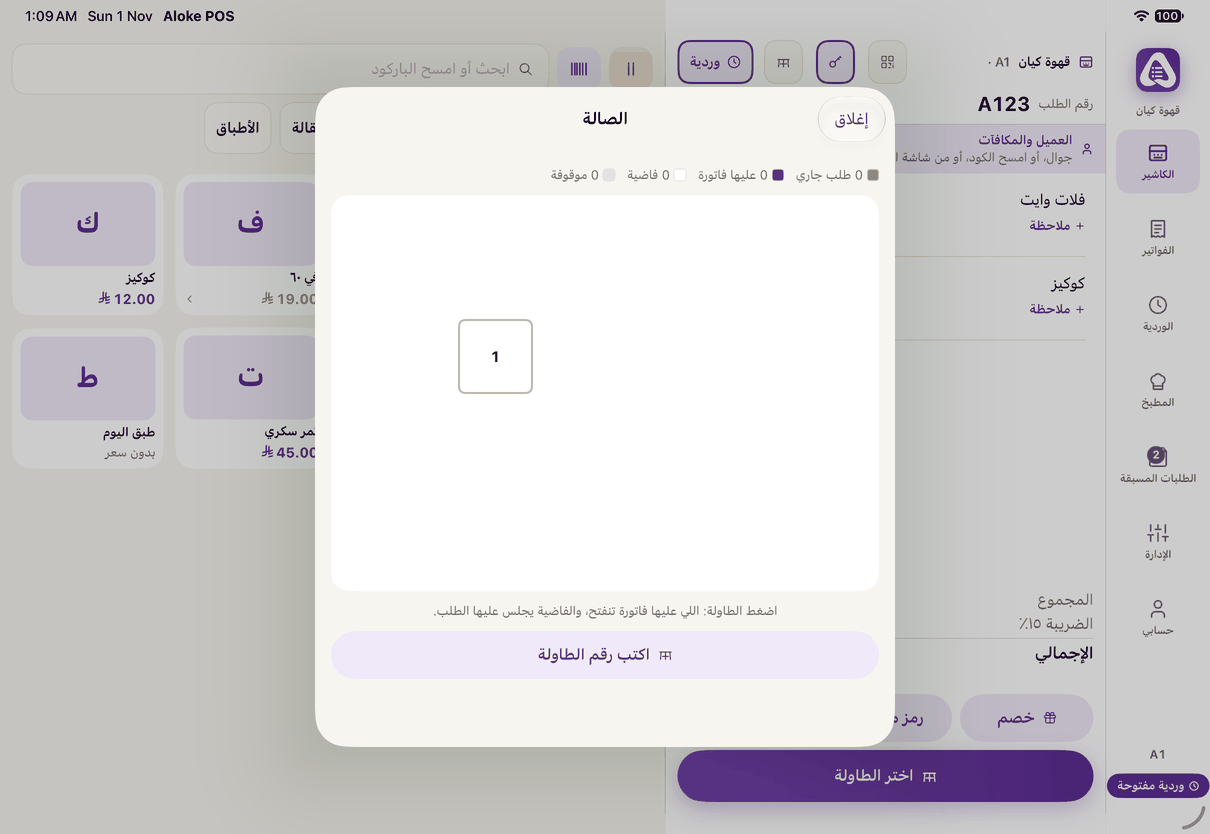
«Table» opens the hall plan: free and busy tables, and you pick yours. - Add the items, write a «ملاحظة للمطبخ» (Note for the kitchen) if you want, like «no sugar, sauce on the side», then «أرسل للمطبخ» (Send to the kitchen). The note shows on the kitchen screen and on its ticket.
- Another round? Open the same table, add and send. Each round goes to the kitchen on its own, and the bill stays one.
- Paying: the cashier opens the table and takes the bill. The waiter's till takes it too when the waiter holds «التحصيل في وضع النادل» (Take payment in waiter mode).