 Aloke
AlokeThe branch's payment methods
Hide a method you do not use, add your own by name, and see them at the till and in the reports.
- Aloke POS
- Web, iPhone and iPad, Android
Each branch chooses the payment methods its till shows. There are four built-in ones: «Cash», «mada», «Card» and «Transfer». Hide those you do not use, and add your own, such as a company account or a wallet.
- On the web: «Settings», then the «Payment methods» card. (Web)
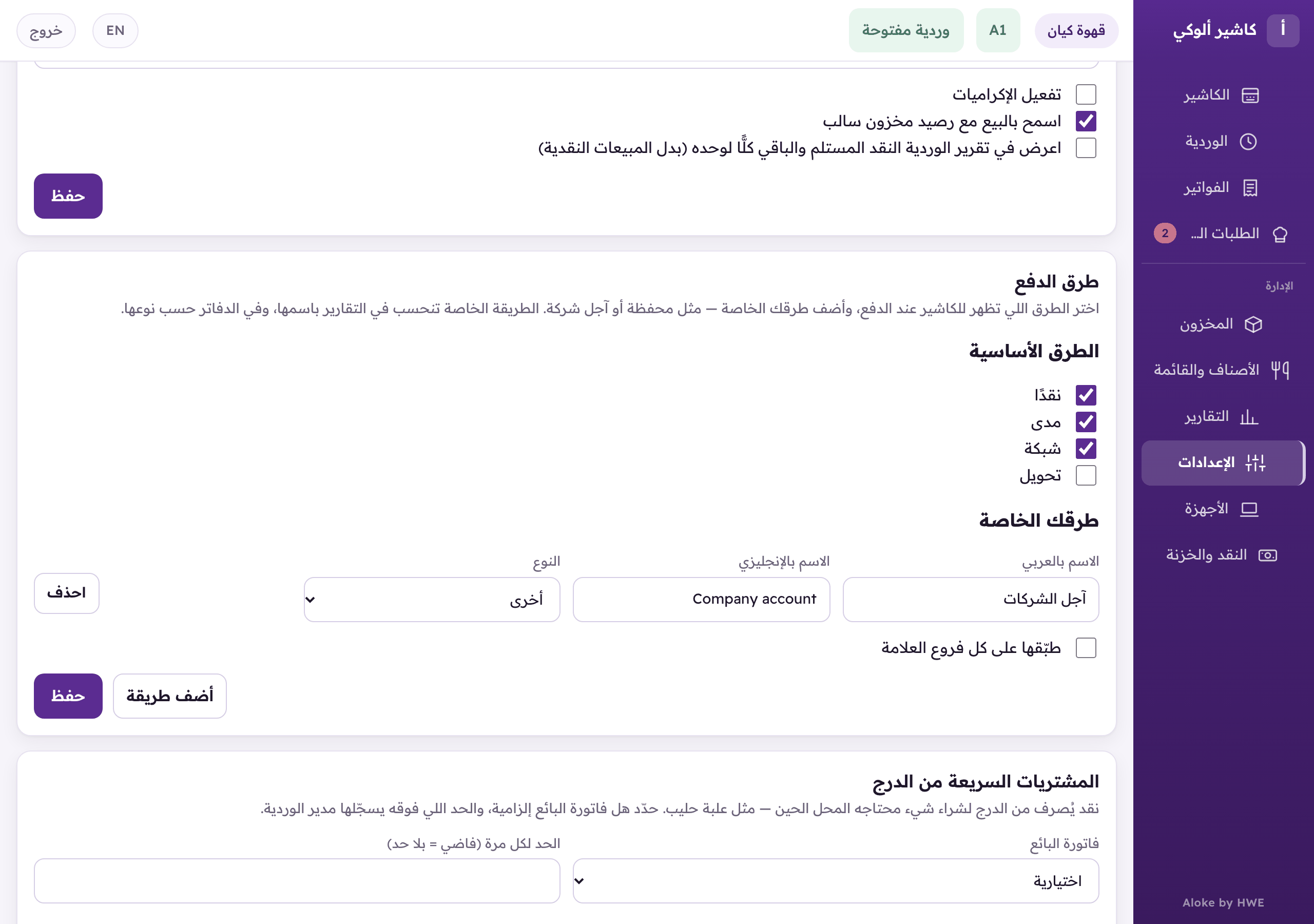
«Payment methods»: show or hide the built-in methods, and add your own with a name and a type. - In the Aloke Owners app, open «Settings» from «Every section» on the home screen, then «Till settings». The «Payment methods» card is there. (iPhone and iPad, Android)
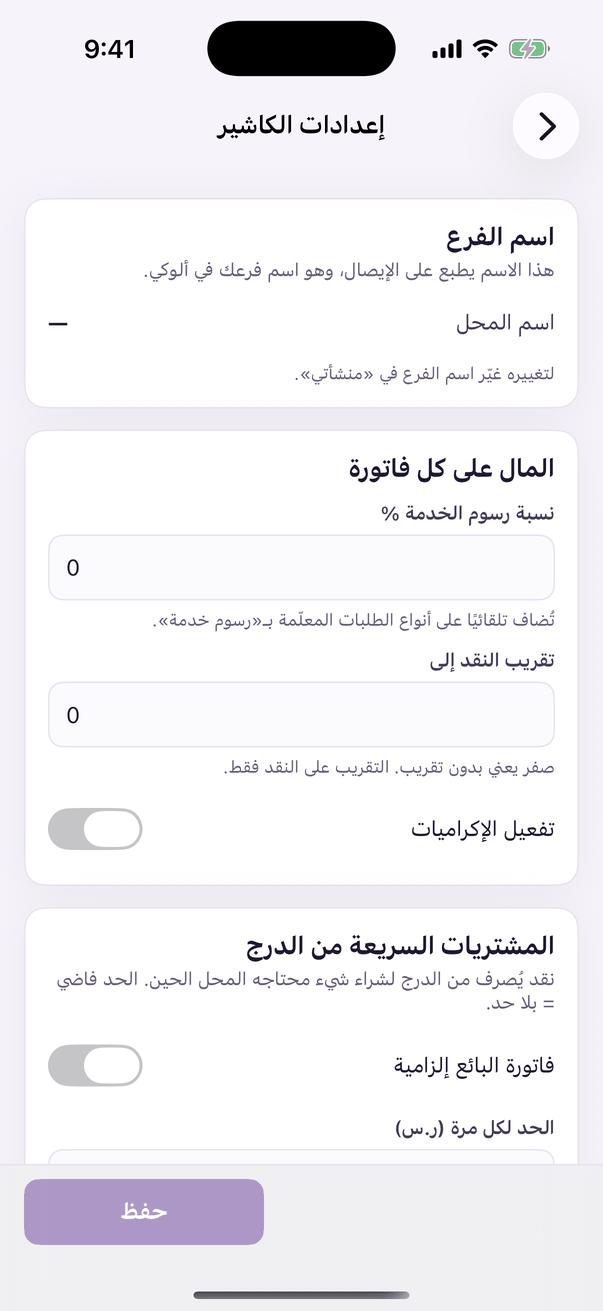
«Till settings»: how the register behaves. - Under «Built-in methods», untick the one you want to hide.
- Your own method on the web: «Add a method», type the «Arabic name» and «English name», pick the «Type», then «Save». (Web)
- Your own method in the Aloke Owners app: «+ method», type the name and pick the «Type», then «Save the payment methods». (iPhone and iPad, Android)
- At the till the built-in methods you kept come first, then your own. The invoice and the shift report name your method as you named it.