 Aloke
The kitchen and pre-orders
Tickets from started to served, and orders ahead and from the car.
- Aloke POS
- Web, iPhone and iPad, Android
- An order goes to the kitchen by itself before the invoice when the kitchen is on. In «Kitchen» move it: «Started», «Ready», «Served». (iPhone and iPad, Android)
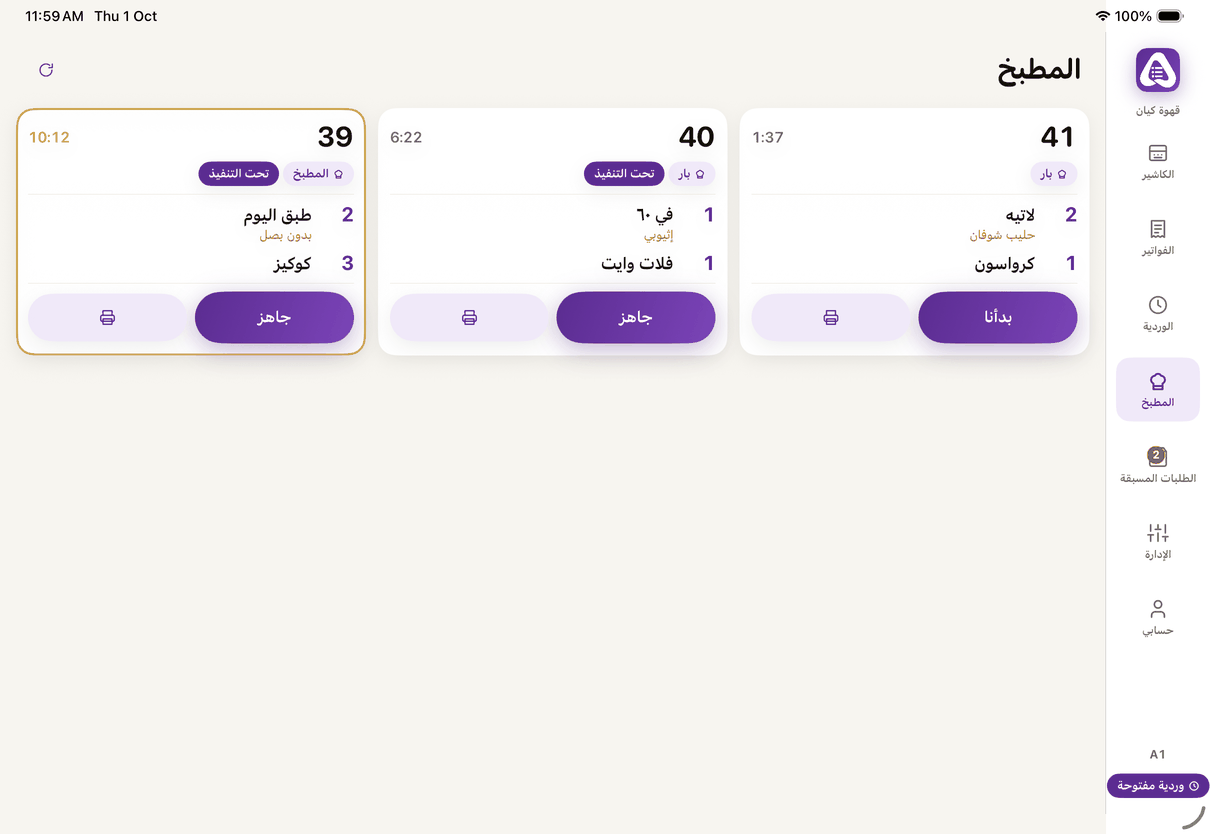
«Kitchen»: tickets from started to ready to served.
- «Pre-orders»: «Order is ready», then «Hand over» (or «Served» at a table), «Remind them», and «No-show», then close the order. (iPhone and iPad, Android)
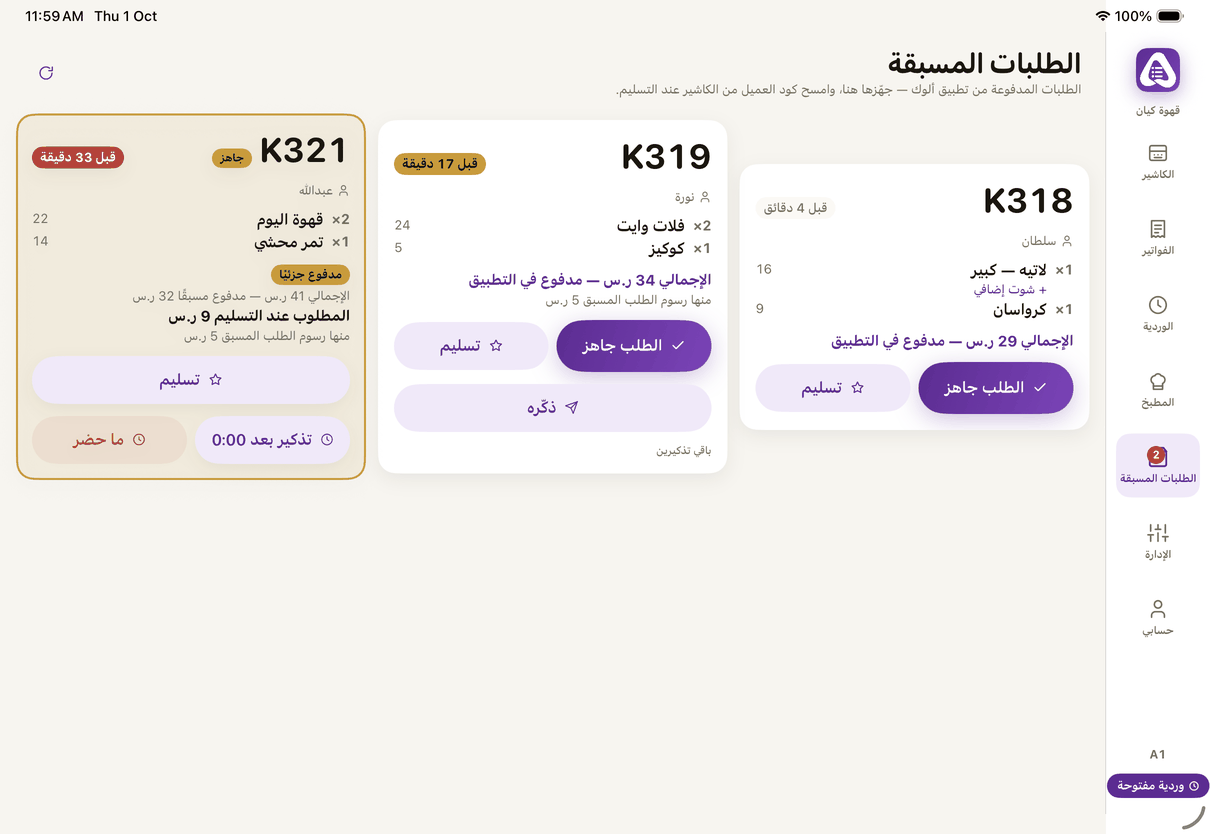
«Pre-orders»: order ready, hand over, remind, no-show. - Orders from the car: «Car orders on». Busy? Pause them for 15 or 30 minutes, an hour, two, or «Until I resume», then «Resume». (iPhone and iPad, Android)
- On the web it is the same from «Pre-orders», with pausing car orders when busy. (Web)
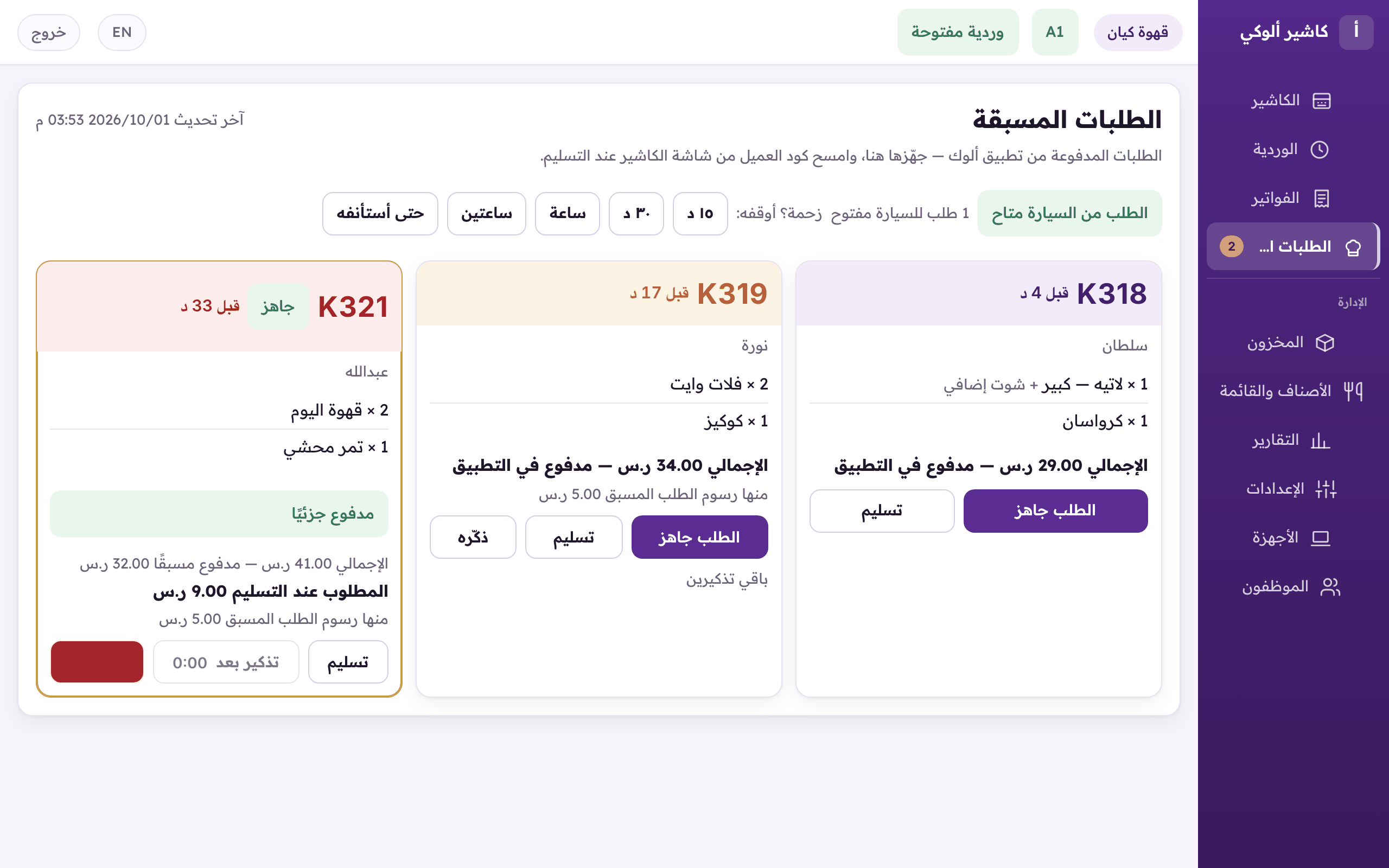
Pre-orders on the web: ready, hand over, remind, no-show, and pausing car orders when busy. - Customer here to collect? Scan their code, the pre-order opens, and press «Hand over and issue the invoice». (iPhone and iPad, Android)
- Forgotten numbers on the screen? «سلّم الكل» (Mark all delivered) clears every open till ticket once you confirm. Pre-orders are left alone, and nobody is notified.