 Aloke
AlokeSelling: from items to the order
Choosing items, options and the order type.
- Aloke POS
- Web, iPhone and iPad, Android
- In «الكاشير» tap an item, or search in «ابحث أو امسح الباركود».
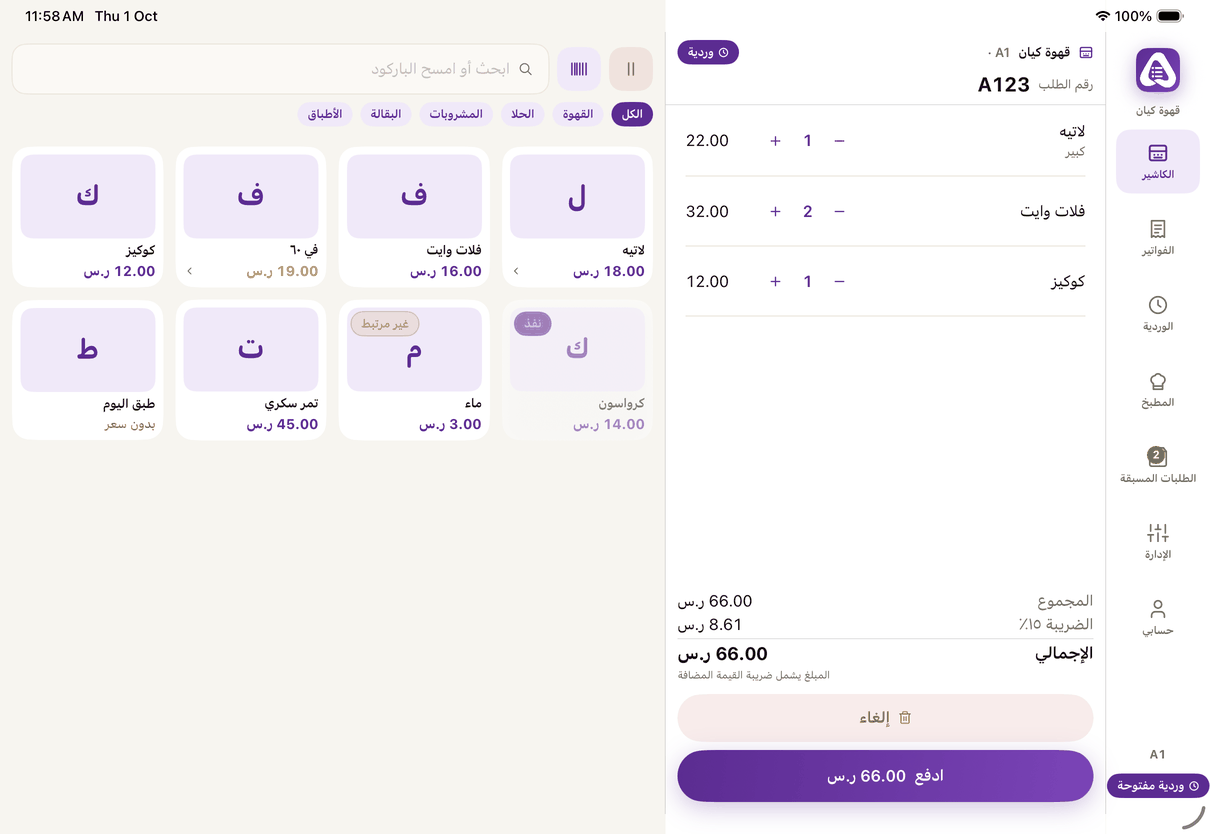
«Register»: items on one side, the order on the other, and «Pay» below. - An item with options opens «الخيارات»: choose what is required and any extras, then «أضف للطلب».
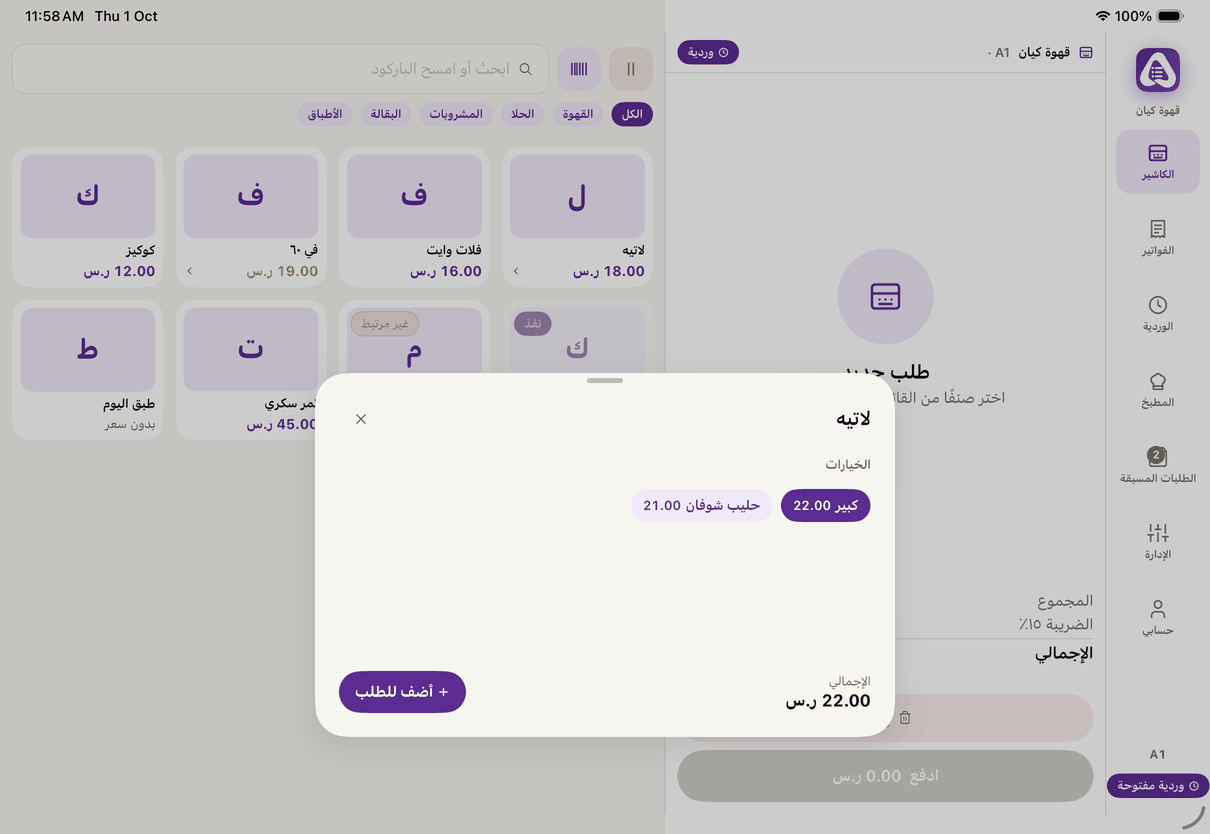
An item with options: choose, then «Add to order».
- Change quantities with «أنقص» and «زد» on the line.
- On the web only: «خصم على السطر» (needs the «الخصومات» permission), «ملاحظة على السطر» shown in the kitchen, and «تعليق الطلب» under a name, then «استرجاع» from «المعلّقة». (Web)
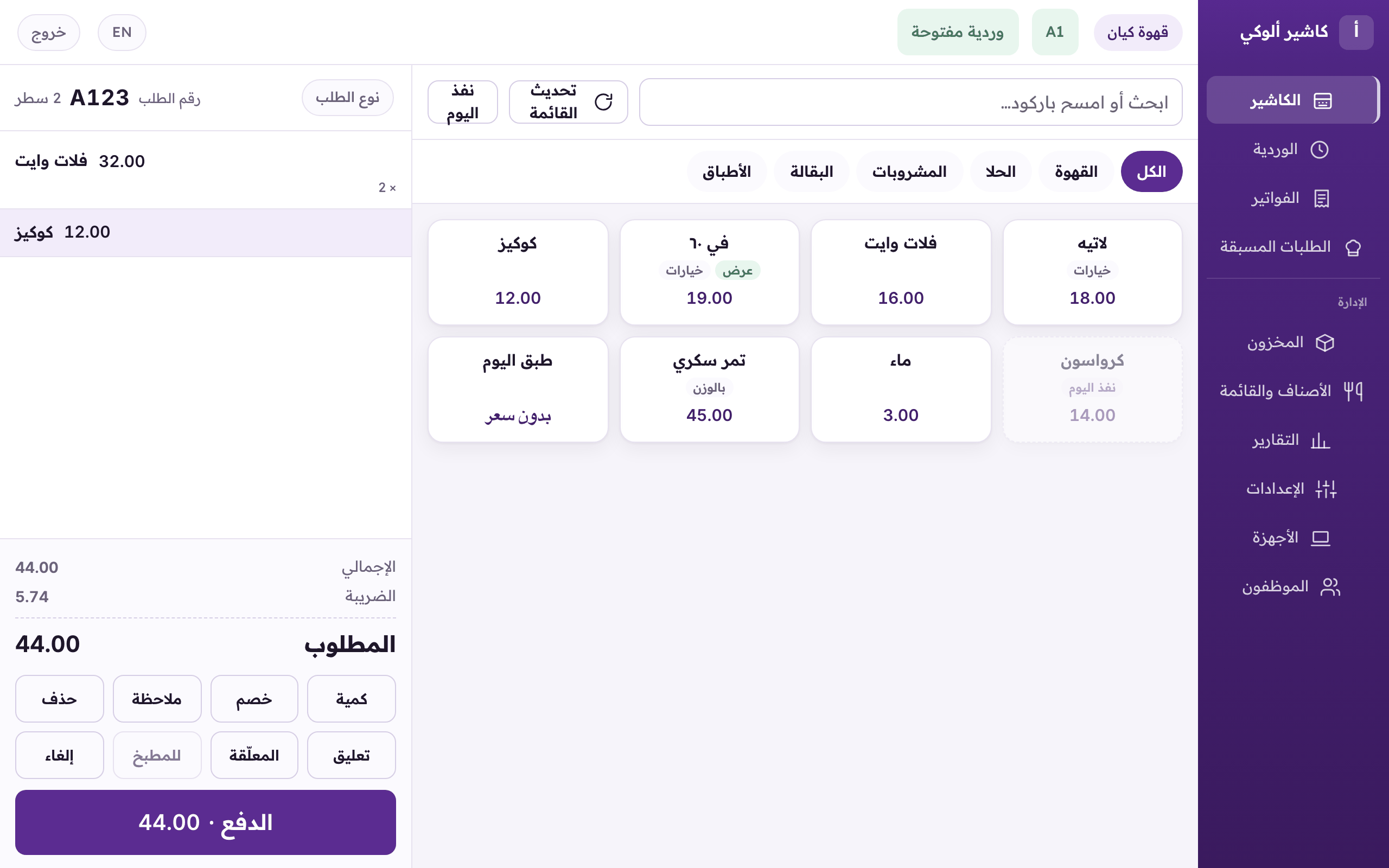
The web register: items, the order, quantity, discount, note and hold, then «Pay». - Press «ادفع».