 Aloke
AlokePayment, the customer and their balance
The customer's number, prizes, bundles and cashback, offers, and tenders.
- Aloke POS
- Web, iPhone and iPad, Android
- Type «جوال العميل (اختياري)». After 10 digits the customer appears by themselves, with «بتنحسب له زيارة».
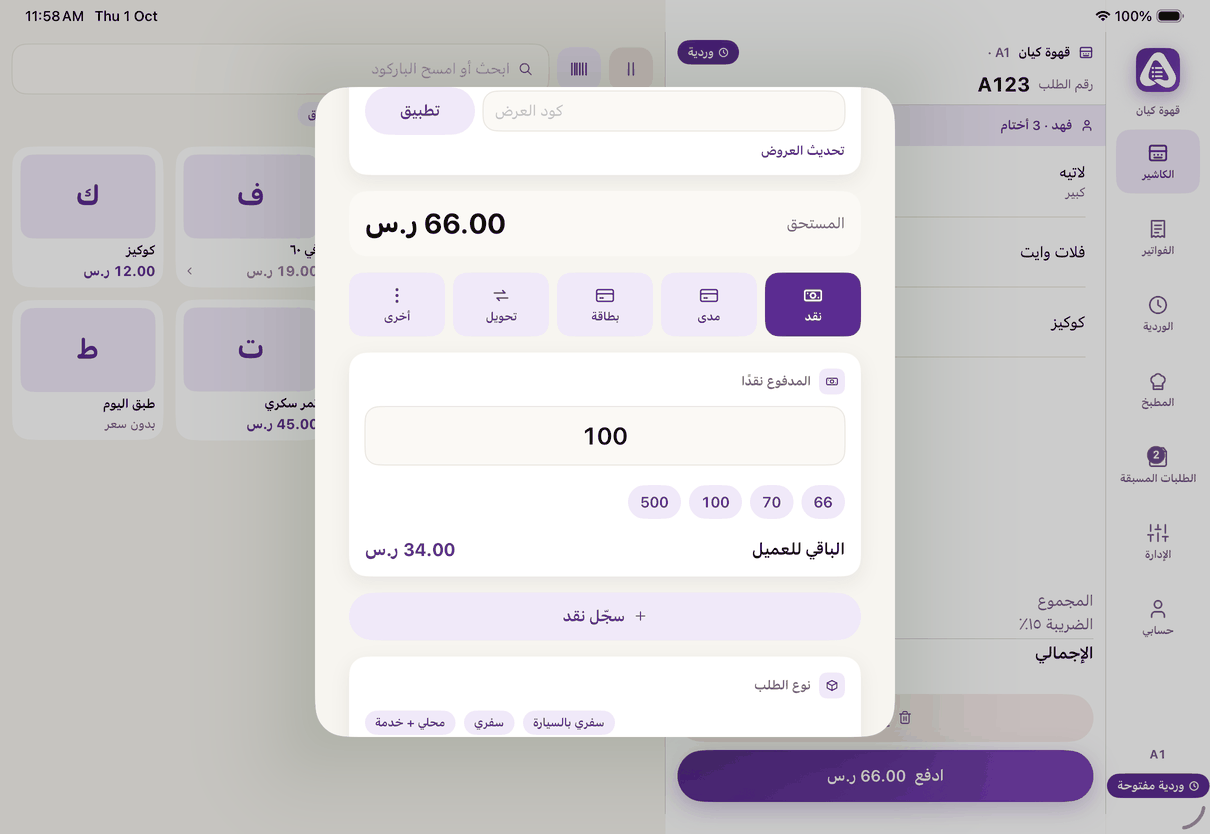
The pay sheet: the customer's mobile, their balance, offers and the tender. - Or scan their card with the camera, or «امسح من شاشة العميل» if you have a customer screen with a camera. (iPhone and iPad, Android)
- «رصيد العميل»: their prizes and bundles. «ادفع بها» pays an item with a prize or bundle unit, and «أضف للطلب» adds the item if it is not in the order. (iPhone and iPad, Android)
- Cashback: switch on «ادفع من رصيد الكاش باك» and see how much is available on this bill. (iPhone and iPad, Android)
- «العروض»: offers without a code apply by themselves. For a code, type it in «كود العرض» and press «تطبيق». (iPhone and iPad, Android)
- Choose the tender: «نقد», «مدى», «بطاقة», «تحويل» or «أخرى». For cash type «المدفوع نقدًا» and «الباقي للعميل» shows the change. (iPhone and iPad, Android)
- Split payment: «سجّل» each tender with its amount; they list under «المسجَّل». A mistake? «احذف الدفعة». (iPhone and iPad, Android)
- On the web: «جوال العميل — للولاء والكاش باك (اختياري)», then one tender from «نقدًا», «مدى», «شبكة» and «تحويل». (Web)
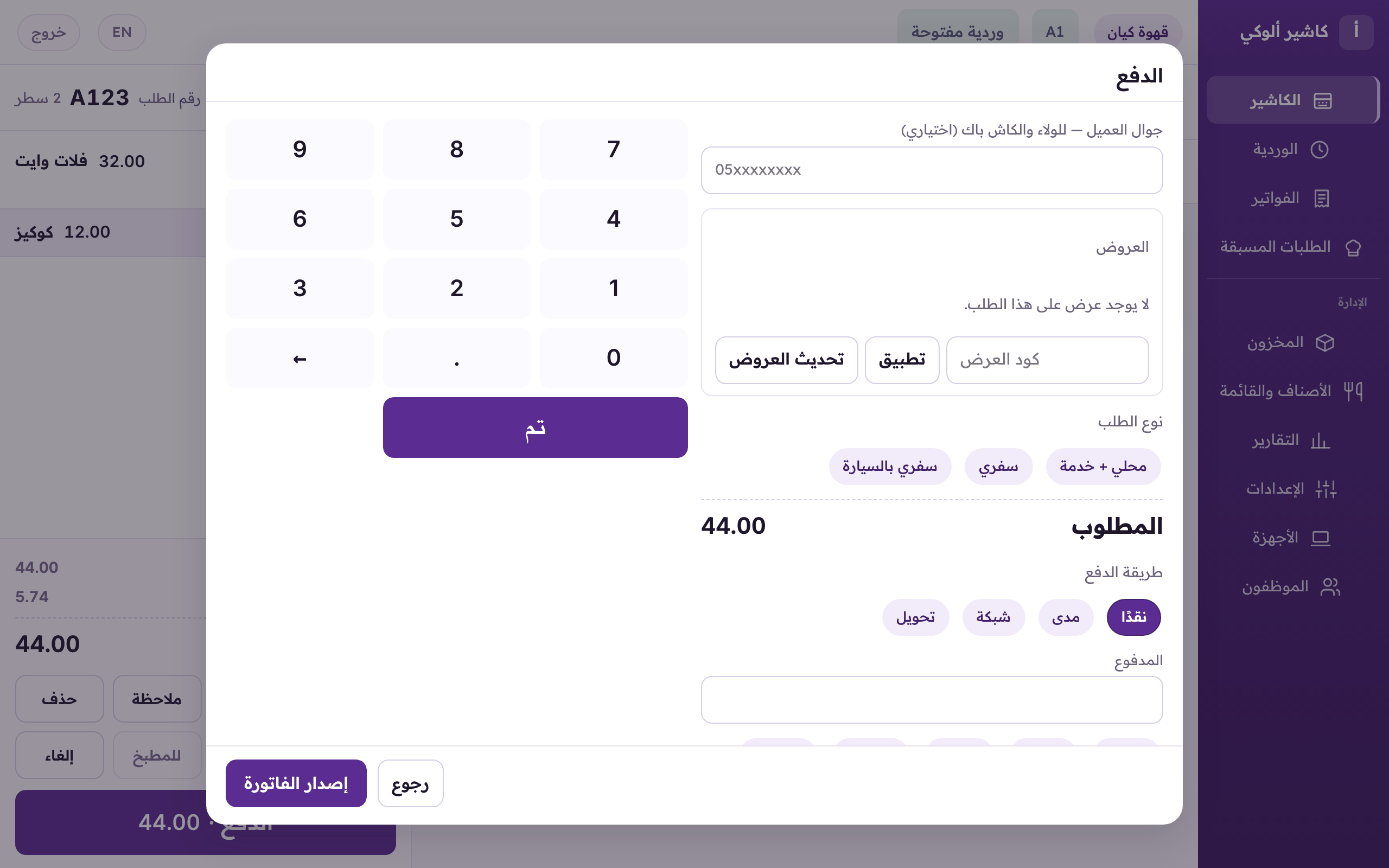
Paying on the web: the customer's mobile for loyalty and cashback, the order type, one tender, then «Issue». - «نوع الطلب»: with more than one type (takeaway, dine in…) you must pick one, and some carry a service charge.
- Press «إصدار الفاتورة».