 Aloke
AlokeFinancial statements and reports
Financial position, profit, cash flows and the notes, printed for your auditor.
- Aloke Owners
- Web, iPhone and iPad, Android
Financial statements
«القوائم المالية» shows the statement of financial position, profit or loss and other comprehensive income, changes in equity, cash flows and the notes، each beside the comparative period's figures.
- In the Aloke Owners app, open «Accounting» from the home screen, then «Financial statements». (iPhone and iPad, Android)
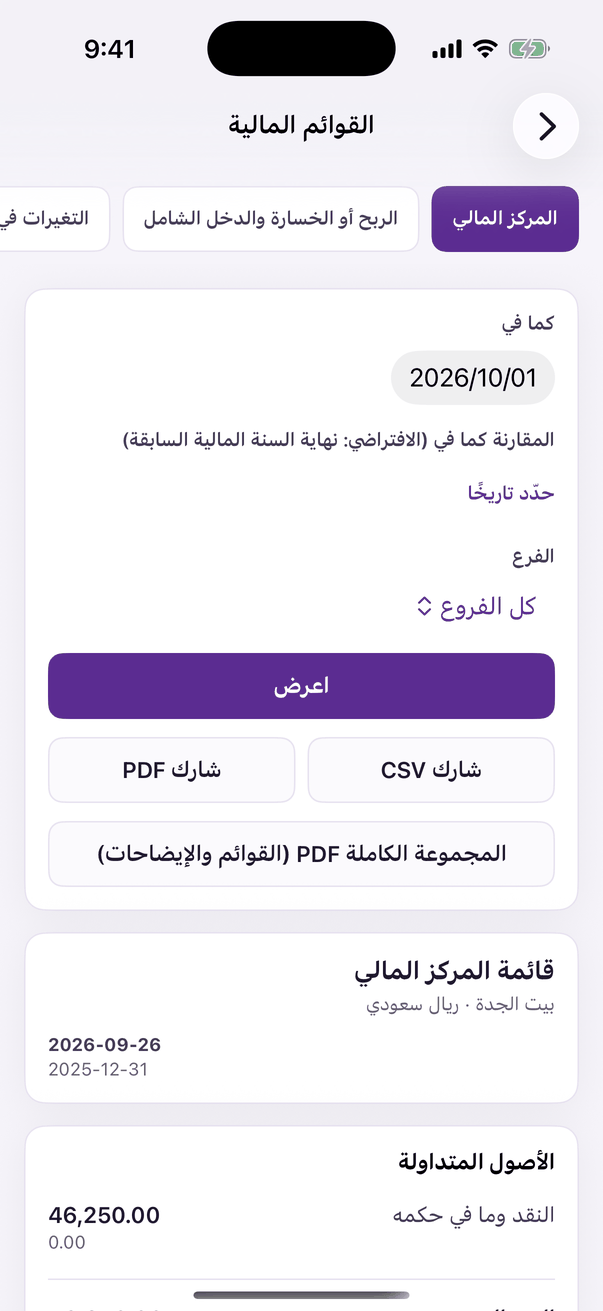
«Financial statements». - For your auditor: press «اطبع المجموعة أو احفظها PDF»، the four statements and the notes in one document under your entity's name.
Reports
And «التقارير» (Reports): the trial balance and general ledger, profit per branch, a VAT summary for your return, ageing, expenses, payroll, loyalty and payment fees، each downloads as CSV or prints.
- Month finished and checked? In «الإعدادات» press «أقفل فترة»: no entry lands in it afterwards unless you reopen it with a written reason.