 Aloke
AlokePayroll
A run every month with GOSI, end of service and leave, and the WPS file for the bank.
- Aloke Owners
- Web, iPhone and iPad, Android
Payroll
«الرواتب» (Payroll) holds your employees and their pay: basic, housing, transport and allowances, nationality for GOSI, and the IBAN for the WPS file. You can import them from the team page.
- In the Aloke Owners app, open «Accounting» from the home screen, then «Payroll». (iPhone and iPad, Android)
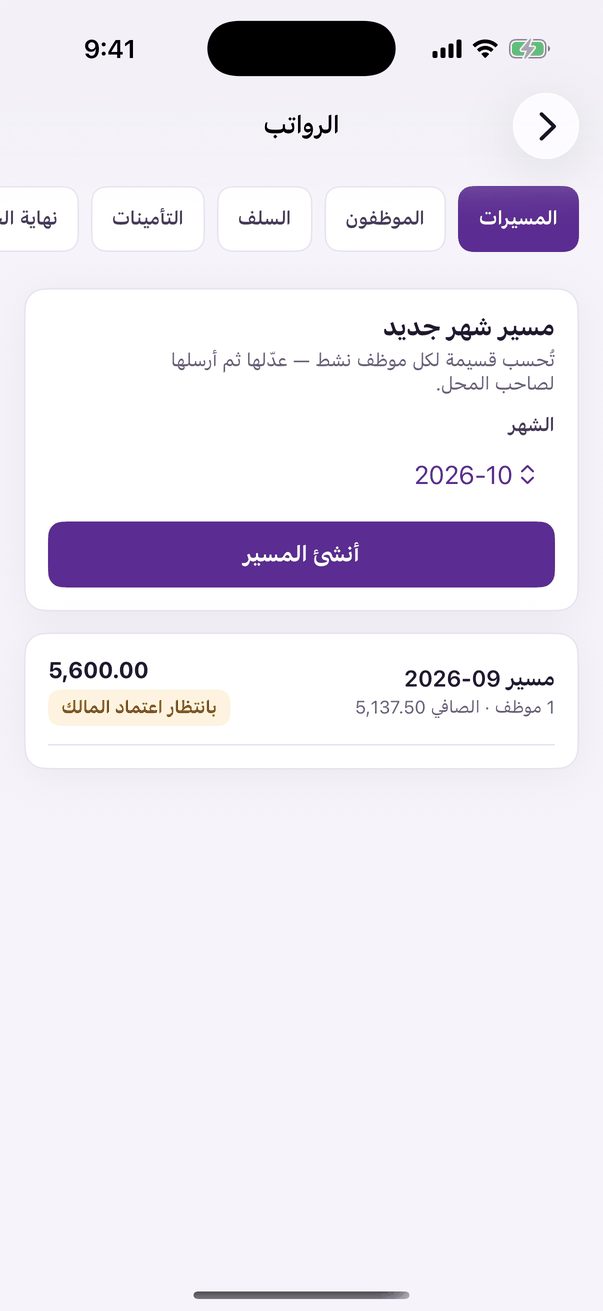
«Payroll»: runs, GOSI and end of service. - Every month: «مسير شهر جديد», then «احسب المسير»; adjust the days, overtime and deductions, and press «ارفع للاعتماد».
- The owner presses «اعتمد المسير»; then «اصرف الرواتب» and download the «ملف حماية الأجور (WPS)» for your bank or Mudad.
GOSI and end of service
The run works out GOSI for Saudis and non-Saudis at the current rates, accrues «نهاية الخدمة» (end of service) and annual leave every month, and recovers advances in instalments. You review the rates with your accountant in «الإعدادات».