 Aloke
AlokeHanding over a prize
The redeem code, the customer's pick, and the handover.
- Aloke Scan
- Web
Handing over a prize is the same scan. The system works out by itself whether this is a visit or a redemption; your cashier does not have to choose.
- Scan the customer's code.
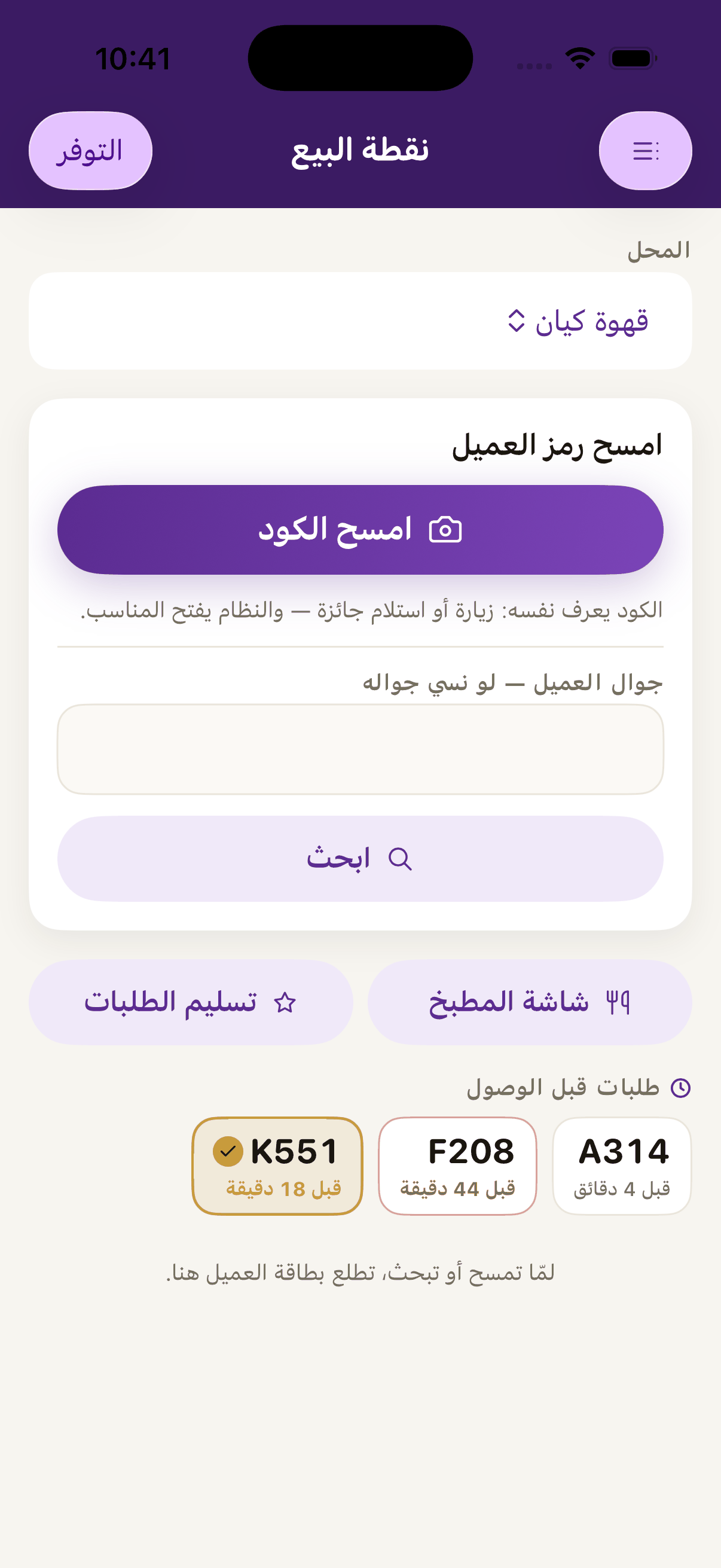
«Scan the code», scan the customer's code and the system works out by itself whether this is a visit or a redemption. - If it was a prize-collection code, a «prize collection code» window opens: the customer's name, exactly which prize, and how many stamps it takes off them.
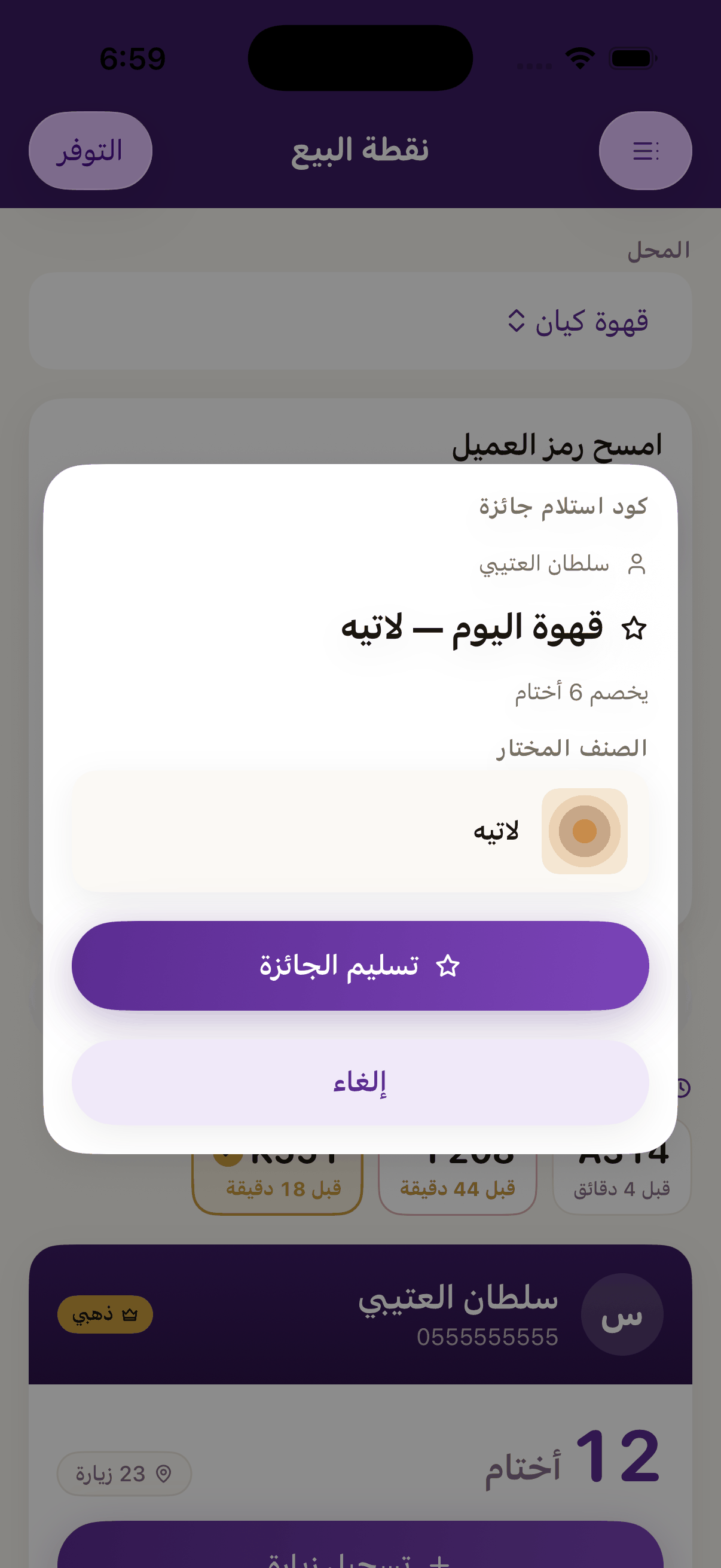
Before anything is spent: who the customer is, what the prize is, and what it costs. «Hand over the prize» is what spends it. The scan on its own spends nothing. - If you came in from the customer's card instead of a scan, drop to «Can claim now». The buttons carry the dishes off your own menu, «coffee of the day — latte», not the rungs' names, so your worker reads what the customer reads on their phone. And a press opens that same window; it spends nothing.
- If the prize is tied to dishes and the customer has not chosen yet, the window asks «pick the item» and shows the dishes with their photos. The hand-over button stays off until one is picked.
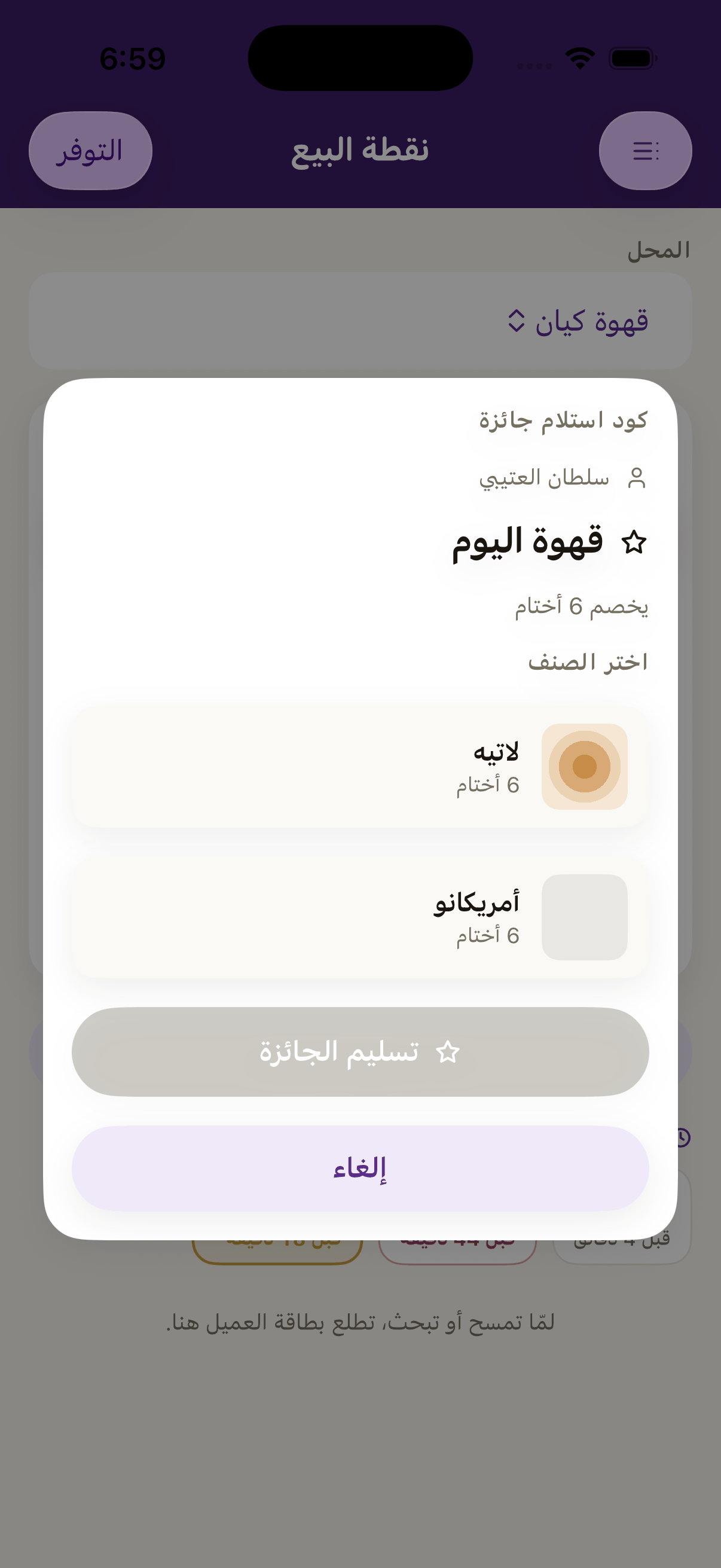
When the prize is linked to menu items and nobody has picked yet, the till asks «pick the item», and the hand-over button stays off until one is chosen. - Press «Hand over the prize» and give it to them. That button is what spends; not the tap that brought you to the window.