 Aloke
AlokeThe customer profile
Press any member and their file opens: their numbers, what they buy, and their whole story with you.
- Aloke Owners
- Web, iPhone and iPad, Android
Every member of your programme now has a full file with you: their numbers, what they buy, the prizes and packages they hold, and everything that ever happened between you since the day they joined. No more piecing the story together from five screens before you call a customer. The file gathers it onto one sheet.
- In the Aloke Owners app, open «Your customers» from the home screen, then «Members». (iPhone and iPad, Android)
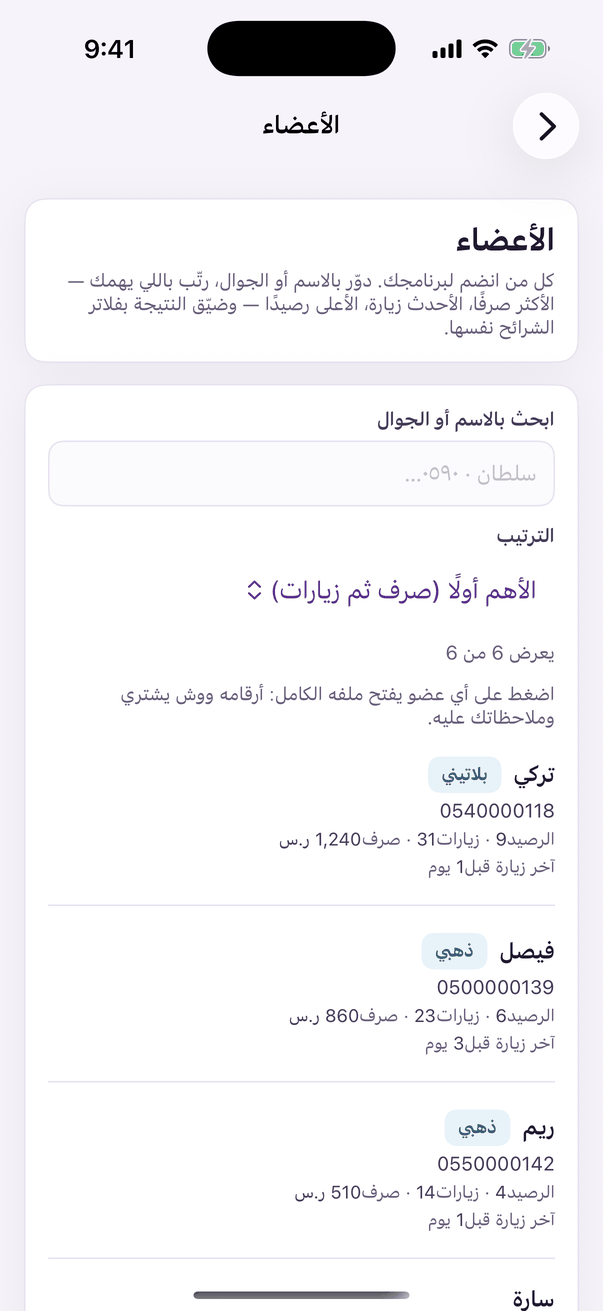
«Members»: your members and each one's file. - Open the «Members» tab and press the customer's row. Every row in the list is a door to its owner's file. (Web)
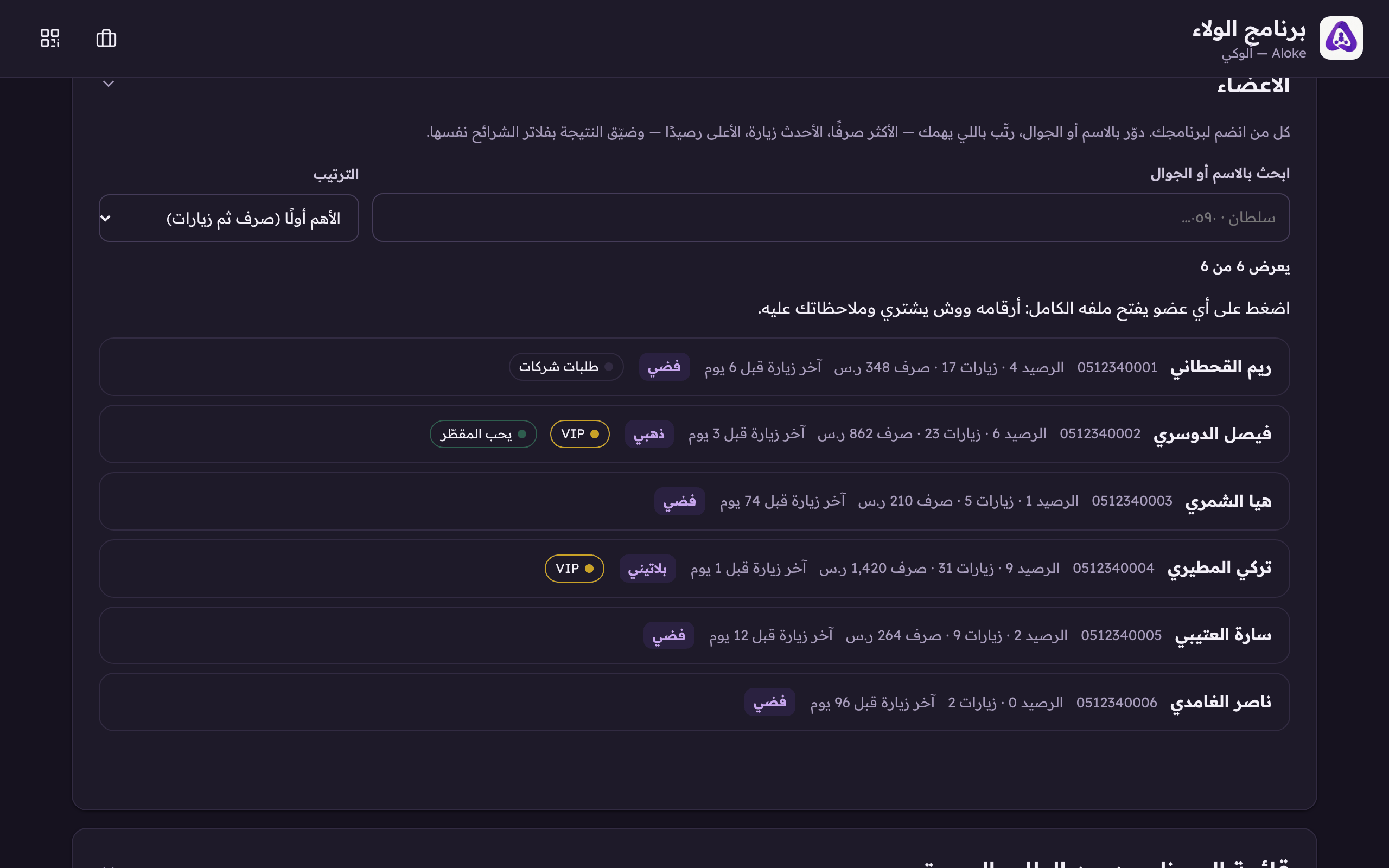
Every row is a door now: press a member and their full profile opens. Their tier and the tags you gave them ride the row. - Read the first line: their tier, our one-word read of them, and any flag worth knowing before you speak: offers switched off, one of your own staff, banned from order-ahead.
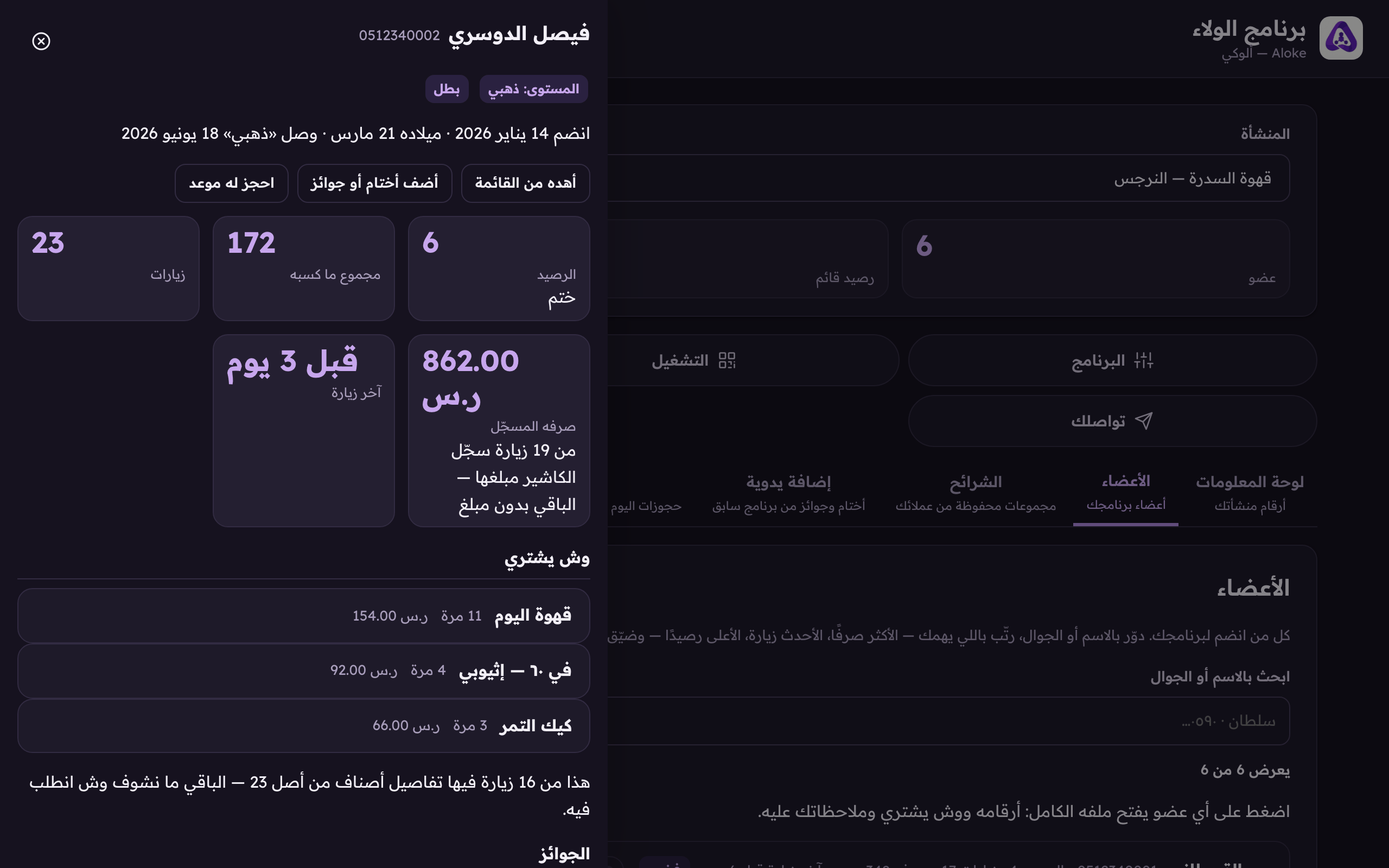
At the top of the profile: their tier, our word for them («champion»), and every flag worth knowing before you call.
Where the word comes from
The word beside the tier, «champion», «promising», «cold», is computed from exactly two things: how often they visited in the last 90 days, and how many days since the last visit. Money never enters the word, deliberately: half of all tills record a visit with no amount, and a word only amount-writing shops could earn would make two shops read the same customer differently.
Why some shops see no money line
The «recorded spend» line shows what your till actually typed, and nothing else. If your till records visits without amounts, you see «—» in place of a number with the reason spelled out: «the till recorded no amounts». The dash does not mean they spent nothing. It means we do not know, and the difference between those two is the difference between a system that is honest with you and one that flatters you. «What they buy» keeps the same honesty: the list is built from recorded baskets, the mini-POS, package spends, and delivered pre-arrival orders, and the line under it tells you how many of their visits carried detail at all.
The file's sections
Below the numbers the file runs in sections: and a section with nothing to say leaves rather than sitting there as rows of zeros: «what they buy» with their top dishes, «prizes» banked, redeemed and gifted, «packages» they hold with units left and the price THEY paid, not today's menu price: «pre-arrival» with their orders and no-shows, «appointments» where appointments exist, and «gifts between them and people».
- Drop to the bottom of the file: «the customer's record» lists everything since the day they joined: visit by visit, prize by prize, note by note, newest first, each line carrying its branch when you have branches. «Show older» continues the story.
- At the top of the file sit two ready actions: «gift from the menu» takes you to the menu gift with this customer already picked, and «book them an appointment», at places with appointments, takes you to the book with their name filled in.