 Aloke
AlokeNotes and tags
Your written memory of every customer, and the labels you sort them with.
- Aloke Owners
- Web, iPhone and iPad, Android
Notes are your written memory of each customer: «my neighbour from the street», «prefers almond milk», «phoned him on the 12th, he promised to drop by». What you know and others forget is the difference between a shop that knows its customers and a shop that knows their numbers. A note keeps the knowledge with the shop, not in one person's head.
- In the Aloke Owners app, open «Your customers» from the home screen, then «Members». (iPhone and iPad, Android)
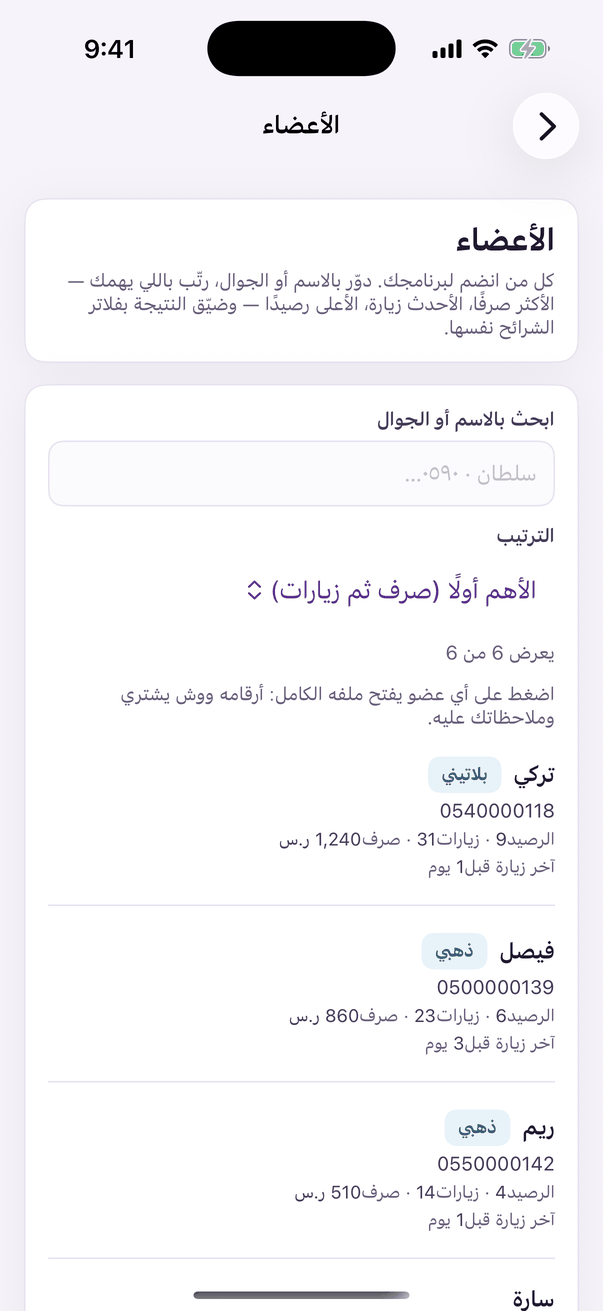
«Members»: your members and each one's file. - In the customer's file, drop to «your notes», write it, and press «add a note». It is saved with your name and its time.
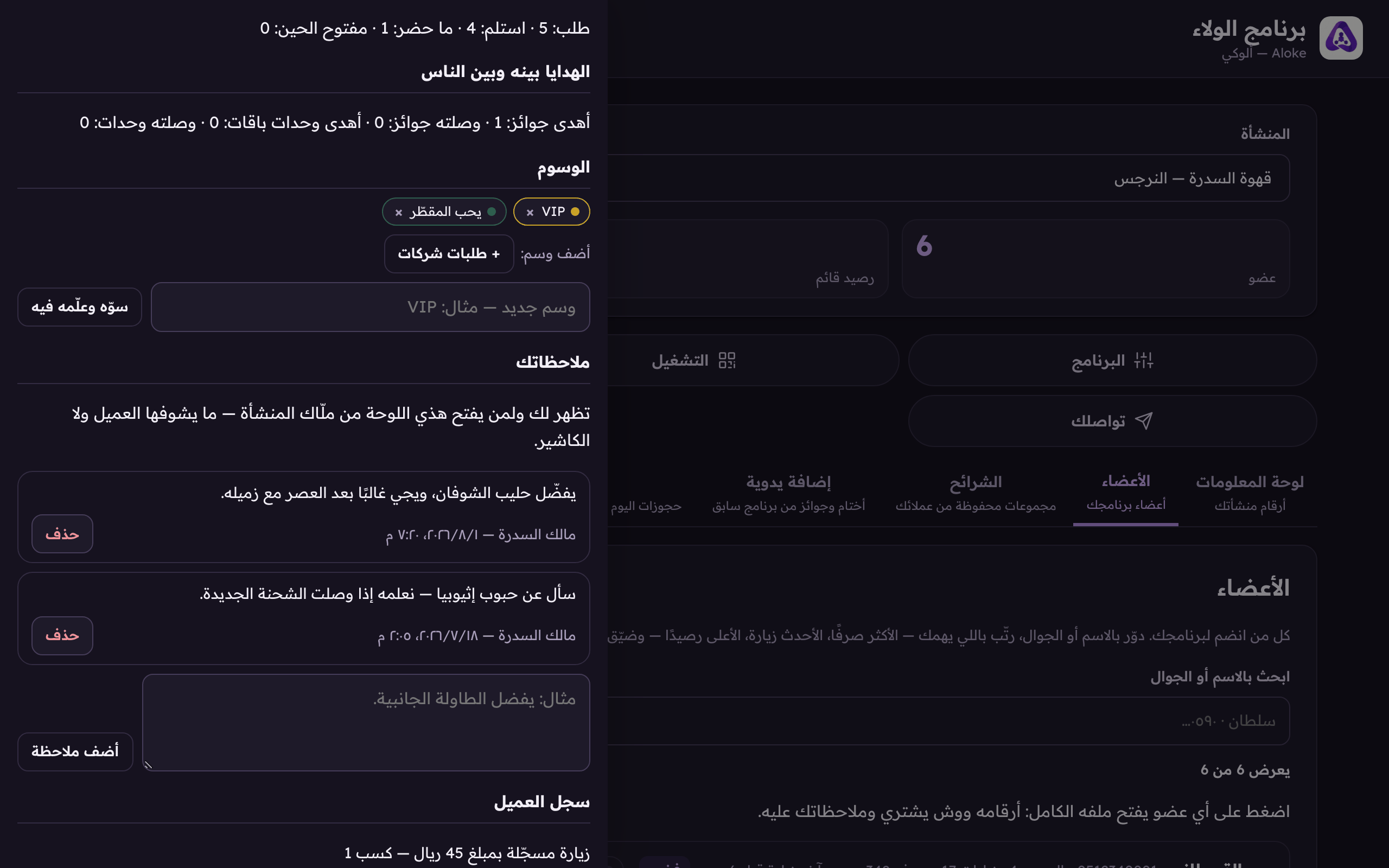
«Make it and tag them» creates a new tag and puts it on this customer from the same line, and below it, your notes: your written memory of them.
A tag is a word you reuse
Tags are different: a note is free text about one customer, a tag is a fixed word you reuse across many: «VIP», «company orders», «morning crowd». A tag made once becomes a ready button on every later profile, shows as a coloured chip on the member's row in the list, and is filterable in «Segments».
- In the file's «tags» section: press an existing tag to put it on the customer, or type a new word and press «make it and tag them». The new tag is born already on this customer, from the same line.
- Take a tag off a customer with the «remove the tag» mark on its chip. Deleting the tag itself unhooks it from everybody, and touches no member.