 Aloke
My codes
Your till PIN, the approval code and your invite link, on one page that opens with your face or fingerprint.
- Aloke Scan
- iPhone and iPad, Android
«رموزي» (My codes) is a page with your work codes: «معلومات العمل» (Work information) with your till PIN at each shop you work in, the «رمز الموافقة» (Approval code) if you may approve, and your loyalty invite link with its code.
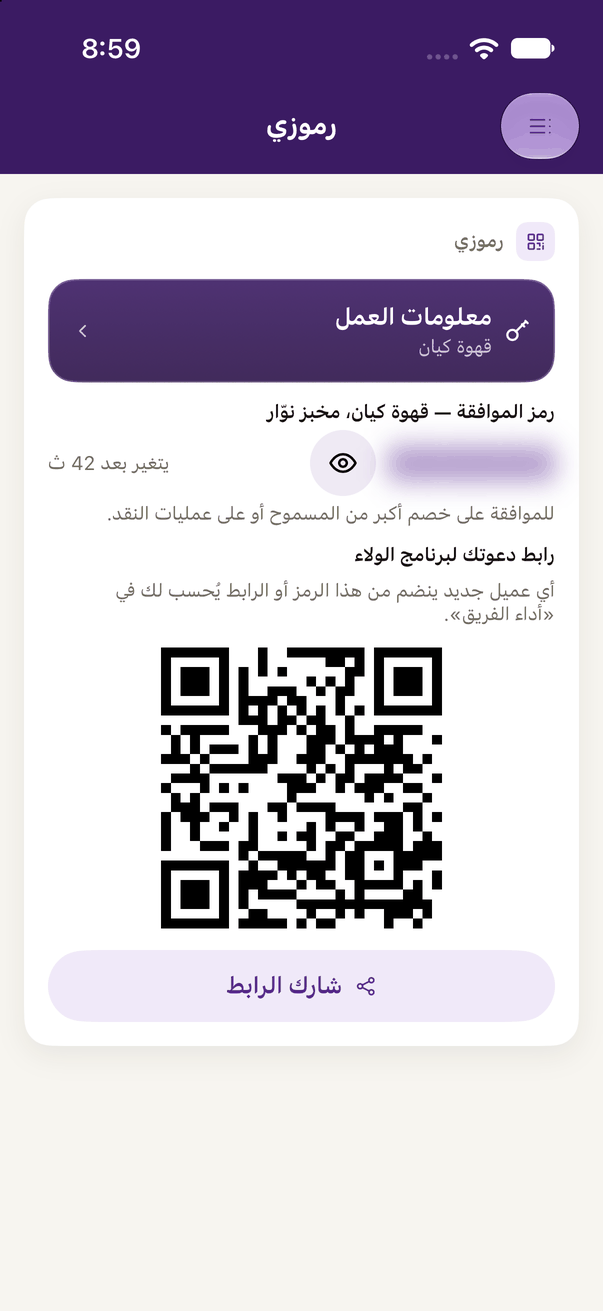
- Open it from «رموزي» in the side menu, or from the «رقمي السري» (My PIN) or «رمز الموافقة» (Approval code) button under the branch picker at the till and in your account.
- Press the eye: it asks for your face, fingerprint or phone passcode, then the code shows.