 Aloke
Marketing campaigns
A campaign for an influencer or an ad: the items it promotes, what you spent, and what came back.
- Aloke Owners
- Web, iPhone and iPad, Android
Agreed with an influencer to visit and film, or ran an ad? Record it as a campaign and pick the items it promotes. Aloke measures those items' sales during the campaign against the same length before it, and works out the cost and the return.
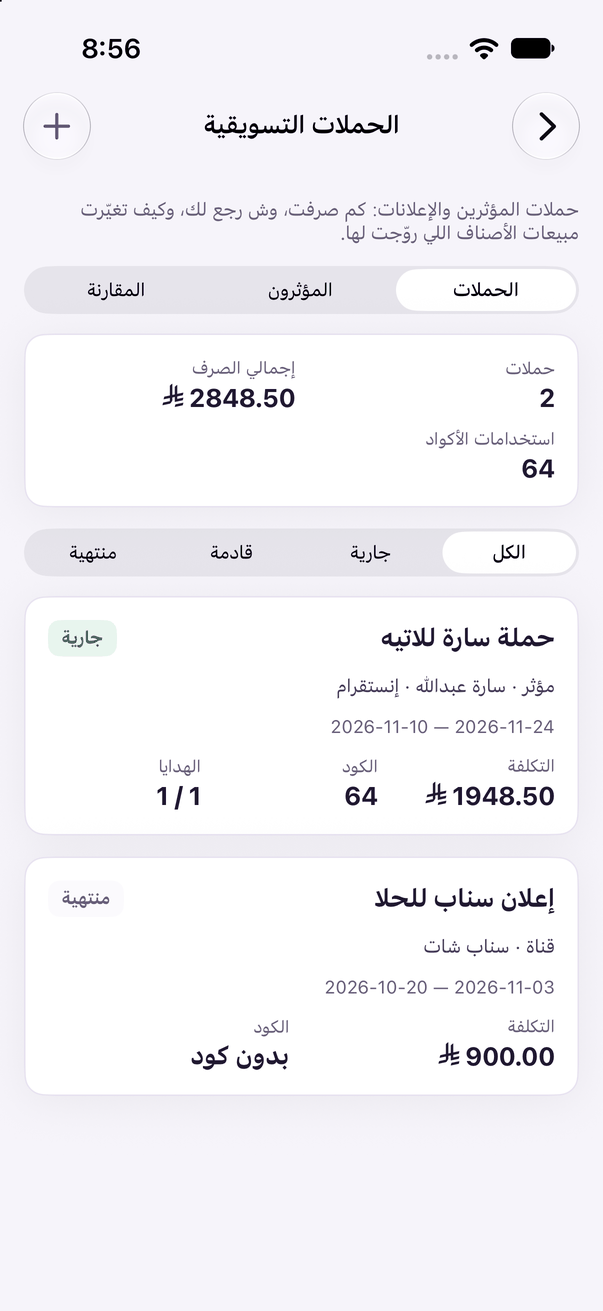
- On the web: «التسويق والعروض» (Marketing & offers), then «الحملات التسويقية» (Marketing campaigns). (Web)
- In the Aloke Owners app, open «Marketing & offers» from «Every section» on the home screen, then «Marketing campaigns». (iPhone and iPad, Android)
- Press «حملة جديدة» (New campaign), and choose the «نوع الحملة» (Campaign type): «مؤثر» (Influencer) or «قناة إعلانية» (Ad channel).
- Type the «اسم الحملة» (Campaign name), and pick the influencer from your list or add a «مؤثر جديد» (New influencer), or pick the channel, such as Snapchat or Google Ads.
- Set «من» (From) and «إلى» (To), choose the «الأصناف المروّج لها» (Promoted items) from your menu, and type the «المبلغ المدفوع ()» (Fee paid, ), then «احفظ» (Save).