 Aloke
Ordering from the table
The table's code: order, call staff, ask for the bill.
- Aloke Wallet
- Web, iPhone and iPad, Android
The customer is at a table? They order from their phone without waiting for anyone to come over.
- They scan the table's code with the phone camera. The app opens on «طاولتك» (Your table) and checks they are inside the shop. (iPhone and iPad, Android)
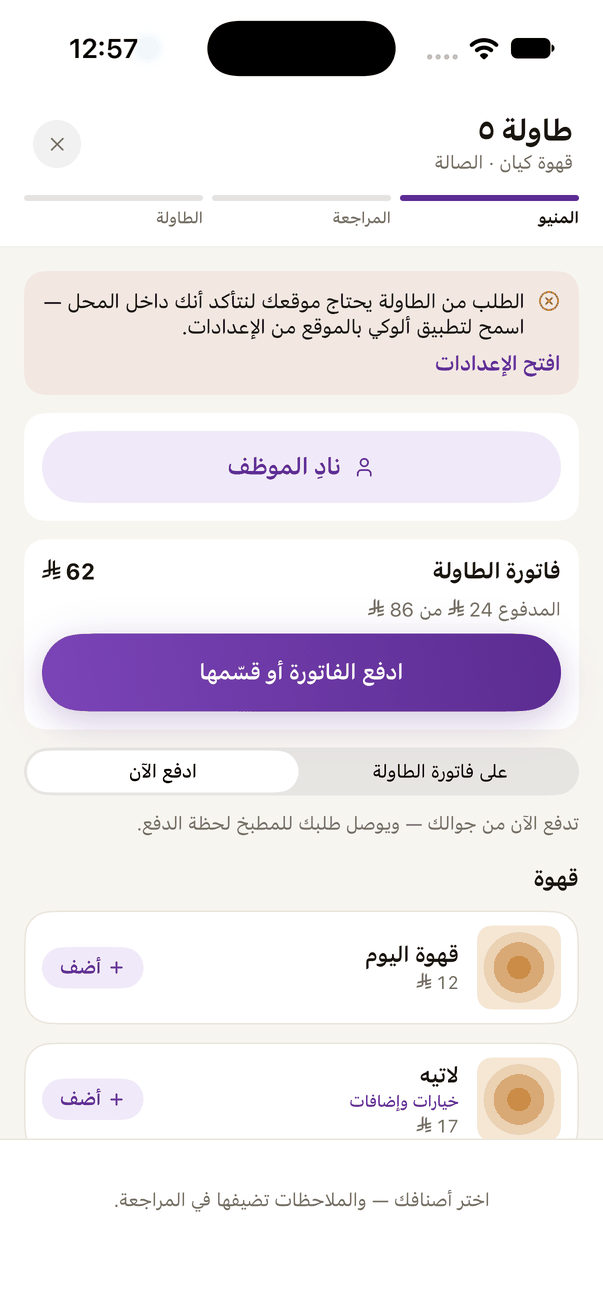
«Table 5»: «Call staff» and how you pay at the top, the menu below. The app asks for your location to check you are inside. - «نادِ الموظف» (Call staff): «أحتاج موظف» (I need a waiter) or «الحساب» (The bill). The call shows on the hall screen.
- They choose items, then «راجع الطلب» (Review the order), add a «ملاحظة على الطلب» (Note for the order) if they like, then «أرسل الطلب للمطبخ» (Send to the kitchen).
- Has a discount or influencer code? «عندك كود خصم أو كود مؤثر؟» (Have a discount or influencer code?) in the order review; they type it and press «طبّق» (Apply). Underneath it says whether it applies to this order.
- «طلباتي على هذه الطاولة» (My orders at this table) shows each order and its state: in the kitchen, ready, served.
- When the shop has paying at the table on, «فاتورة الطاولة» (The table's bill) shows with its total, what is paid and what is left. «ادفع الفاتورة أو قسّمها» (Pay or split the bill): «ادفع الكل» (Pay it all), or «قسّم الفاتورة» (Split the bill) equally by the number of people, or «كل واحد يحدد مبلغه» (Each sets their own amount), then «قسّم وادفع نصيبي» (Split and pay my share).
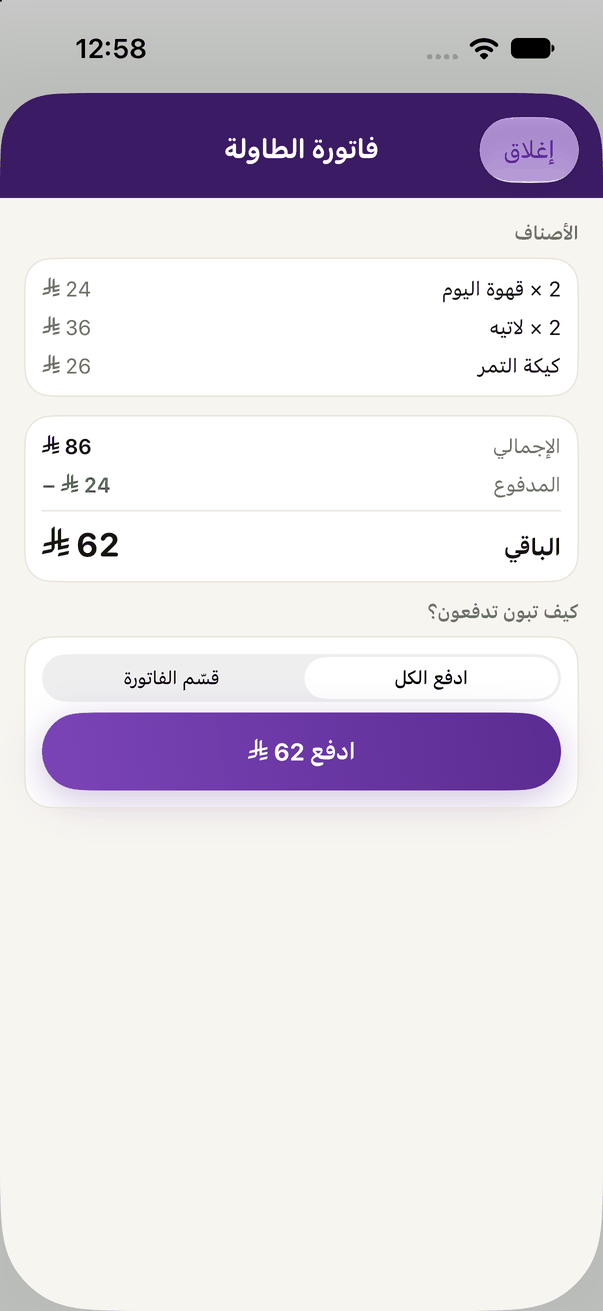
«The table's bill»: the items, what is paid and what is left, split among the people at the table, each paying their share from their phone.
- Without the app: the code opens the table's page in the browser, and they continue there. (Web)