 Aloke
Ordering before arriving
Menu, then review, then pickup: order and pay in the app, collect at the counter or in the car.
- Aloke Wallet
- iPhone and iPad, Android
The customer orders on the way, pays from the phone, and arrives to a ready order. The kitchen sees it only once the payment goes through.
- «اطلب قبل ما توصل» (Order before you arrive) on the card. The app reads the location once to show the branches in range, and does not keep it.
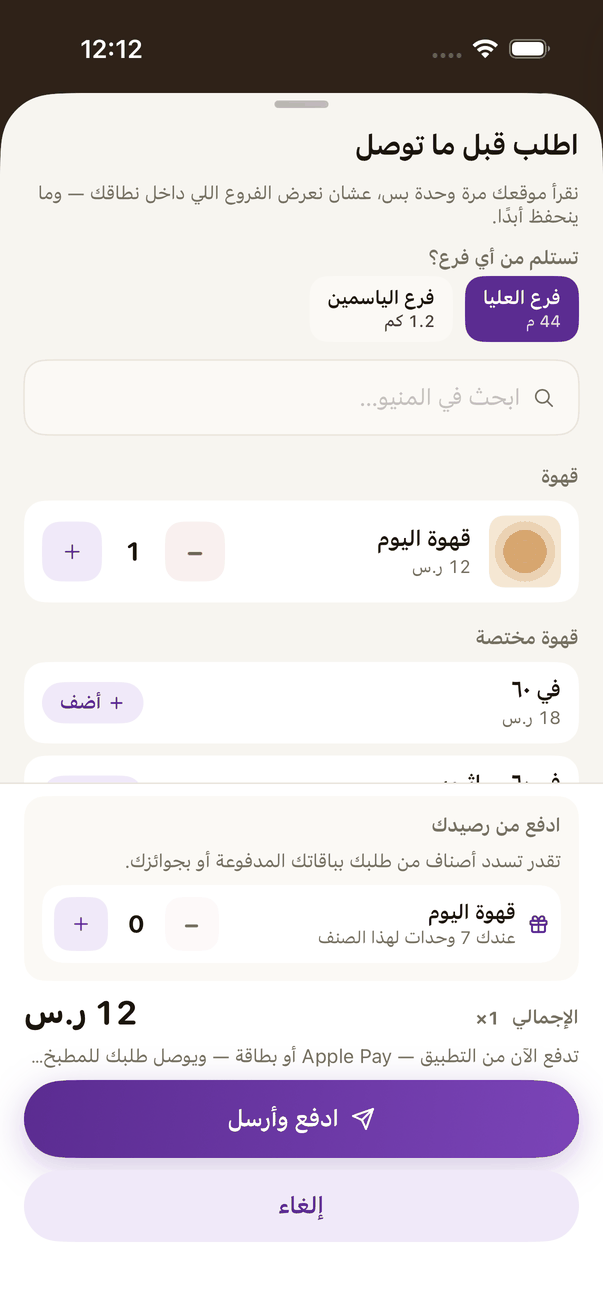
«Order before you arrive»: pick the branch and the items, with the basket below. - Menu: they pick the branch and the items. A dish with options or add-ons is one card, marked such as «٣ خيارات · إضافات» (3 options, add-ons). They press «أضف» (Add), pick «الخيار» (Option) and then the add-ons on the same screen, with its own «ملاحظة على الطبق» (Note for this dish). What they ordered sits inside the dish's card: the option, with its add-ons under it.
- Review: «راجع طلبك» (Review your order) holds the items, «ملاحظة على الطلب» (Note for the order) for the kitchen, offers, and paying from a balance if they have one.
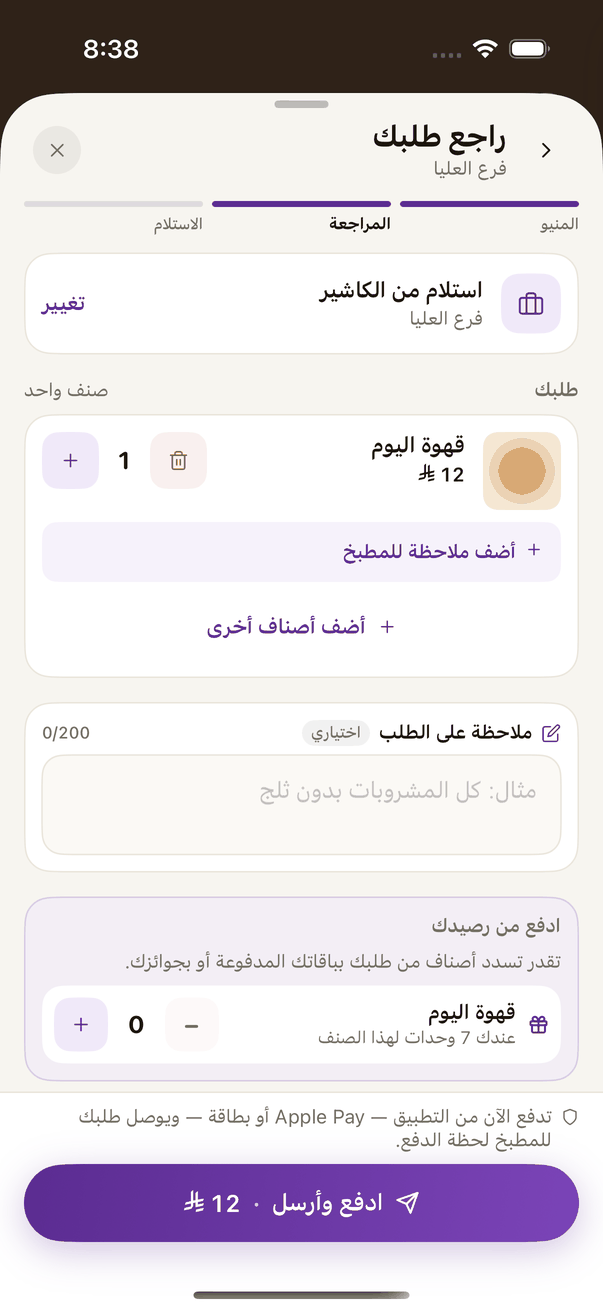
«Review your order»: a note for each dish and for the order, how you collect, then «Pay and send». - Pickup: «استلام من الكاشير» (Counter pickup) or «استلام من السيارة» (Car pickup) where the branch offers it. Then «ادفع وأرسل» (Pay and send).
- The secure «بوابة الدفع» (payment gateway) page opens inside the app: Apple Pay or a card on iPhone. Once done it returns to the app by itself and shows «نتأكد من الدفع…» (Checking your payment). (iPhone and iPad)
- The secure «بوابة الدفع» (payment gateway) page opens over the app, and they pay by card. Once done it returns to the app by itself and shows «نتأكد من الدفع…» (Checking your payment). (Android)
- They follow it: «قيد التحضير» (Preparing), «جاهز» (Ready), «استلمته» (Picked up), with «رقم طلبك» (Your order number) and the order code for the counter.
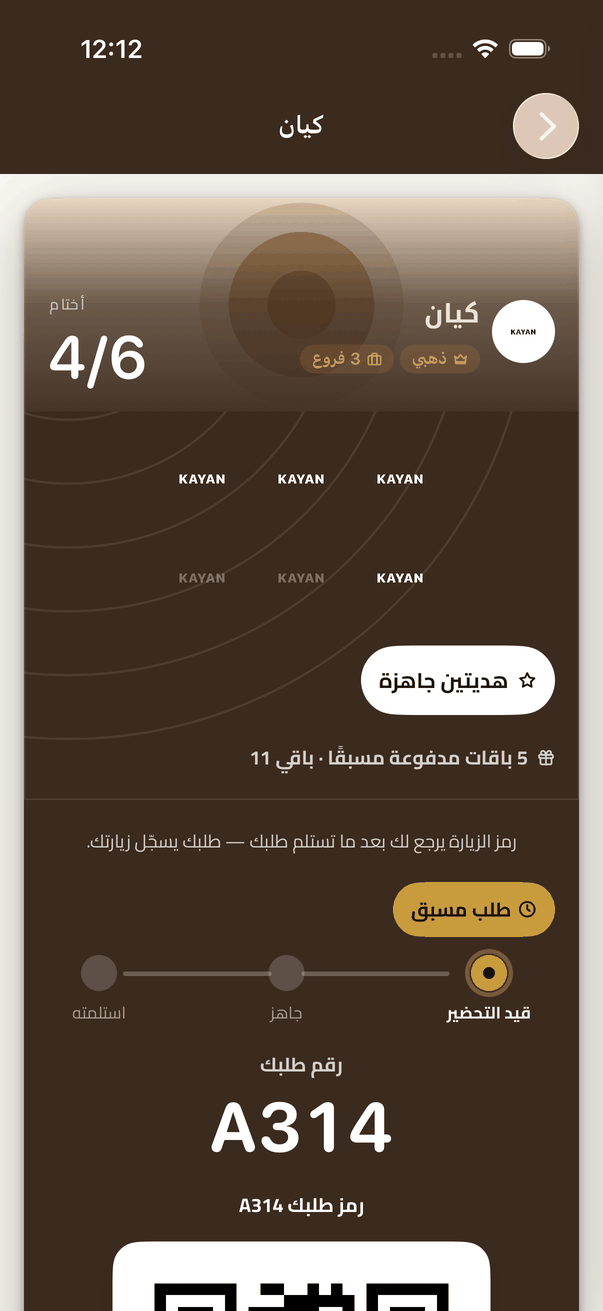
Your order once paid: «Your order number» and its state from «Preparing» to «Ready», then «Picked up».