 Aloke
AlokeAfter you give: the notice, the thanks and corrections
«You gave your prize», «Gifts I sent», and the thanks that comes back.
- Aloke Wallet
- iPhone and iPad, Android
The moment a gift goes, the sender gets the notice «أهديت جائزتك إلى …» (You gave your prize to …) with the name they typed, and their phone wallet card updates at once.
- «سجلّي» (My history) from the side menu, then «هداياي المرسلة» (Gifts I sent): who each gift went to, and where it stands.
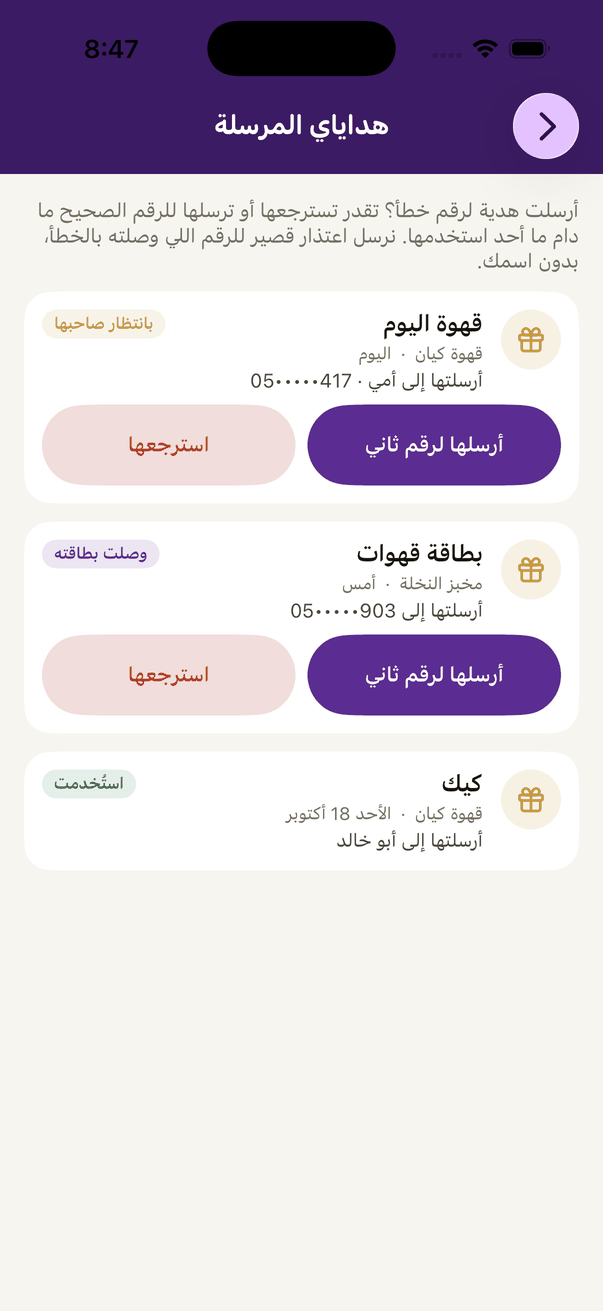
«Gifts I sent»: who each gift went to, and where it stands.
- Wrong number? «أرسلها لرقم ثاني» (Send to another number), type «الرقم الصحيح» (The right number), then «أرسلها» (Send it); or «استرجعها» (Take it back) and it returns to your card. Both work until someone uses it.
- Once the friend collects the gift, they can pick an emoji and press «أرسل الشكر» (Send thanks). The thanks shows on the sender's «بطاقة ألوكي» (Aloke card), under the name the sender gave the friend.
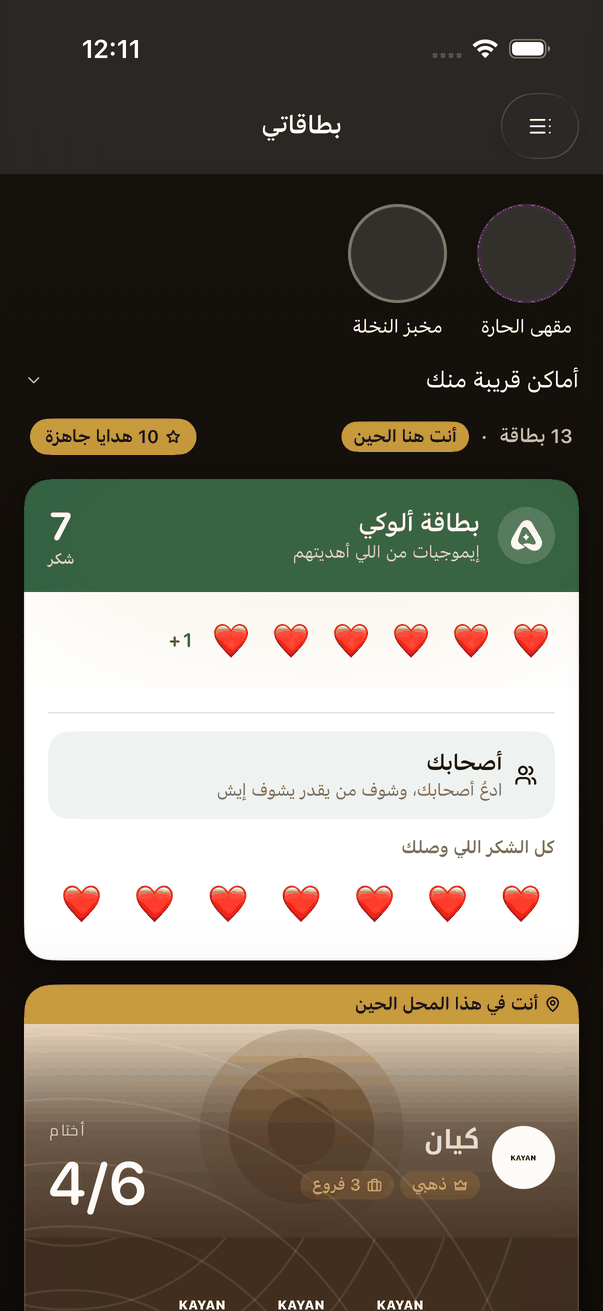
«Aloke card»: the thanks that came back from the people you gave to.