 Aloke
AlokeThe shift report, X and Z
Payment methods, where the money is, the expected cash and how it adds up, the items, and each person.
- Aloke POS
- Web, iPhone and iPad, Android
The X report is the shift while it is open; the Z report is the same report after the close, frozen for good. Every figure in it is the server's; the till computes nothing itself.
- Open «Shift». The sales come first: «Gross sales», «Refunds», «Net sales», discounts and VAT, then the cash. (iPhone and iPad, Android)
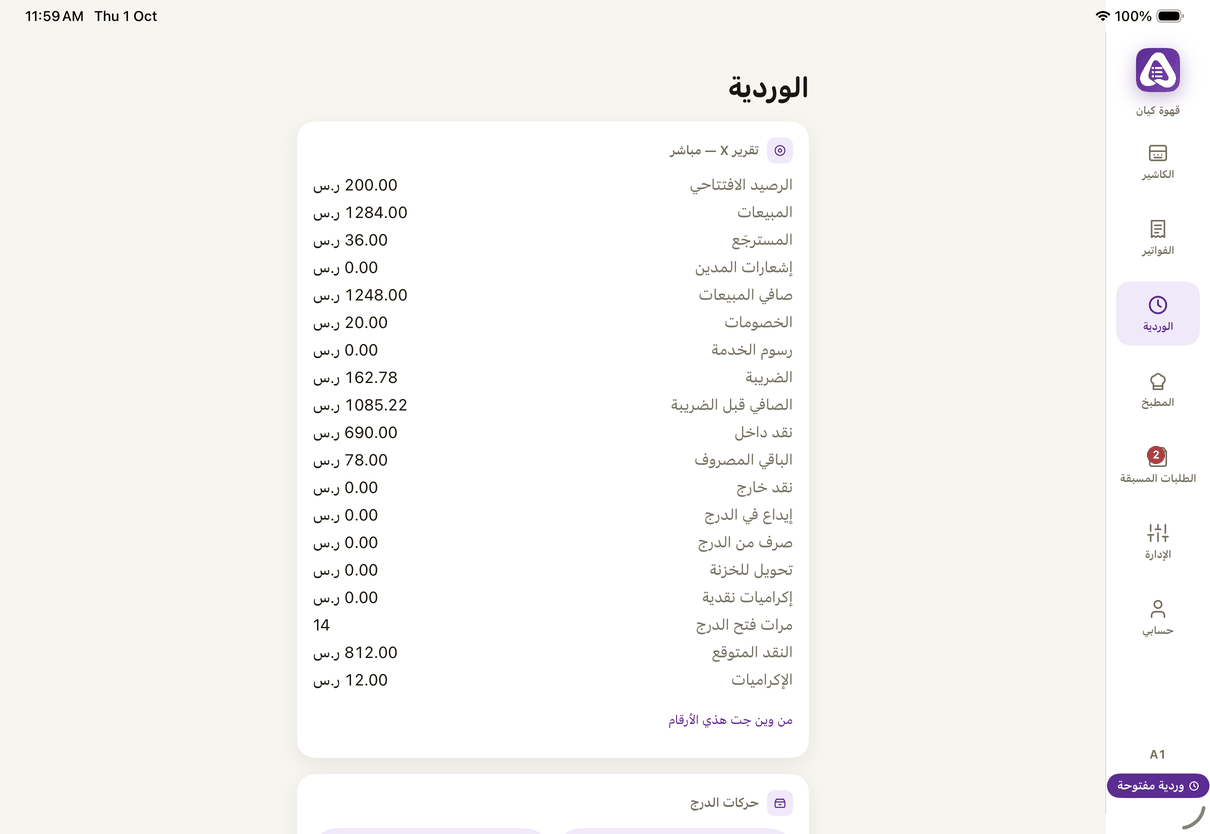
«Shift»: the live X report from the server, drawer moves and closing. - On the web: «Shift» holds the same report. (Web)
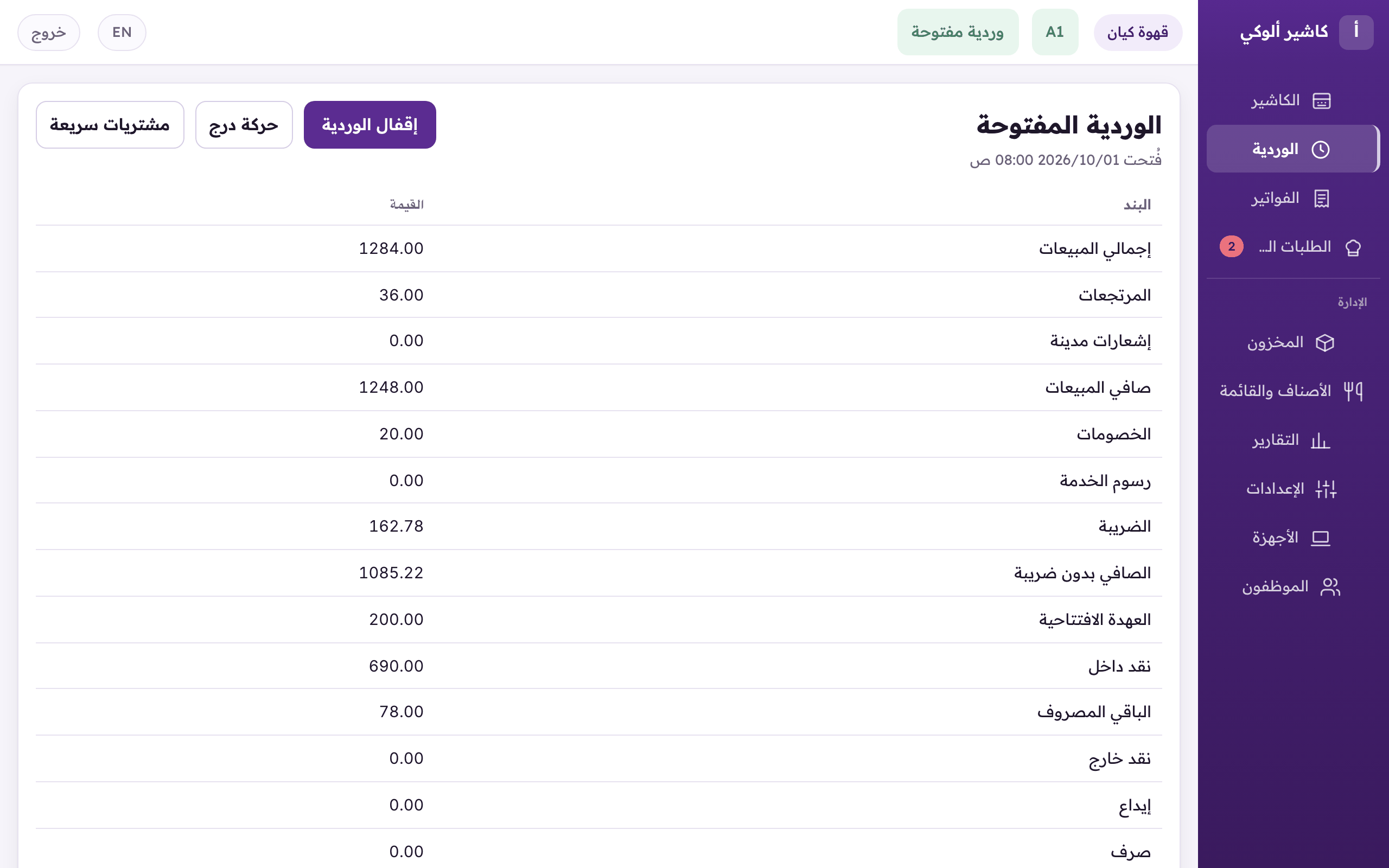
«Shift»: the live report from the server, drawer moves, quick purchases, and closing the shift.
- «Expected in the drawer» is what the drawer should hold now. Under it a line shows how it adds up: the opening float plus cash sales, less «Cash refunds», «Paid out» and «Drop to the safe». Tap the line and each figure shows its name. (iPhone and iPad, Android)
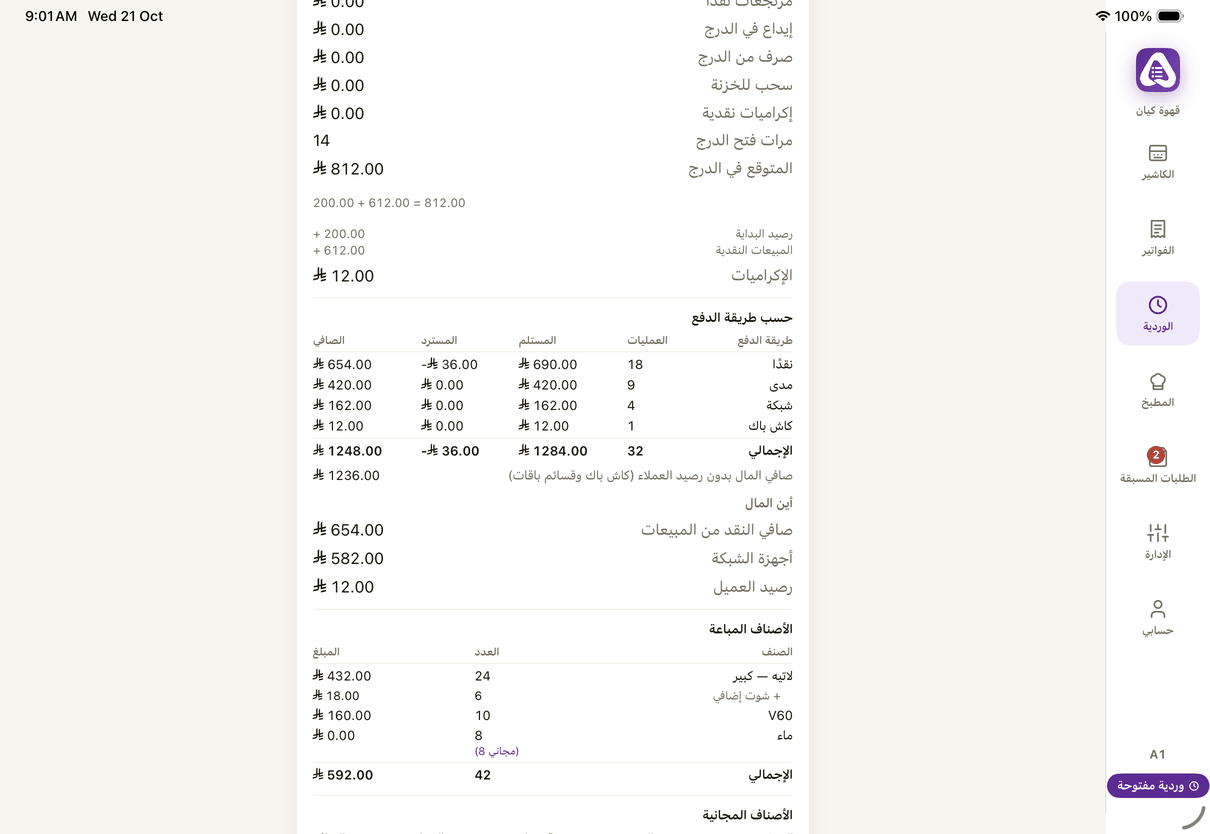
«Expected in the drawer» and how it adds up, then «By payment method», «Where the money is» and «Items sold». - The web shows the same line under «Expected in the drawer», as «How the expected adds up». (Web)
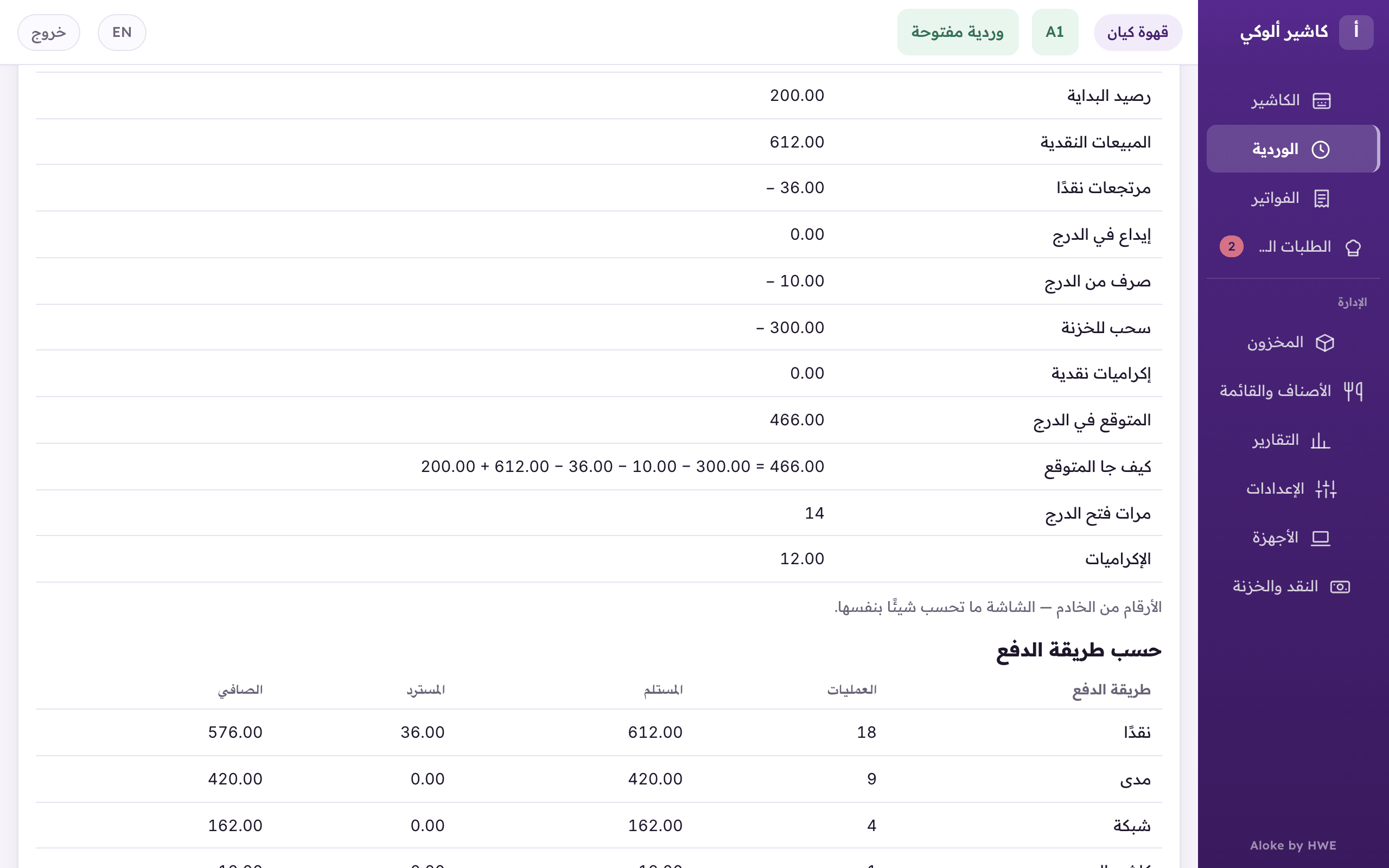
«Expected in the drawer», and under it how the expected adds up: the float and cash sales, less refunds, paid outs and drops.
- «By payment method»: each method with its number of payments, «Received», «Refunded» and «Net», and the total. Your own methods show by their names.
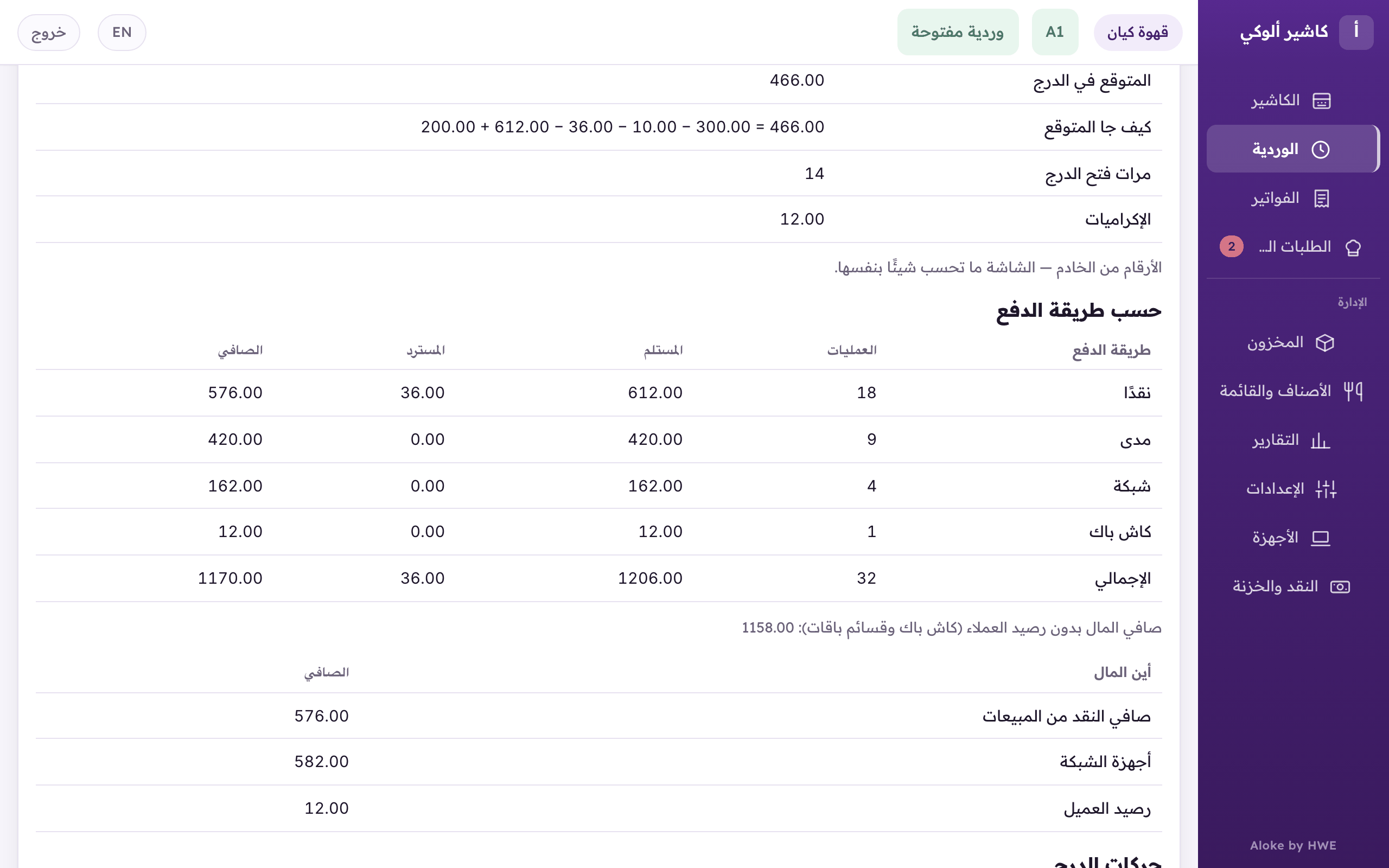
«By payment method»: each method's payments, received, refunded and net, and «Where the money is» under it.
- «Drawer moves»: every paid in, paid out and drop, with its amount, source, reason and bag number.
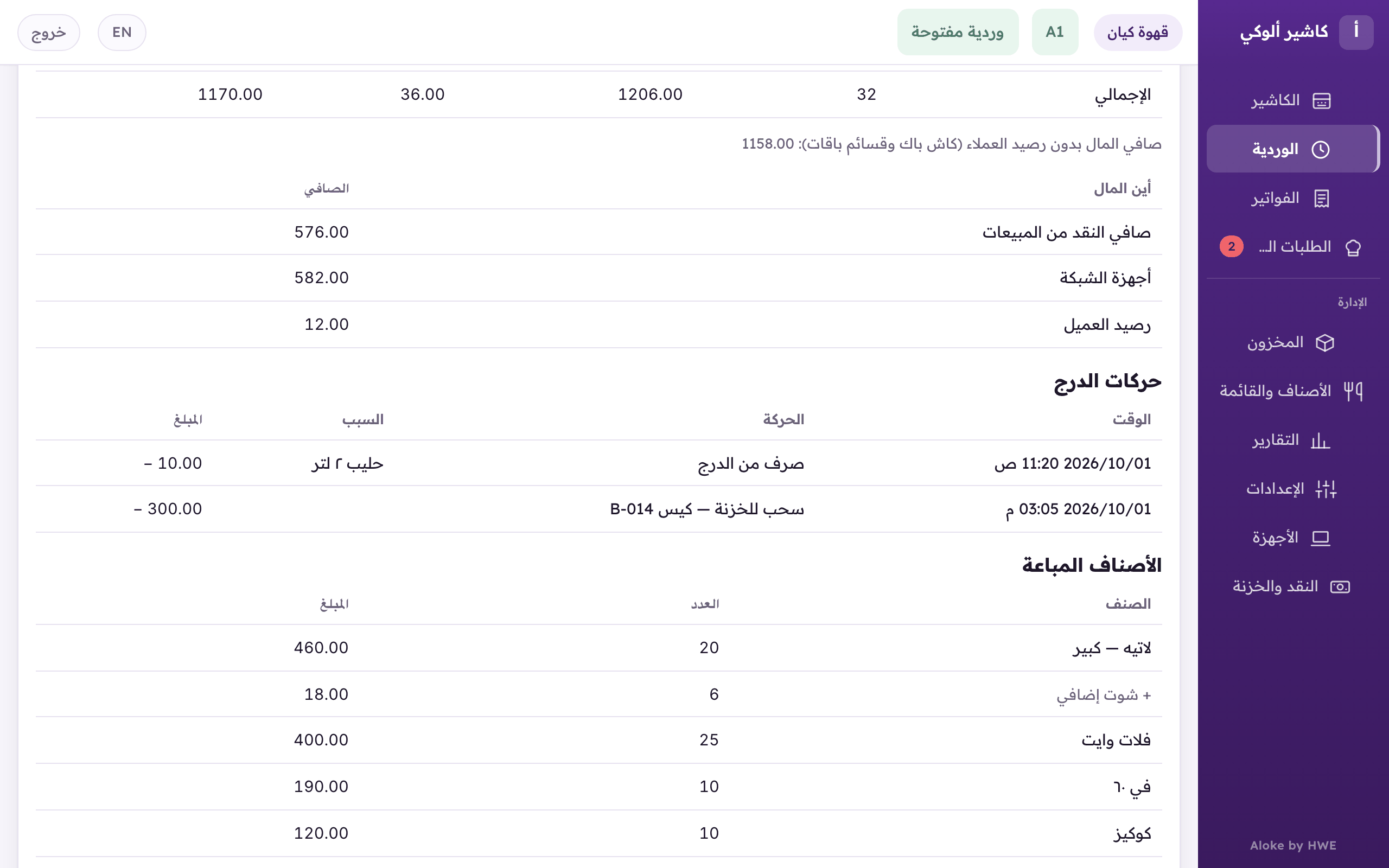
«Drawer moves»: every paid out and drop with its time, reason and bag number. - «Items sold»: each item and size with its count and money, its add-ons under it, the free ones beside the count. Returns come off it.
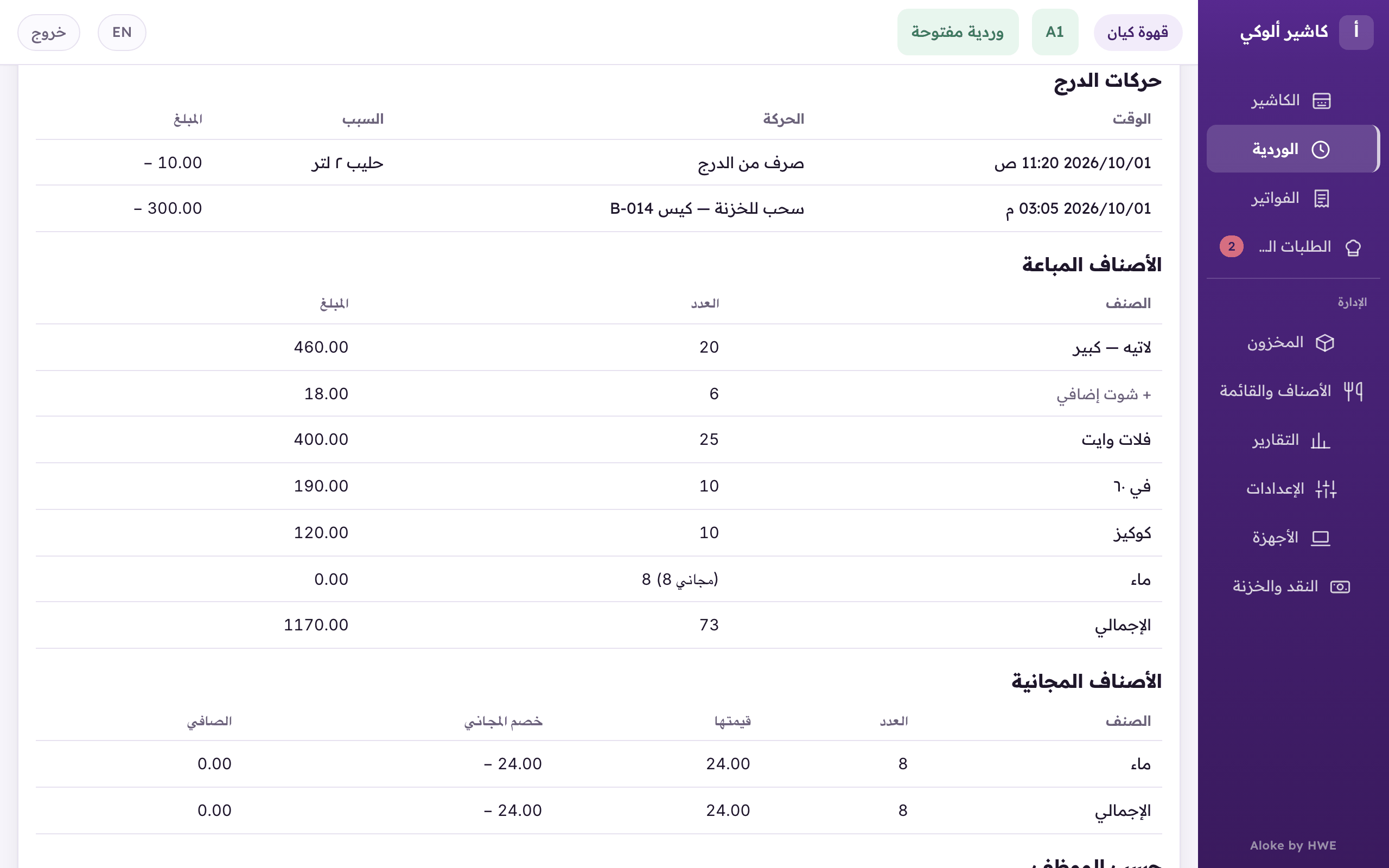
«Items sold»: each item and size with its count and money, its add-ons under it, the free ones in brackets. - «Free items»: how many, «Their value», the free discount as a minus, and «Net». It shows only when something was given free. (iPhone and iPad, Android)
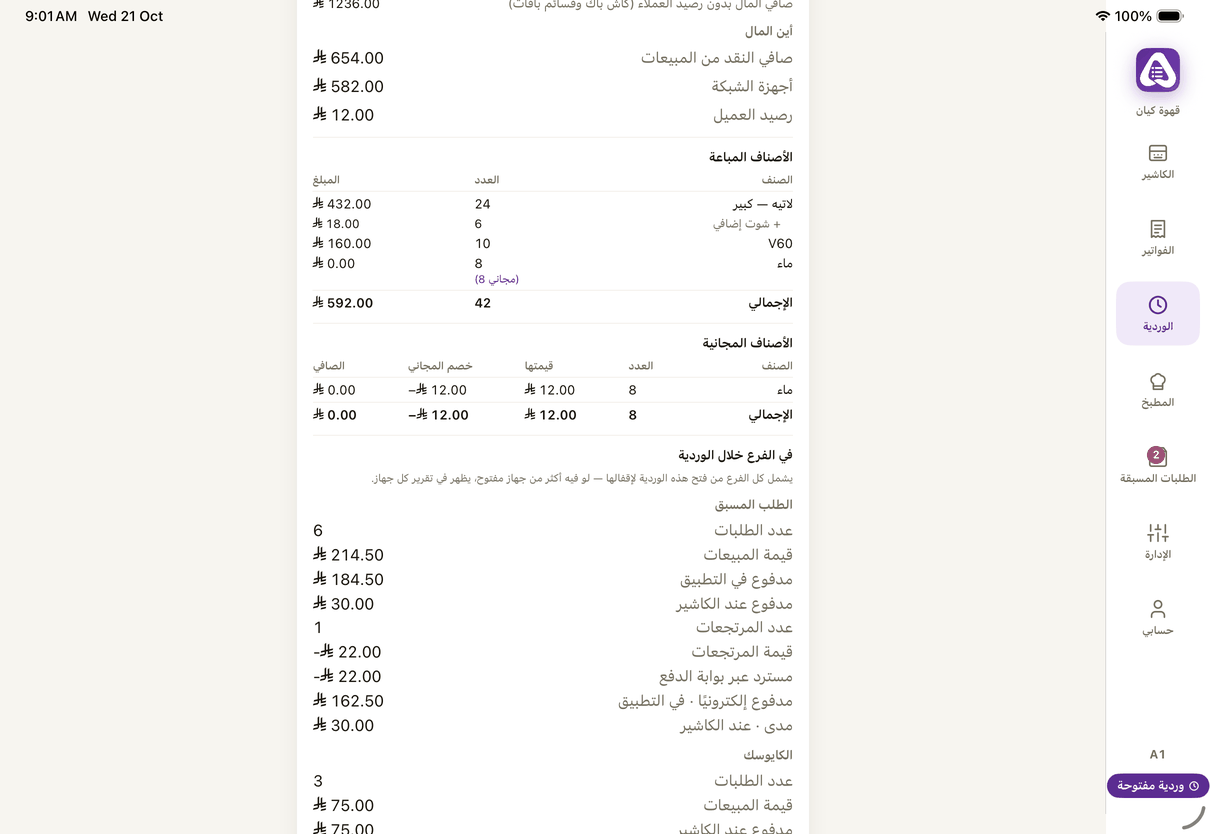
«Items sold» and «Free items»: how many, their value, the free discount and the net, with «At the branch during the shift» under them. - The web has the same table under «Items sold». (Web)
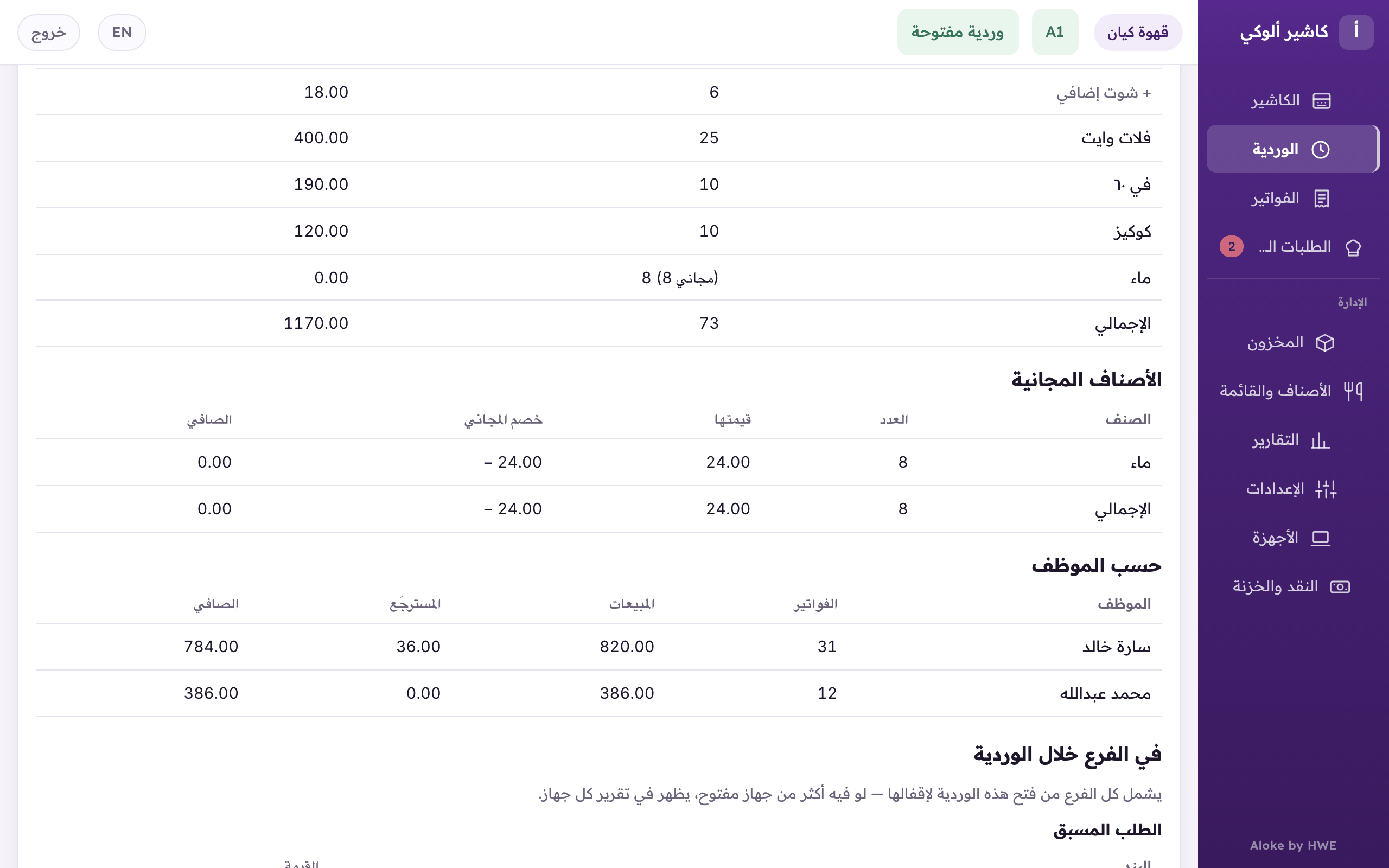
«Free items»: how many, their value, the free discount and the net. - «By employee»: each person's invoices, sales, refunds and net. Their nets add up to «Net sales».
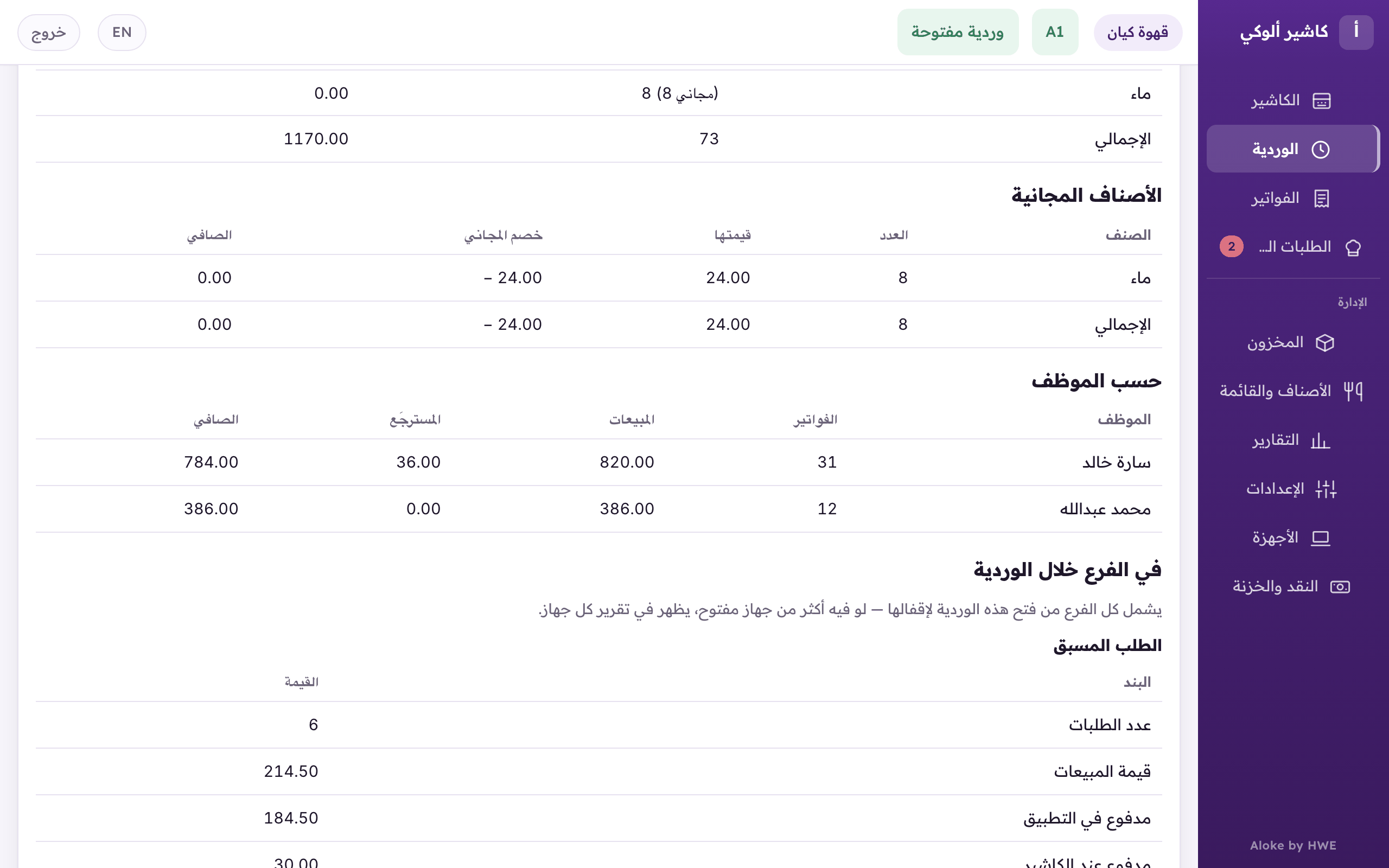
«By employee»: each person's invoices, sales, refunds and net.