
Aloke Get started

The drawer and closing the shift

Drawer moves, quick purchases, counting the drawer, and the Z report.

  1. «Shift» holds the live X report: everything so far. «The shift report, X and Z» explains its figures. (iPhone and iPad, Android)
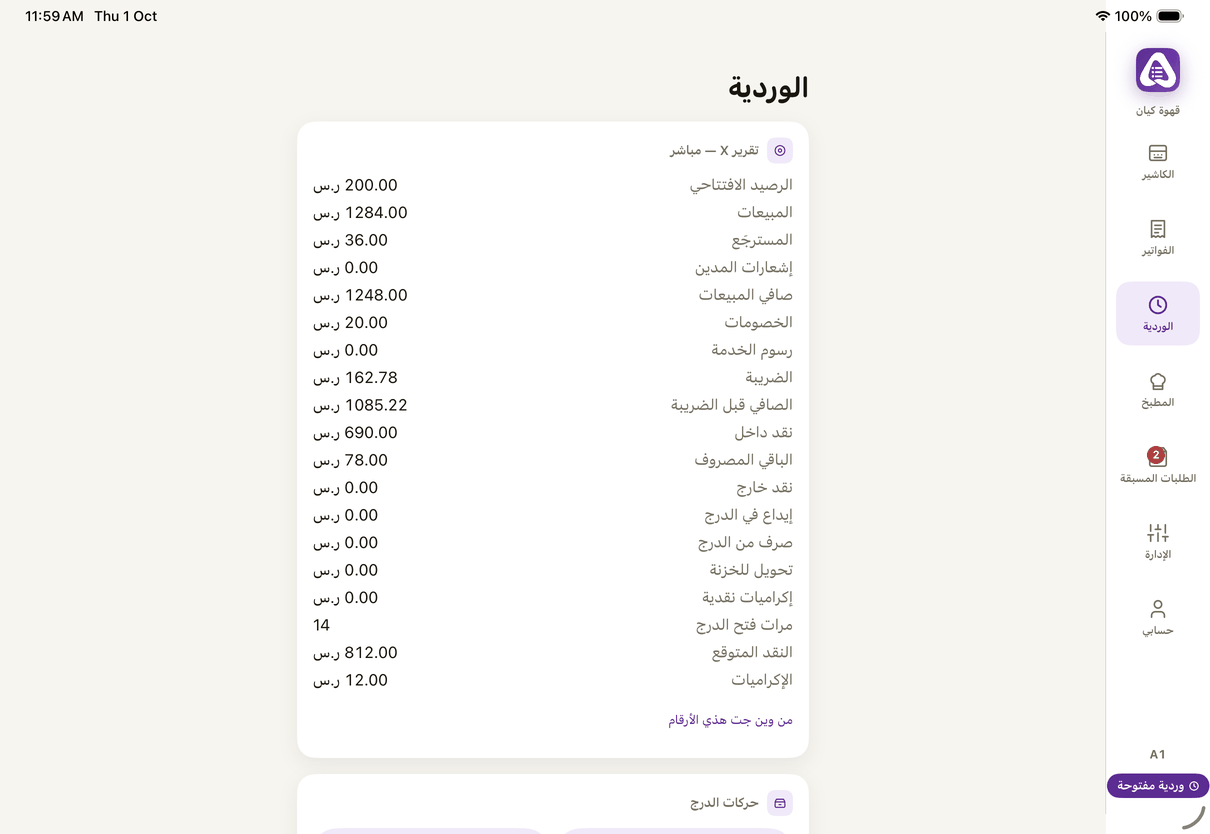
    «Shift»: the live X report from the server, drawer moves and closing.
    «Shift»: the live X report from the server, drawer moves and closing.
  2. On the web: «Shift» holds the report, «Drawer move», «Quick purchase» and «Close shift». (Web)
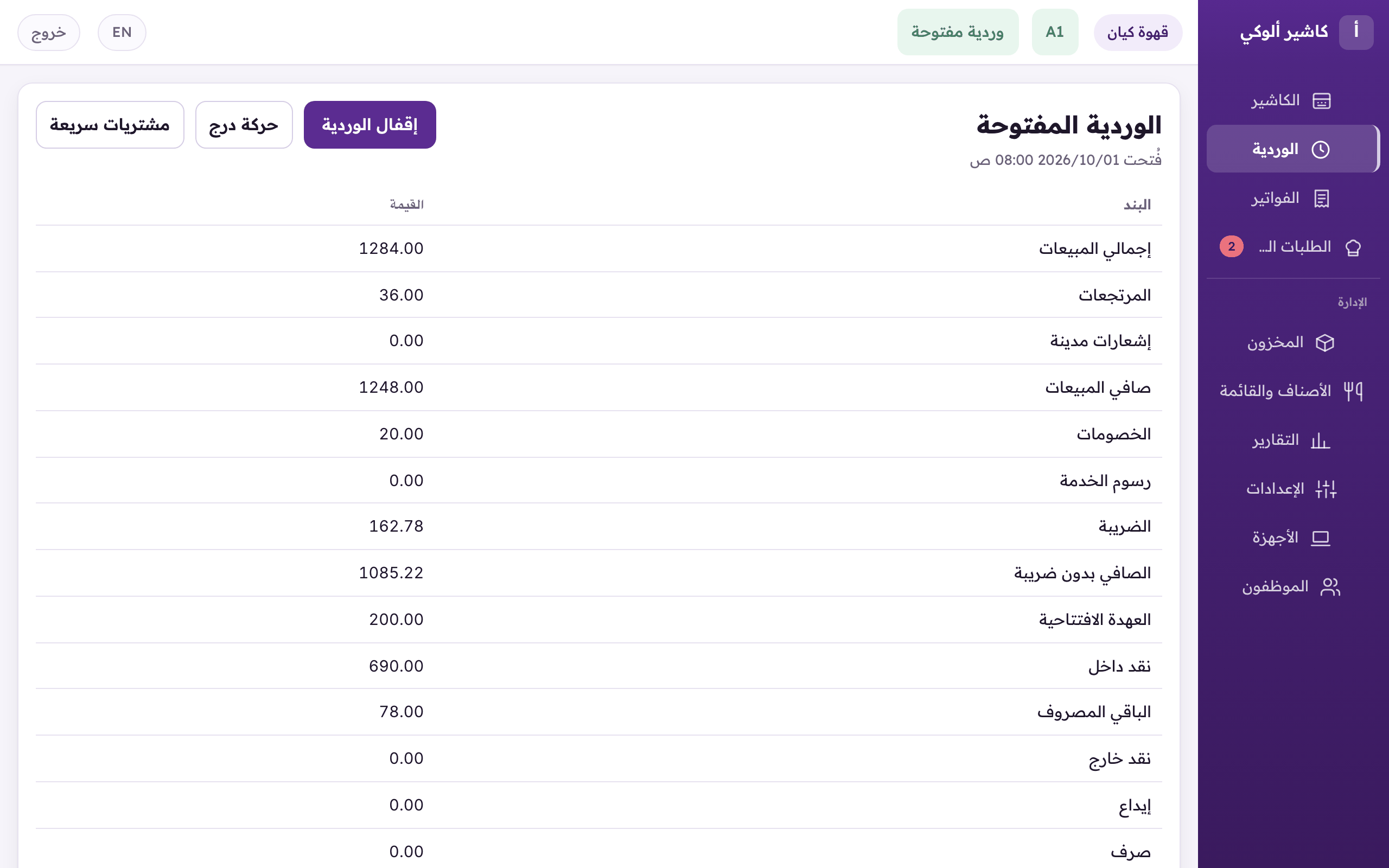
    «Shift»: the live report from the server, drawer moves, quick purchases, and closing the shift.
    «Shift»: the live report from the server, drawer moves, quick purchases, and closing the shift.
  3. Drawer moves, each by its name: «No sale», «Paid in», «Paid out» and «Drop to the safe». Type the amount, then «Record». (iPhone and iPad, Android)
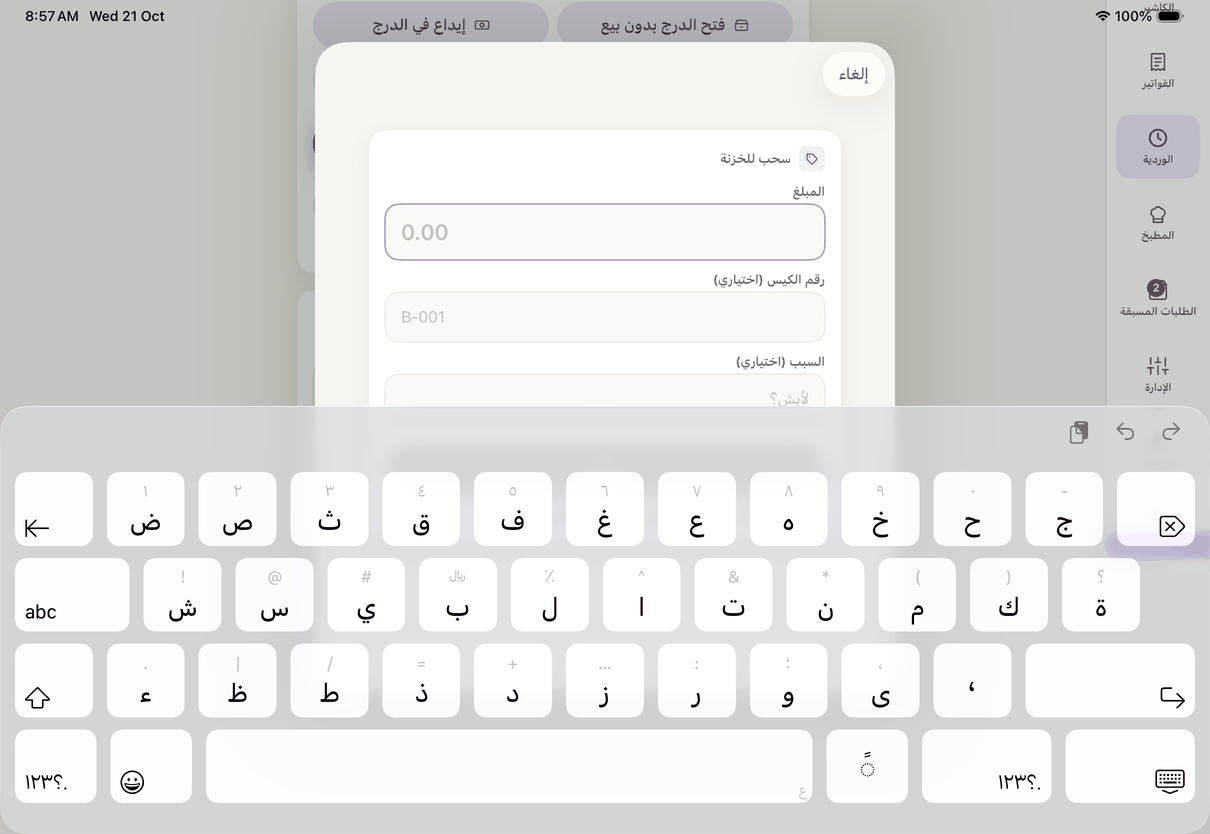
    A drawer move: «Drop to the safe» with its amount and bag number.
    A drawer move: «Drop to the safe» with its amount and bag number.
Paid in and paid out
Both need a reason. A paid out above the owner's limit needs a manager's «Approval code». The drawer never pays out more than it holds.
The drop
The cash leaves the drawer for the branch safe; give the bag number if it goes in a bag. Change from the safe: «Paid in», then «Change from the branch safe». With the safe off, a drop is booked as cash the owner took.
  1. «Quick purchase»: something bought from the drawer (ice, milk). Type the «Amount spent» and «What was bought», photograph «The seller's receipt», and add it to stock if you like. (iPhone and iPad, Android)
  2. End of the day: in the «Close the shift» card, type the «Counted cash» or press «Count by note and coin», then «Close the shift». (iPhone and iPad, Android)
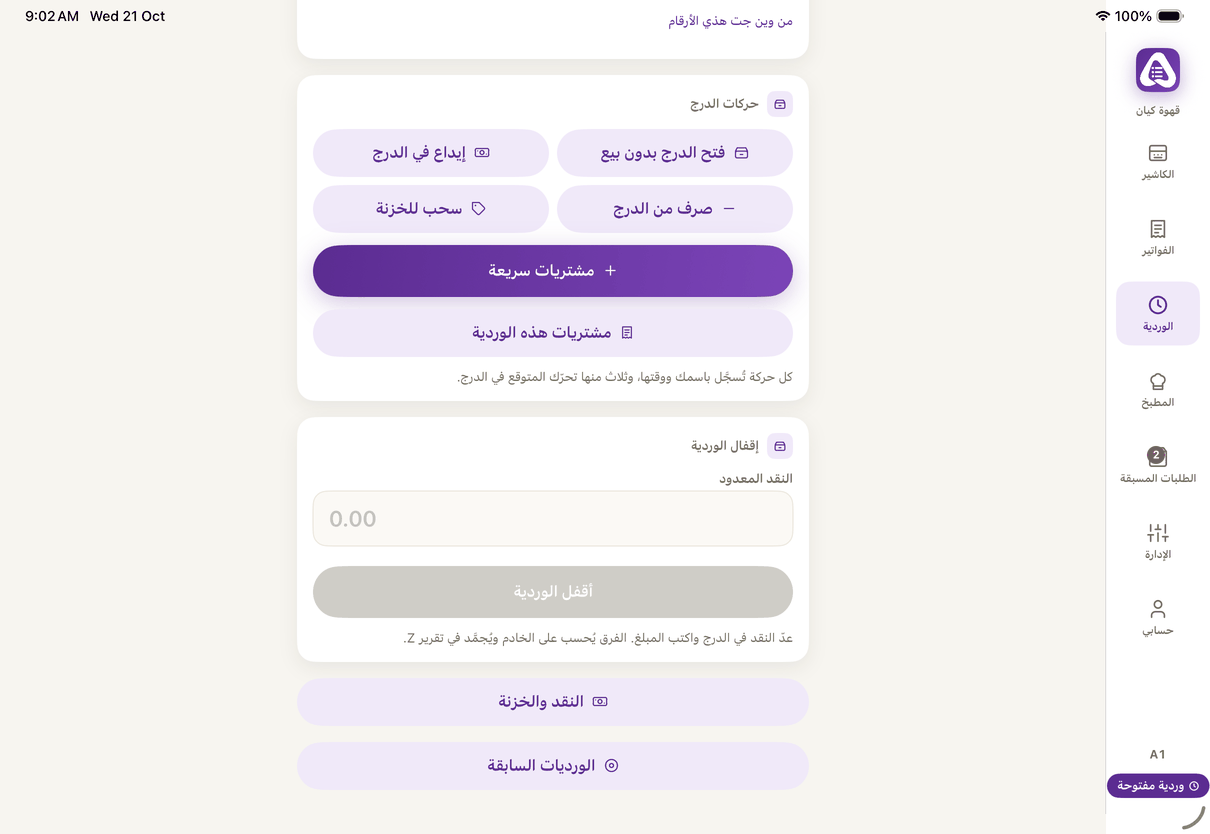
    «Drawer» moves and «Quick purchase», then «Close the shift»: «Counted cash» and «Close the shift».
    «Drawer» moves and «Quick purchase», then «Close the shift»: «Counted cash» and «Close the shift».
  3. On the web: «Close shift», type the «Counted cash», then «Close». (Web)
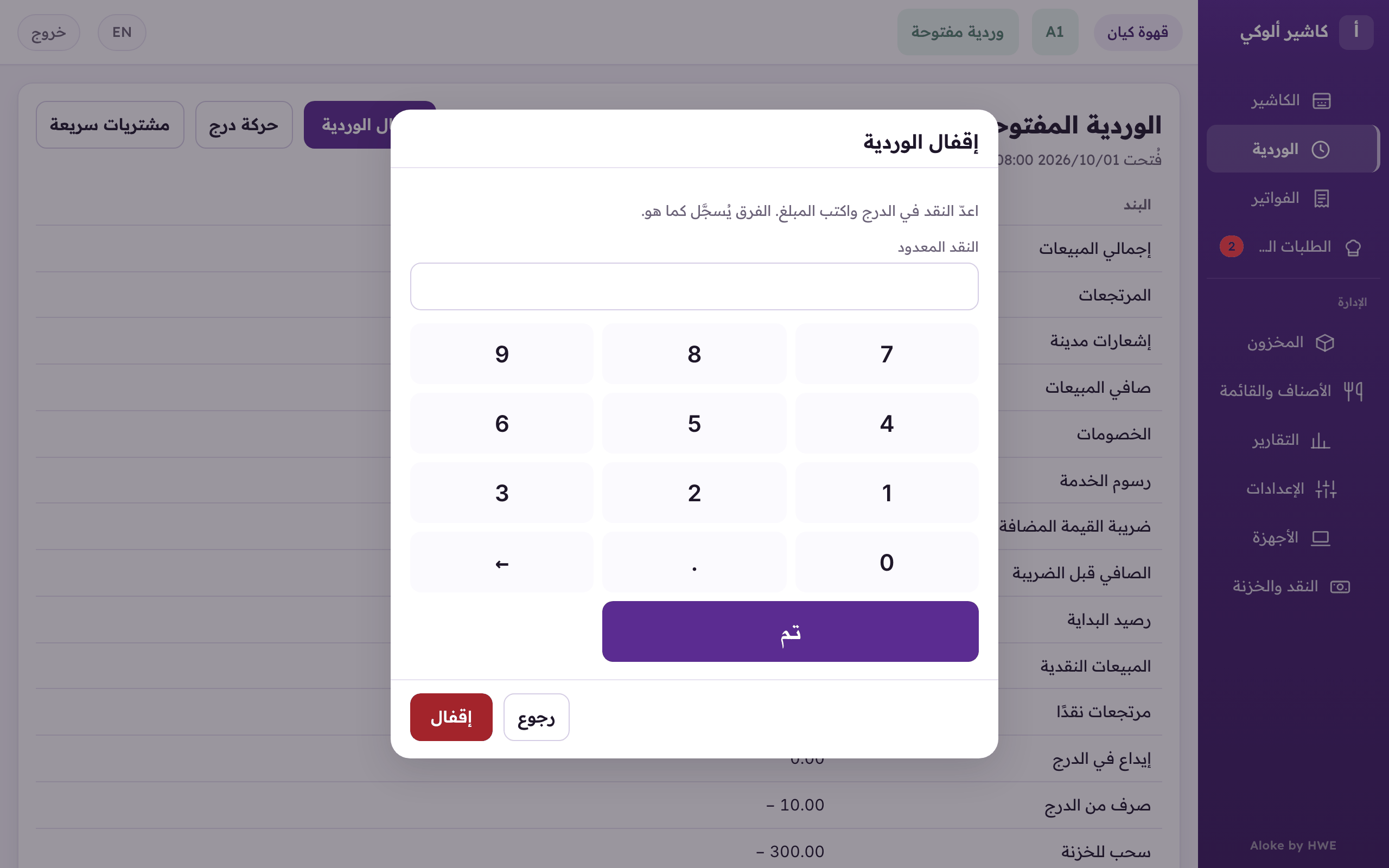
    «Close the shift»: type «Counted cash» or «Count by note and coin», then «Close».
    «Close the shift»: type «Counted cash» or «Count by note and coin», then «Close».
The blind count
When the owner turns it on, the cashier does not see the expected cash before counting. A difference asks for the reason first, and beyond what is allowed, a manager's code.
A cash difference at close
Any difference between counted and expected cash asks for the reason. Beyond the allowed difference it needs a second person's approval code, unless the owner gave you «Close a shift with a cash difference»: then you write the reason and close, and the difference shows on the shift report under your name.
Where does the cash go?
With the safe on: everything counted is handed in to the safe, or the float stays in the drawer and the rest goes to the safe, as the owner chose. With no safe the cash stays in the drawer until the next shift.
  1. After the close, the «Z report» shows the difference between expected and counted cash, and nothing prints by itself. Choose: «Print the simple report» for what matters to whoever closed, or «Print the full report».

Open this article in the interactive help center

In the same section