 Aloke
AlokeSigning in and pairing the device
Each till device is paired to the branch once, with a 6 character code.
- Aloke POS
- Web, iPhone and iPad, Android
- Sign in with your mobile and the code, and pick the branch from «اختر الفرع». (iPhone and iPad, Android)
- Press «اربط هذا الجهاز», type «رمز الربط», name the device in «اسم الجهاز» («Till 1», say), then «اربط الجهاز». (iPhone and iPad, Android)
- The owner makes the code: if that is you, press «رمز ربط جديد» under «أنت المالك؟» on the device itself, or from «الإدارة», «الإعدادات», «الأجهزة». A code lasts ten minutes. (iPhone and iPad, Android)
- On the web: open pos.hwe.sa and sign in, then «اربط هذا المتصفح كجهاز كاشير», type «رمز الربط» and «اسم الجهاز», and press «اربط». (Web)
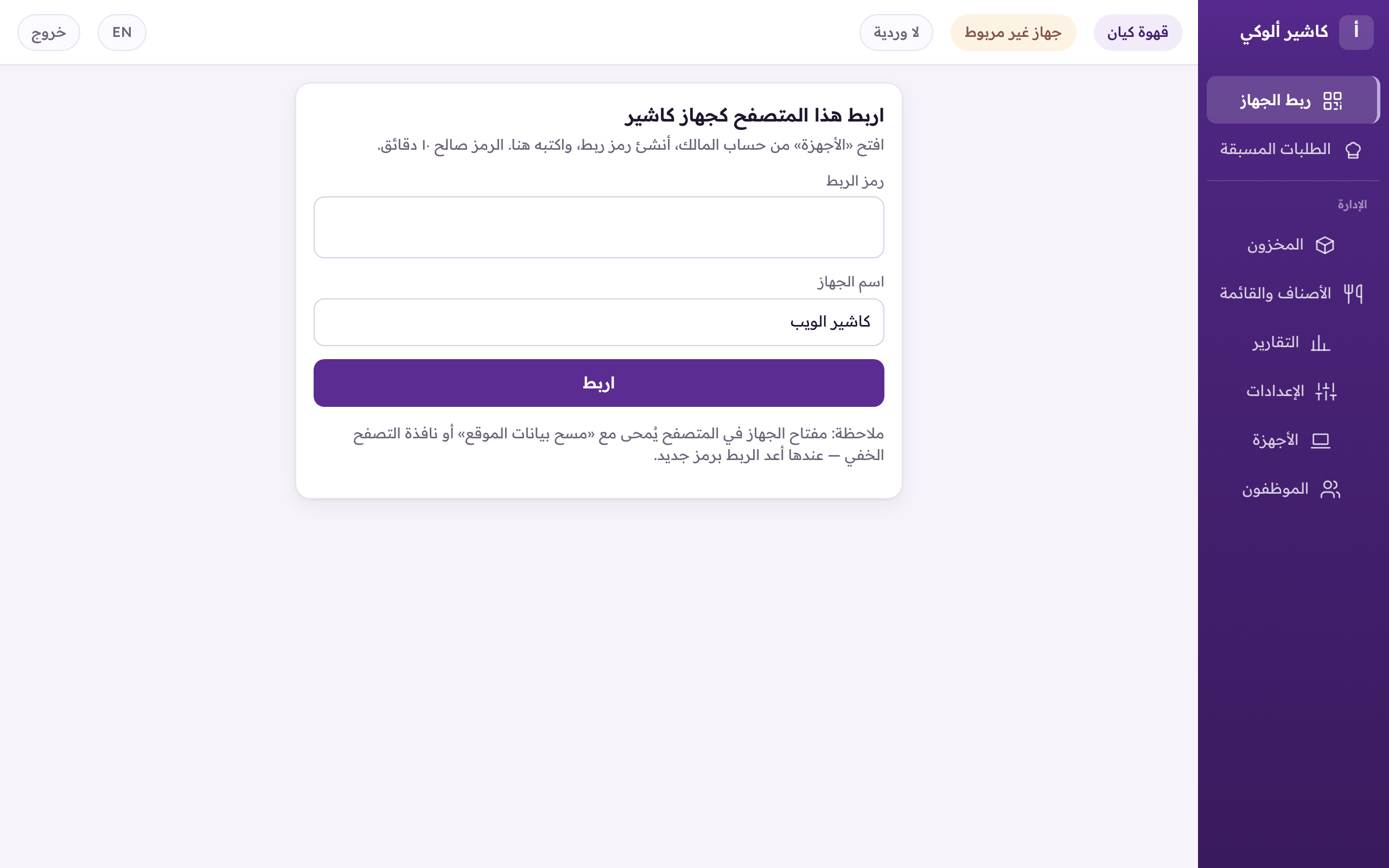
The first time on the web: «Pair this browser as a till», then type the pairing code and a name. - The code on the web: «الأجهزة», then «رمز ربط جديد». It also lists the branch's devices, and you can revoke a lost one. (Web)
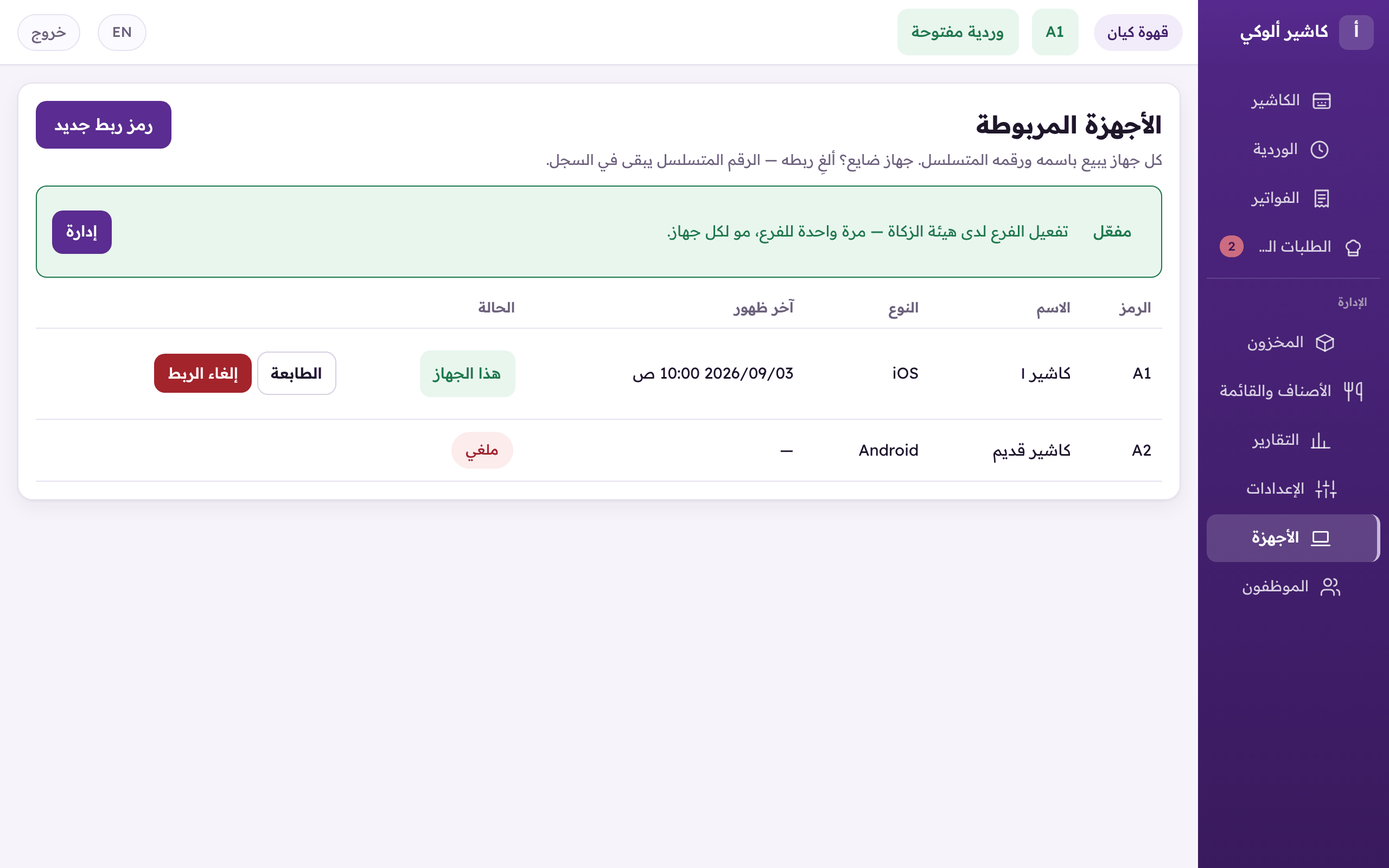
«Devices»: the branch's devices, and «New pairing code» for another one.