 Aloke
AlokeThe hall and ordering from the table
Drawing the hall, its tables and QR codes, and the hall screen that alerts you.
- Aloke Display
- Web, iPhone and iPad, Android
You draw your hall and its tables, and each table gets a QR code. The customer scans it, orders and pays in Aloke Wallet, or calls for staff.
- On the web: «الصالة», then «الصالة والطاولات». Draw the tables and print their codes. (Web)
- In the app: «الصالة», then «الصالة والطاولات». (iPhone and iPad, Android)
- «الطلب من الطاولة»: set it up, then «حفظ إعدادات الطلب من الطاولة».
- The hall screen: pair a screen as «شاشة الصالة». It shows free, busy and ordering tables, and a calling table glows with a sound.
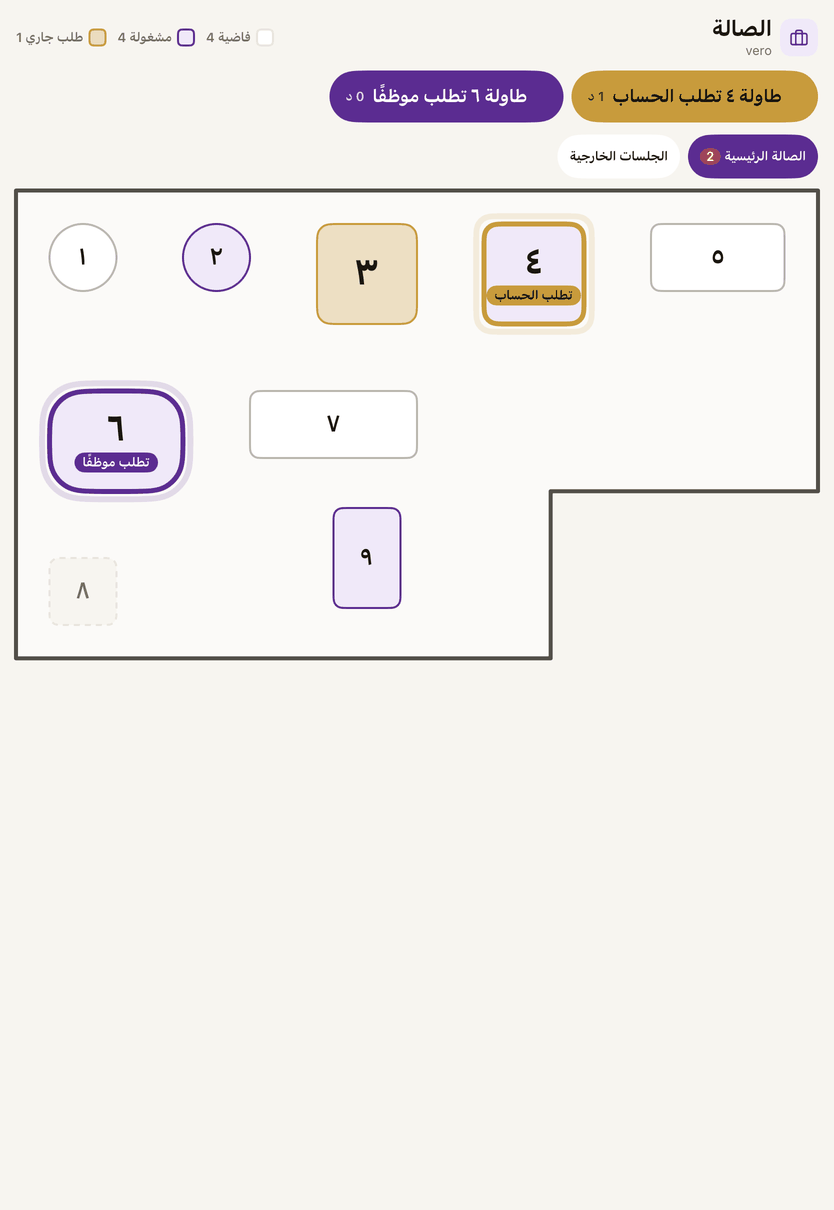
The hall screen: free and busy tables, and a calling table glows. - Tap the table once someone is on their way.