 Aloke
Each product's dates, and adding a system
Where each system's end date shows, the reminders before it, and adding a system to a branch.
- Getting started
- Web, iPhone and iPad, Android
Every system has its own end date, shown under «مدة كل منتج» (Each product's dates): «حتى» (until) a date, or «يتبع اشتراك الفرع» (follows the branch). No system outlasts the branch's own subscription. (Web)
- In the Aloke Owners app, open «Your business & subscription» from «Every section» on the home screen, then «Subscription status». (iPhone and iPad, Android)
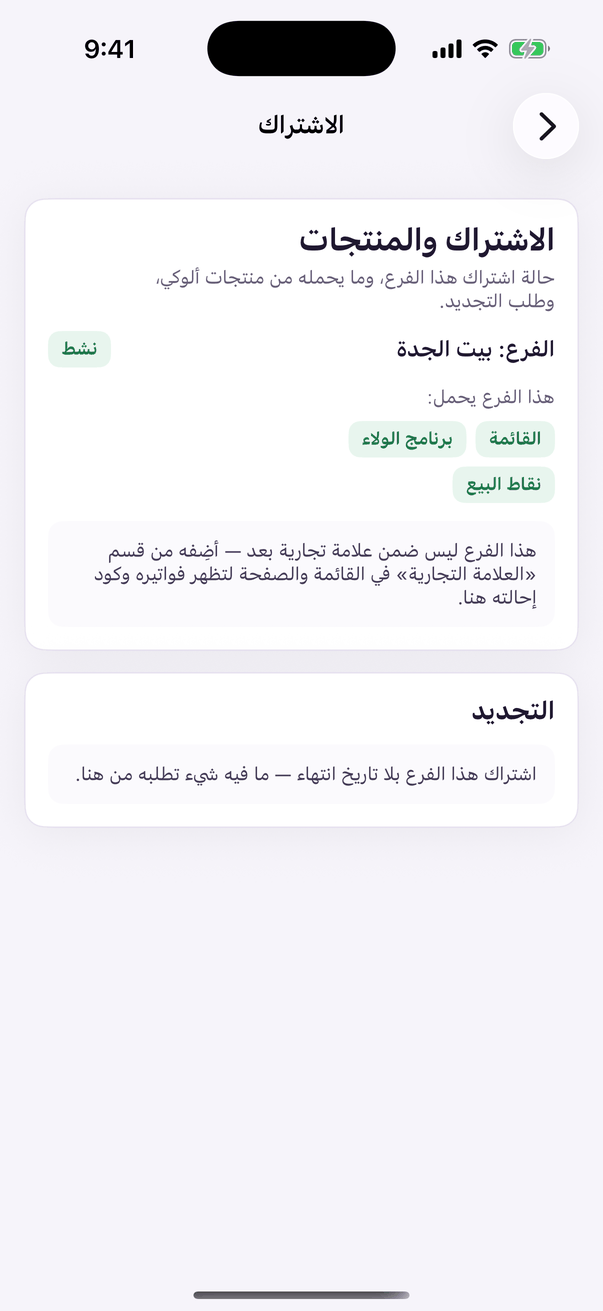
«Subscription status»: the systems switched on for the branch, and until when.
- Adding a system to a branch? On the web panel tap the locked system, then «اشترك الآن» (Subscribe now), and the subscription page opens with that system. Documents already in your business file are not asked for again. (Web)
- In Aloke Owners on a phone, a system your subscription does not include shows «This feature is not available for your account». Press «Open a support ticket», and the Aloke team gets in touch. (iPhone and iPad, Android)