 Aloke
AlokeThe printer and the kitchen ticket
Connecting the thermal printer, paper width, the drawer, and the kitchen ticket's language.
- Aloke POS
- Web, iPhone and iPad, Android
The printer is a thermal printer on the shop's network (port 9100), and Arabic is drawn on our side so it prints correctly on any printer.
- In Aloke POS: «الإدارة», «الإعدادات», «الطابعة». Or in Aloke Owners: «كاشير ألوكي», then «الطباعة». (iPhone and iPad, Android)
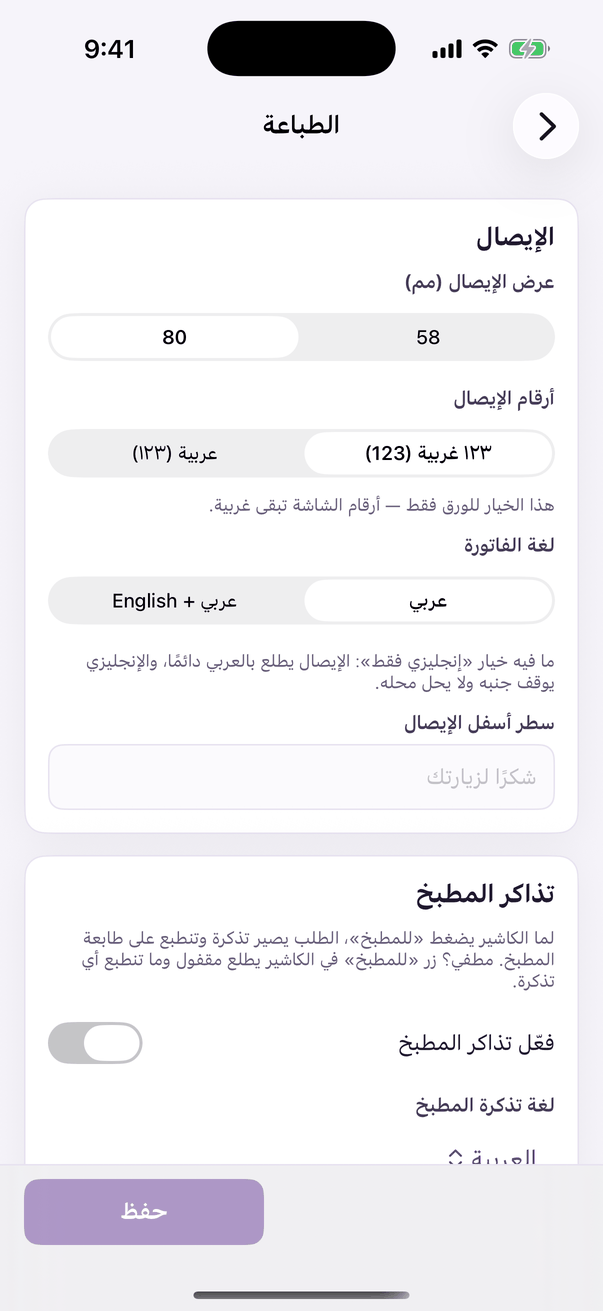
«Printing»: the invoice and the kitchen ticket. - Type «عنوان الطابعة» (like 192.168.1.50) and «المنفذ» 9100, and choose «80 مم» or «58 مم». (iPhone and iPad, Android)
- «افتح الدرج مع كل فاتورة نقدية» if the drawer is wired to the printer. «لغة الفاتورة»: «عربي» or «عربي + English». (iPhone and iPad, Android)
- Press «احفظ», then «صفحة اختبار». (iPhone and iPad, Android)
- Kitchen: switch on «اطبع تذكرة لكل طلب يروح للمطبخ», choose «لغة تذكرة المطبخ», and type «عنوان طابعة المطبخ» (empty means the invoice printer). (iPhone and iPad, Android)
- On the web, printing goes through the computer's print dialog (PDF). Branch settings hold «عرض الإيصال (مم)» and «شعار الإيصال». (Web)
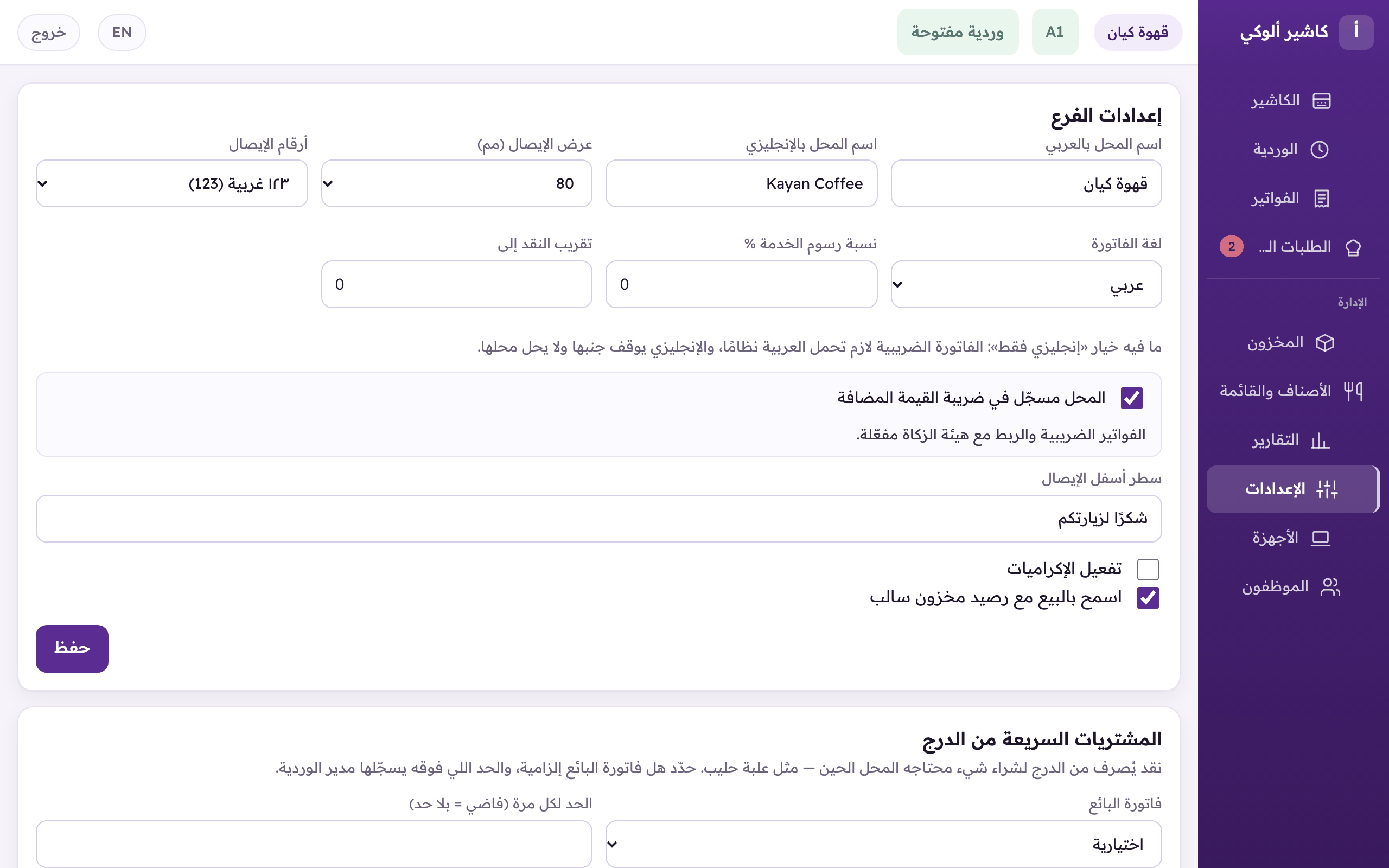
«Settings»: receipt width and logo, order types, and the tax identity.