 Aloke
AlokeStock: simple and advanced
Receiving, waste, stock counts and when to order.
- Aloke POS
- Web, iPhone and iPad, Android
Stock starts simple: quantities you receive that go down as you sell. Advanced stock (recipes, purchasing, transfers, production) is switched on by Aloke for your brand when you need it.
- «الإدارة», then «المخزون». «صنف جديد» with its unit (piece, kilo, gram, litre, ml).
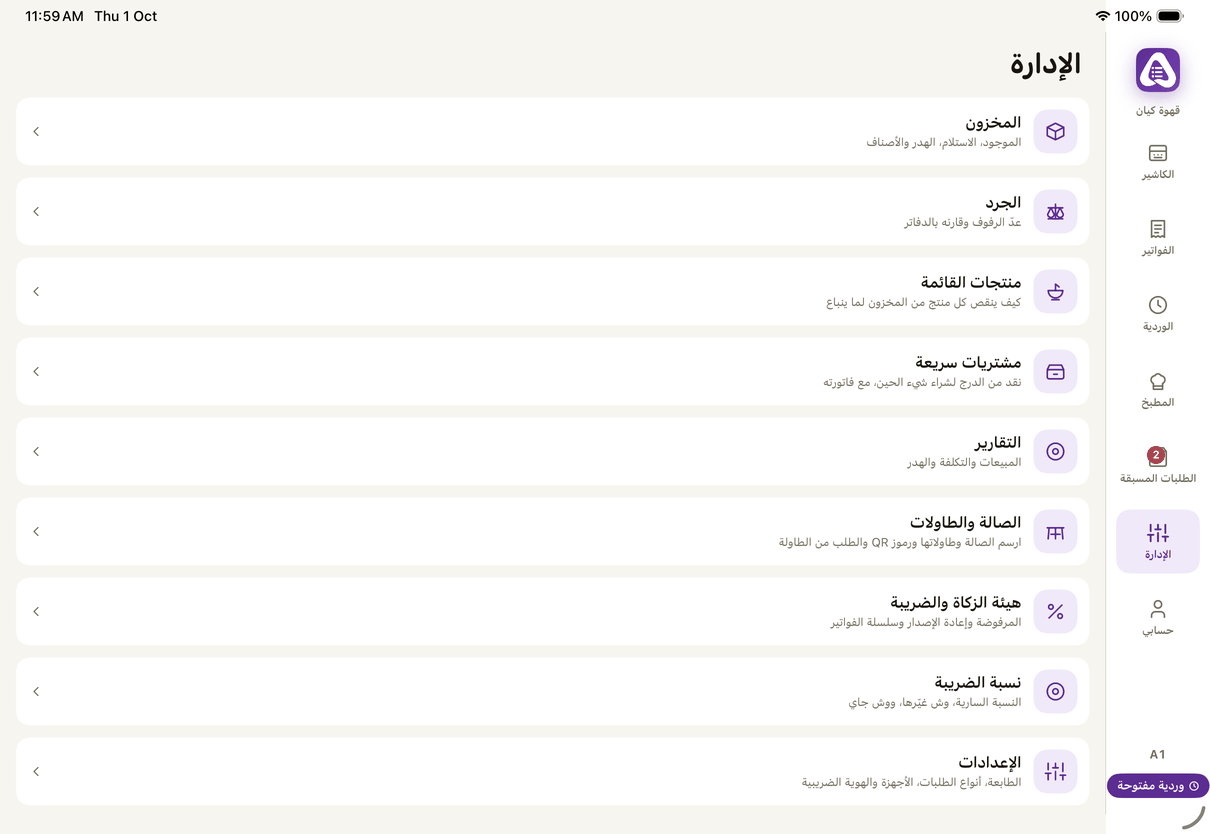
«Manage»: stock, counts, reports and settings. - On the web: «المخزون» in the side rail, and «استلام بضاعة» from there. (Web)
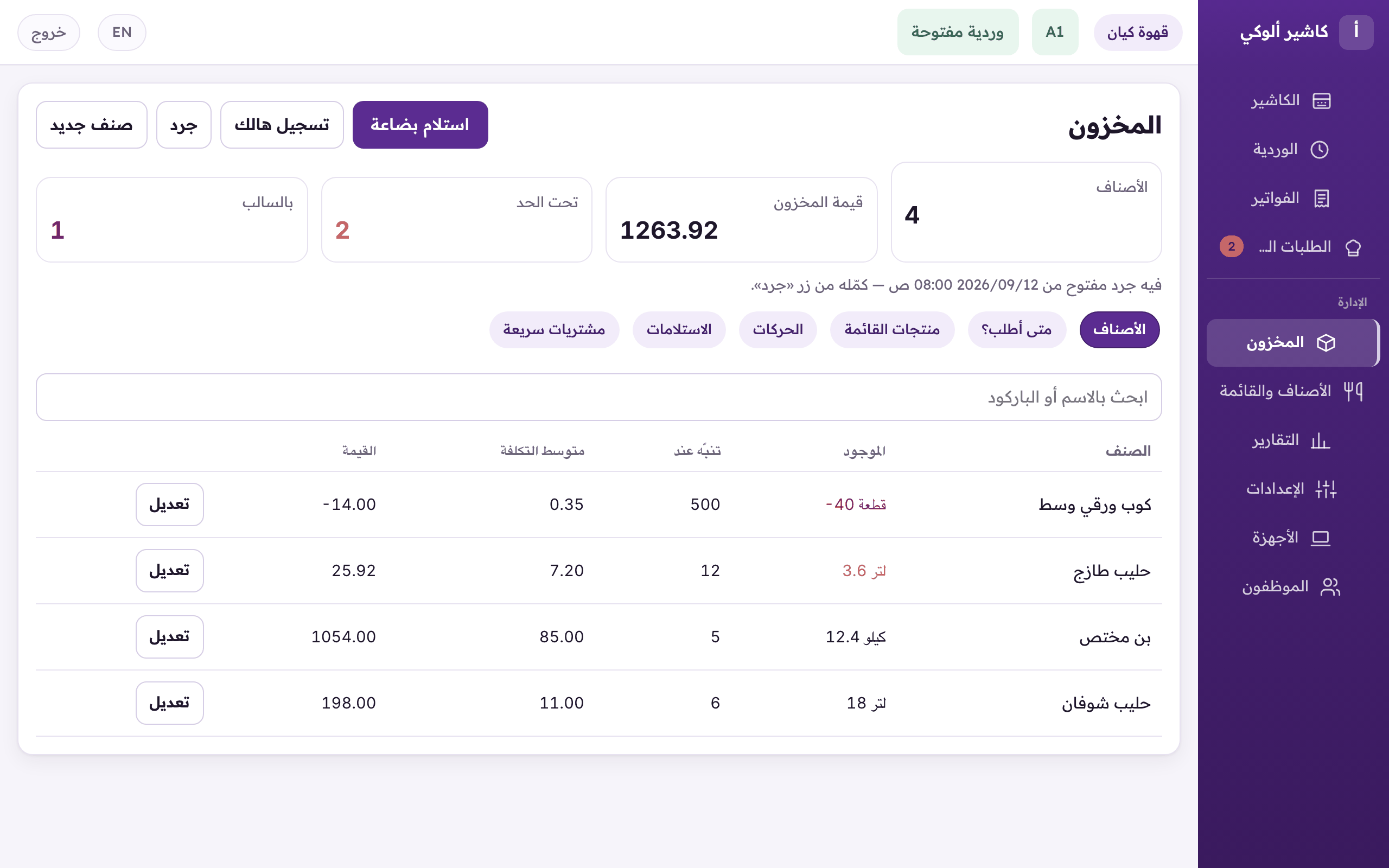
«Inventory»: quantities, receiving goods, and waste. - «استلام بضاعة»: the quantities, the supplier's invoice, its number and photo, then post it to stock.
- «سجّل هدر» when something is lost: expired, damaged, broken, prep, returned, other.
- A count (advanced): «جرد جديد», choose the scope, open it, count, then «احفظ ورحّل».
- «متى أطلب؟»: each item's delivery time from the supplier, and a warning before it runs out with a 20% margin. «طلبتها» once ordered.
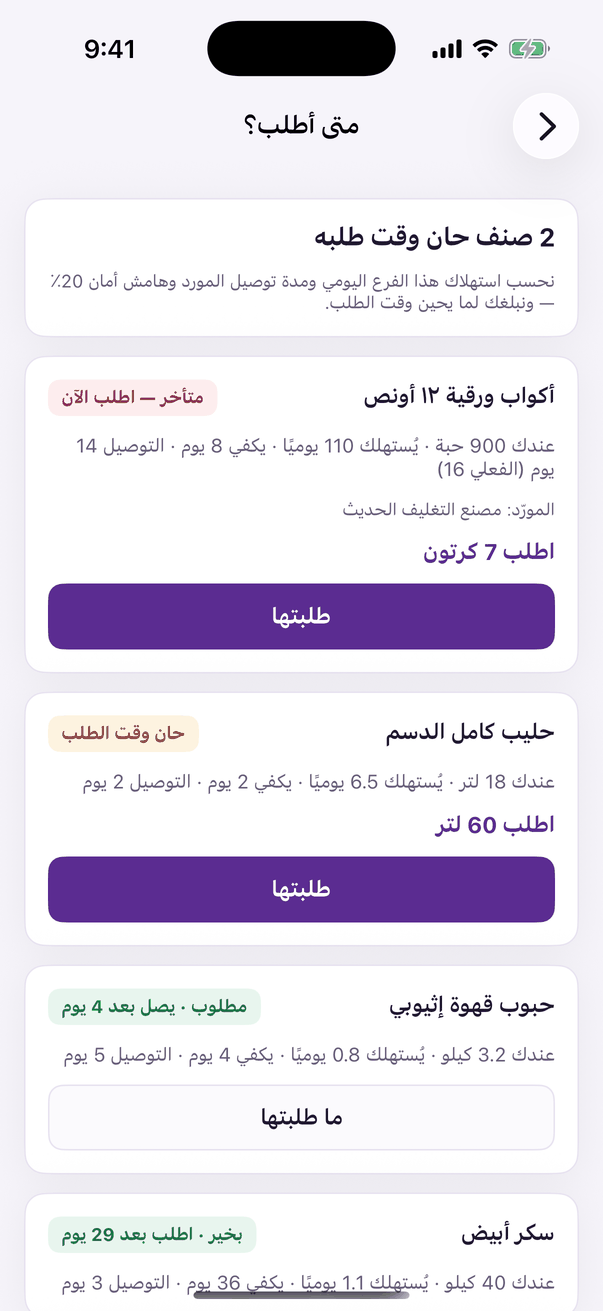
«When to order»: delivery time, and a warning before it runs out.