 Aloke
The safe and the drawer's float
A safe for each branch, the drawer's float issued from it and handed back to it, and every riyal accounted for.
- Aloke POS
- Web, iPhone and iPad, Android
The safe is where a branch keeps its cash between the drawers and the bank. Once it is on, the drawer's float comes out of it, drops and the end of shift hand in go into it, and bank deposits leave from it. Every move is recorded in the name of whoever made it.
- Open «Cash & safe»: in the app from «Manage» or from «Shift», on the web from the side menu, and in Aloke Owners from «Finance & reports» under «Every section».
- In «Settings», choose how the float works, type the usual float, the difference allowed without approval, and the limits above which a manager's code is needed, then save.
- Press «Switch the safe on with its opening count», count what is in it by note and coin, and say where this cash sits in the books: the till's cash if it is the drawers' old cash, or new money the owner put in, then switch it on.
- «Count the safe» whenever you like: count, give the reason for any difference, and beyond what is allowed a manager's code.
- «Add or take»: the owner adds or takes, or a bank withdrawal comes into the safe, with the reason.
- «Where the cash is now»: «In the safe», «In open drawers», «Kept in closed drawers», «On its way to the bank», «Petty funds», and «All the branch's cash». (iPhone and iPad, Android)
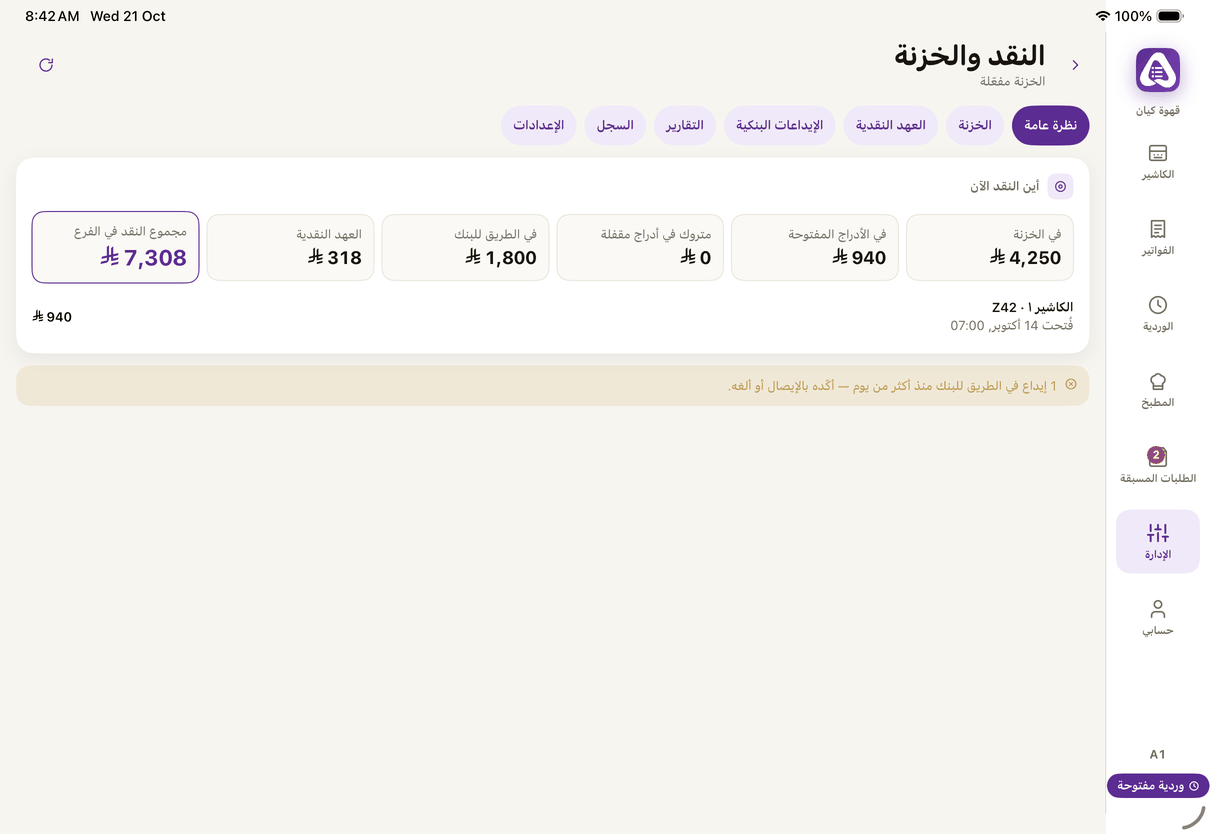
«Cash & safe»: «Where the cash is now» in the safe, the drawers, on its way to the bank and in petty funds. - The web shows the same tiles on «نظرة عامة» (overview). (Web)
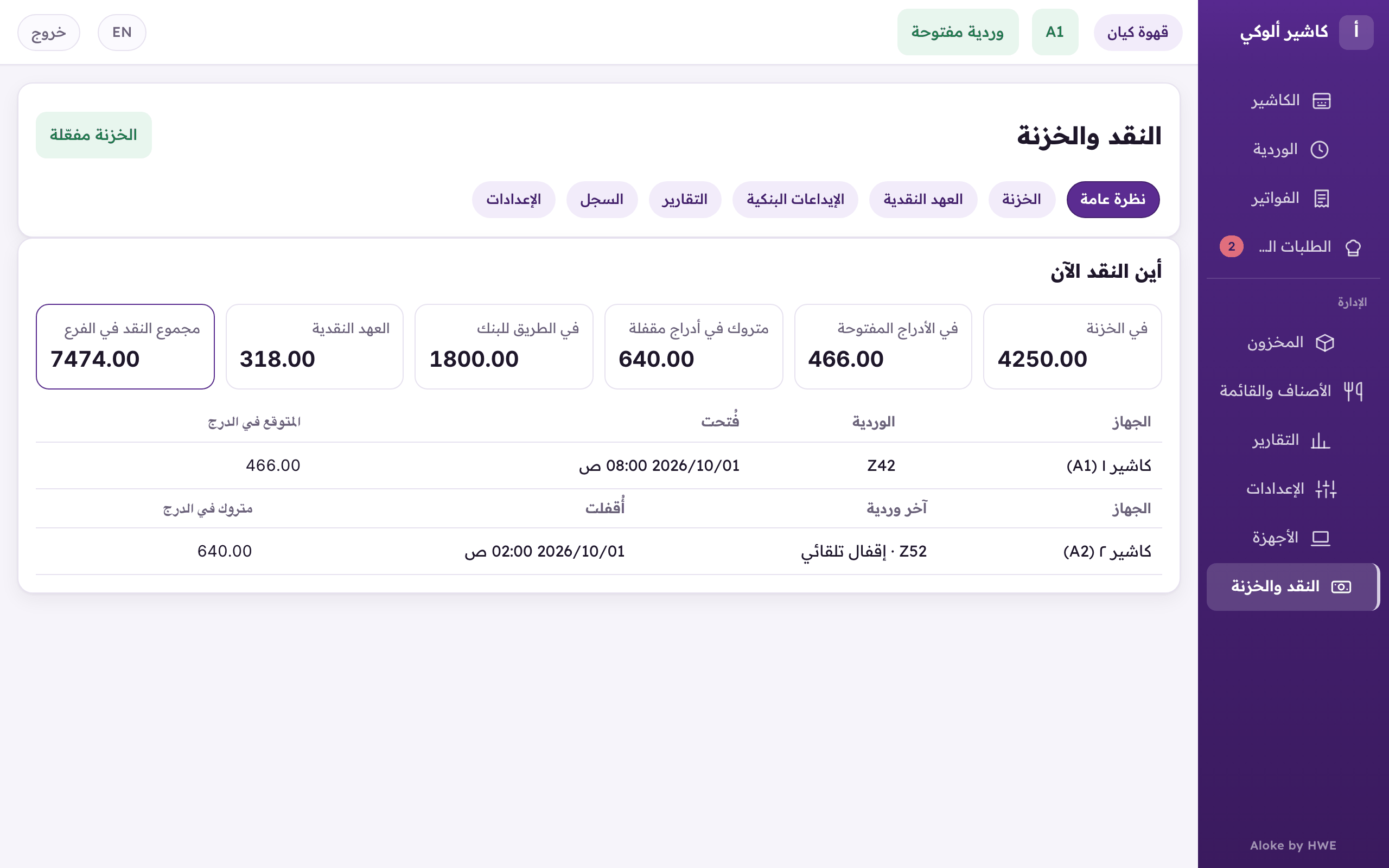
«Where the cash is now»: the safe, open drawers, cash kept in closed drawers, the bank run and petty cash.