 Aloke
AlokePairing a screen with the branch
The code on the screen, typed into Aloke Owners.
- Aloke Display
- Web, iPhone and iPad, Android
- Open Aloke Display on the device. «اربط هذي الشاشة» appears with a six character code.
- In Aloke Owners open «ربط الشاشات», then «اربط شاشة». (iPhone and iPad, Android)
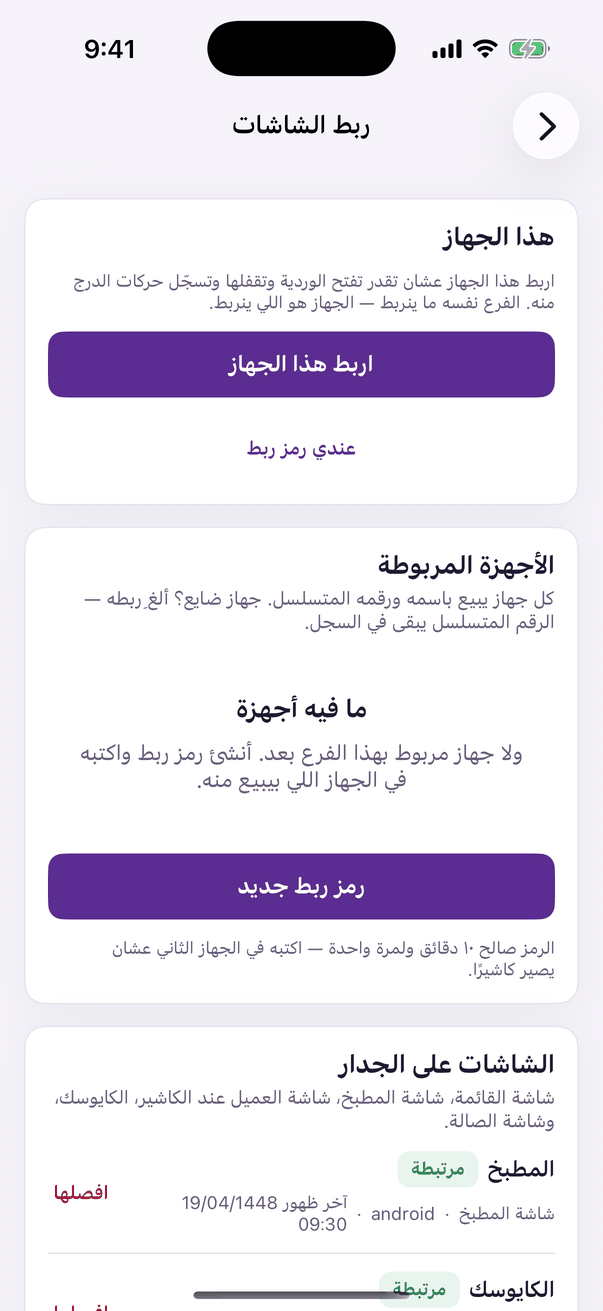
«Connect a display»: pair a screen, or disconnect one. - Type «رمز الشاشة», choose «وش تسوي هذي الشاشة», name it in «اسم الشاشة», then «اربط».
- On the web, a kiosk screen is paired from «الكايوسك», then «الشاشات والطابعات»: type the code shown on the screen. The other screens are paired from Aloke Owners. (Web)
- To unpair: «افصلها» from the same place, and the screen returns to pairing within a minute. Or on the screen, press and hold the bottom corner for 5 seconds, then «افصل».