 Aloke
AlokeThe screen's settings, on the screen itself
Press and hold either bottom corner: change what the screen shows, the printers, a refresh, and disconnecting.
- Aloke Display
- Web, iPhone and iPad, Android
Everything you need is on the screen itself, without a phone: press and hold either bottom corner for three seconds, a ring fills under your finger, and «إعدادات الشاشة» (Screen settings) opens. The corners are hidden, so a customer touching the screen never reaches them.
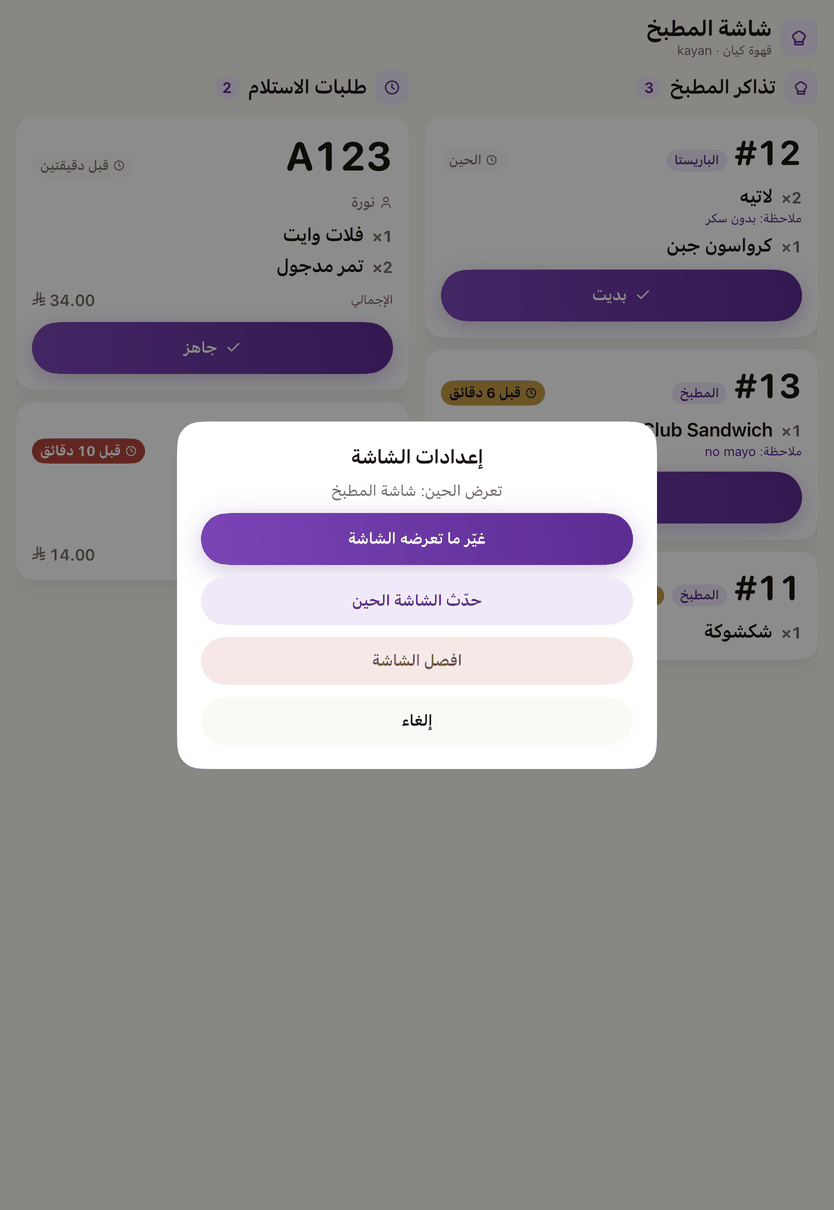
- Change what the screen shows
- It asks for your mobile number and the code, then the branch and the kind of screen. Only the kinds the branch's subscription includes are offered. The screen keeps showing what it shows until the new pairing is done, and if you close it half way nothing changes.
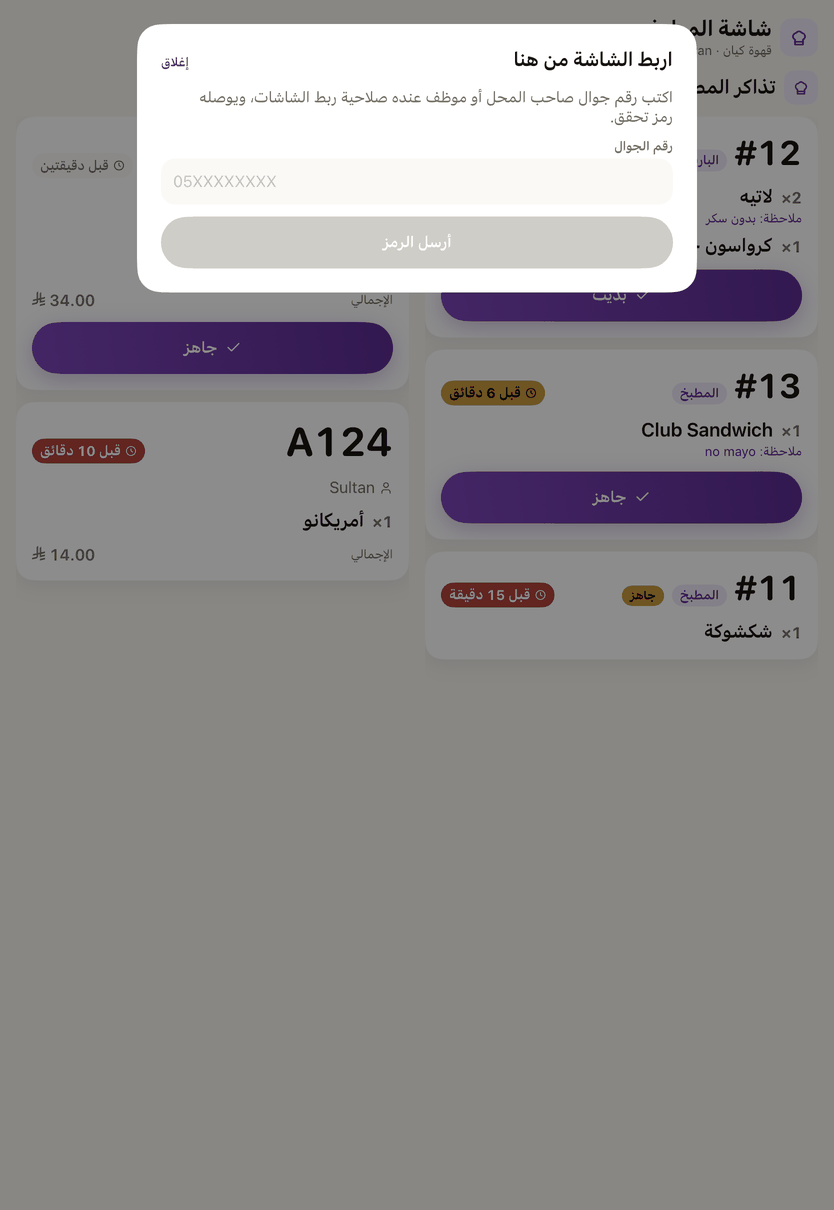
«Change what this screen shows»: your mobile number and the code, then the branch and the kind of screen its subscription allows. - Printers
- Shown when printing through a screen is available: the receipt printer and the kitchen printer, printing from this screen, and a test page.
- Refresh the screen now
- Fetches everything it shows afresh, without disconnecting it.
- Disconnect the screen
- It goes back to pairing with a new code, and you can pair it again straight away with the code or with your mobile number on the same page.