 Aloke
AlokeJoining a shop's programme
Scanning the shop's code, from «Places with us», or from the menu page.
- Aloke Wallet
- Web, iPhone and iPad, Android
- The customer signs in with their mobile and the code. (iPhone and iPad, Android)
- «انضم لبرنامج», then «امسح رمز المحل», pointing the camera at your QR card. (iPhone and iPad, Android)
- Not in the shop? They pick from «الأماكن معنا». (iPhone and iPad, Android)
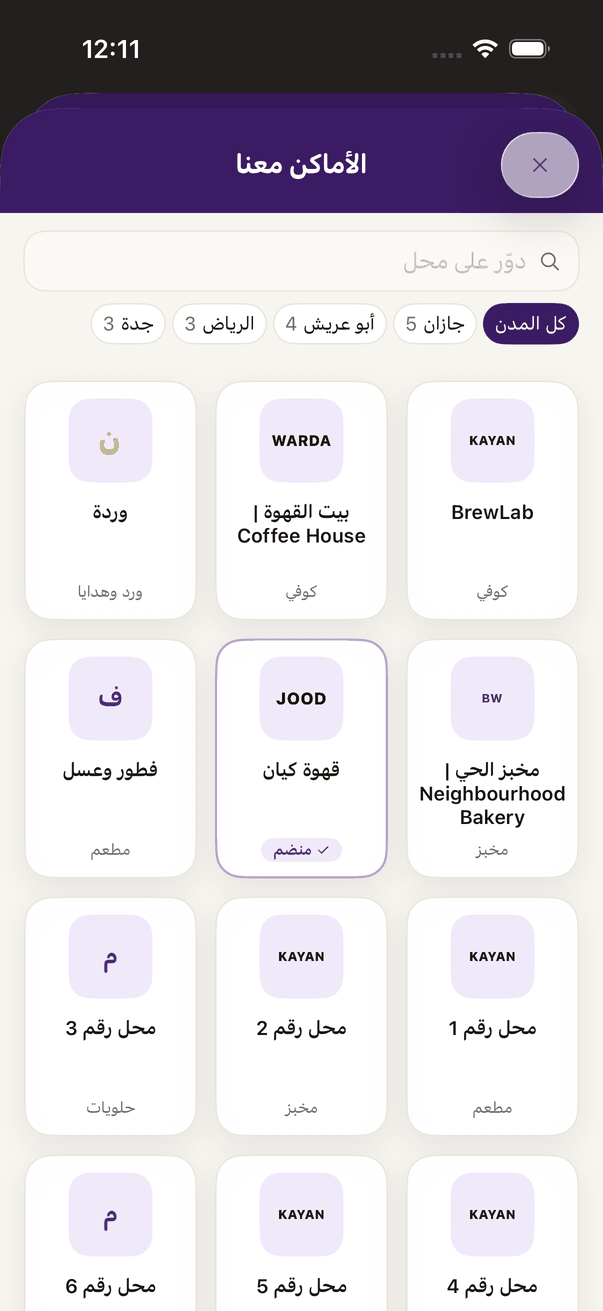
«Places with us»: join a shop from the list. - They agree that the shop may see their name and number and send offers, then «انضمام». (iPhone and iPad, Android)
- From a browser: your menu page has «انضم الآن»; they type their number and code, see that they joined, and get the Apple Wallet or Google Wallet button. (Web)